You are using an outdated browser. Please
upgrade your browser to improve your experience.
This app is a combination of oscilloscope, spectrum analyzer and AM/FM synthesizer and works in the audio ranges from 0

Oscilyzer
by Stefan Robl

What is it about?
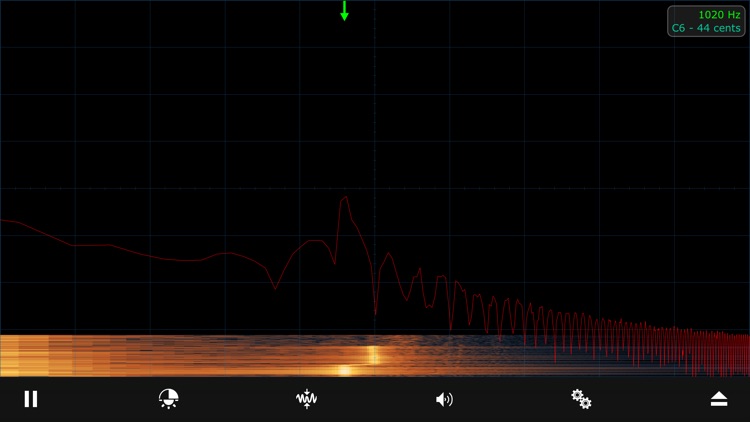
This app is a combination of oscilloscope, spectrum analyzer and AM/FM synthesizer and works in the audio ranges from 0 ... 22 kHz using the integrated audio interfaces.
App Store Description
This app is a combination of oscilloscope, spectrum analyzer and AM/FM synthesizer and works in the audio ranges from 0 ... 22 kHz using the integrated audio interfaces.
The three operating modes offer a wide range of functions and settings.
Oscilloscope
• Very fast image display and real-time triggering
• Trigger modes: automatic, normal, single-shot
Trigger edges: rising, falling, both
• Automatic measurement of frequency, period and amplitude
• Manual measurement of frequency, period and amplitude
• Freely selectable trigger level and time
• Variable zoom and offset
Spectrum Analyzer
• Very fast image display with the help of Apple Metal graphics acceleration
• Logarithmic or linear frequency axis
• Display modes: spectrum, waterfall and combined
• Automatic determination of the dominant frequency
• Music note calculation of the dominant frequency
• Possibility to transfer the dominant frequency to the generator/synthesizer
• Cursor for manual frequency determination
• Adjustability of bandwidth, FFT window and high-pass filter
• Adjustability of color scheme, brightness and contrast of the waterfall display
Synthesizer
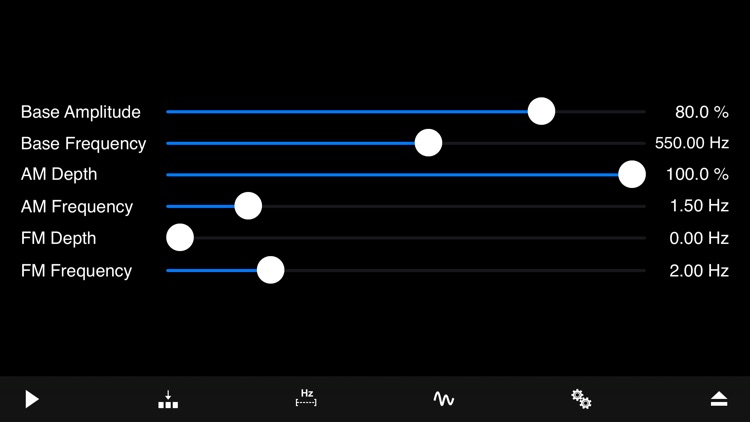
• Waveform synthesis in real time
• AM and FM modulation
• Different waveforms for base signal, AM and FM modulator
• Multiple memory locations for quick switching between different settings
• Direct input of all numerical parameters
Disclaimer:
AppAdvice does not own this application and only provides images and links contained in the iTunes Search API, to help our users find the best apps to download. If you are the developer of this app and would like your information removed, please send a request to takedown@appadvice.com and your information will be removed.
AppAdvice does not own this application and only provides images and links contained in the iTunes Search API, to help our users find the best apps to download. If you are the developer of this app and would like your information removed, please send a request to takedown@appadvice.com and your information will be removed.
