You are using an outdated browser. Please
upgrade your browser to improve your experience.

Tired of looking up every collection in your Plex libraries in order to find missing films to complete it

Outils for Plex
by Callum Williamson


What is it about?
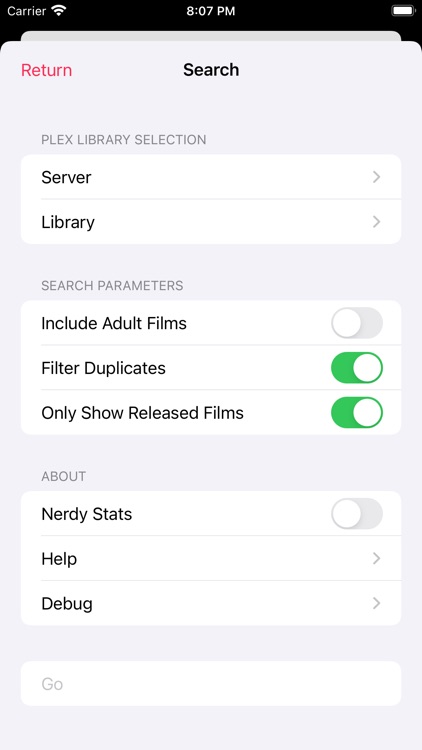
Tired of looking up every collection in your Plex libraries in order to find missing films to complete it? This app takes care of that by automatically searching your film libraries and talking to TMDb to fill those empty gaps. It will also recommend films based on your library contents through genres, similar and related films in an effort to keep your Plex media fresh.
App Screenshots



App Store Description
Tired of looking up every collection in your Plex libraries in order to find missing films to complete it? This app takes care of that by automatically searching your film libraries and talking to TMDb to fill those empty gaps. It will also recommend films based on your library contents through genres, similar and related films in an effort to keep your Plex media fresh.
Other non-Plex related features include:
-Searching for films
-Descriptions and ratings for each film
-Bookmarking films
-Exporting and Importing bookmarks in JSON format
The app is free to use on the most part but a small fee is required to access the Plex related features as a one-time purchase. This can be shared across all your favourite apple devices as the UI has been carefully optimised to work well on both large and small screens.
Please note: Access to Plex servers may require 'remote access' to be enabled depending on the user's location. 'Settings -> Network -> Secure Connections' Will need to be set to either 'Preferred' or 'Disabled' for the app to be able to communicate with your server.
Disclaimer:
AppAdvice does not own this application and only provides images and links contained in the iTunes Search API, to help our users find the best apps to download. If you are the developer of this app and would like your information removed, please send a request to takedown@appadvice.com and your information will be removed.
AppAdvice does not own this application and only provides images and links contained in the iTunes Search API, to help our users find the best apps to download. If you are the developer of this app and would like your information removed, please send a request to takedown@appadvice.com and your information will be removed.
