You are using an outdated browser. Please
upgrade your browser to improve your experience.

The PZn Password Generator offers nine options to generate passwords

Password generator (PZn)
by Green Pike Ltd


What is it about?
The PZn Password Generator offers nine options to generate passwords. Three options use a mixture of (some) letters, digits and symbols, chosen to reduce misreading. CVC (consonant-vowel-consonant) passwords are a further option, and a special “drunk walk” option that are (possibly) more memorable due to their method of generation. A simple, fixed-configuration password is a further option. The last option is for passphrases, with a customisable variant, a mixture of words, symbols and digits, and a “leading” passphrase based on user input (in a separate tab).
App Store Description
The PZn Password Generator offers nine options to generate passwords. Three options use a mixture of (some) letters, digits and symbols, chosen to reduce misreading. CVC (consonant-vowel-consonant) passwords are a further option, and a special “drunk walk” option that are (possibly) more memorable due to their method of generation. A simple, fixed-configuration password is a further option. The last option is for passphrases, with a customisable variant, a mixture of words, symbols and digits, and a “leading” passphrase based on user input (in a separate tab).
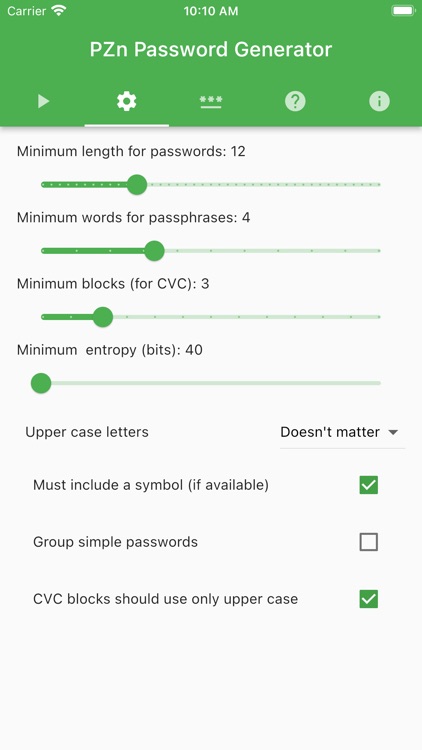
The number of characters, CVC blocks and words (in a passphrase) can be set. Specialist users may wish to set a minimum entropy for the secret generated.
Disclaimer:
AppAdvice does not own this application and only provides images and links contained in the iTunes Search API, to help our users find the best apps to download. If you are the developer of this app and would like your information removed, please send a request to takedown@appadvice.com and your information will be removed.
AppAdvice does not own this application and only provides images and links contained in the iTunes Search API, to help our users find the best apps to download. If you are the developer of this app and would like your information removed, please send a request to takedown@appadvice.com and your information will be removed.
