You are using an outdated browser. Please
upgrade your browser to improve your experience.
Connect & Sync – Personal Contacts let’s you and important contacts connect privately to sync info and keep it up to date

Personal Contacts – private contact syncing powered by the Personal Cloud
by Personal, Inc.

What is it about?
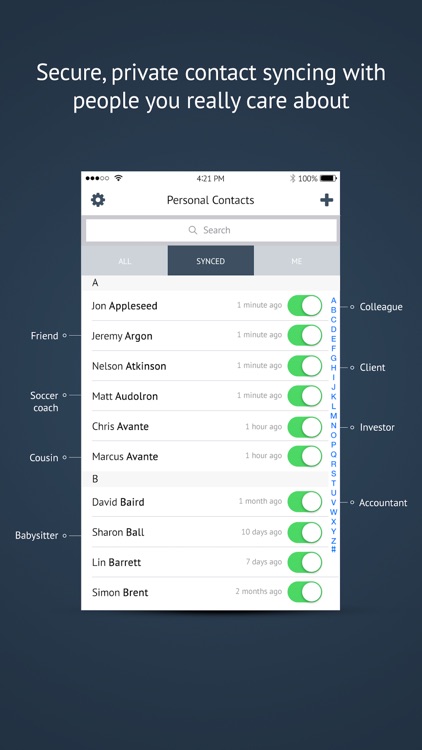
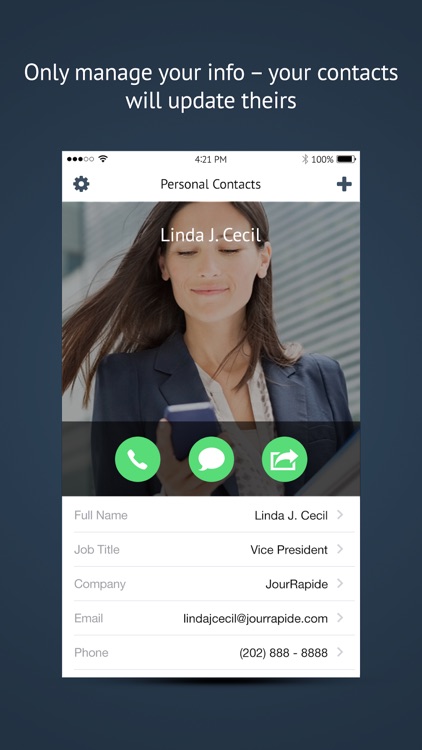
Connect & Sync – Personal Contacts let’s you and important contacts connect privately to sync info and keep it up to date.
App Screenshots

App Store Description
Connect & Sync – Personal Contacts let’s you and important contacts connect privately to sync info and keep it up to date.
Private & Secure - Unlike most contact syncing apps, Personal Contacts is entirely private and will never sell your data or spam you. It is powered by the award-winning Personal Cloud & Data Vault.
Work, Home, Teams & Events - Ideal for the office, home and teams of any kind, Personal Contacts meets even the highest enterprise standards. It also works great for events and trips (weddings, conferences, work travel, etc.) so you can coordinate even if you’ve been out of touch for a while.
Key features:
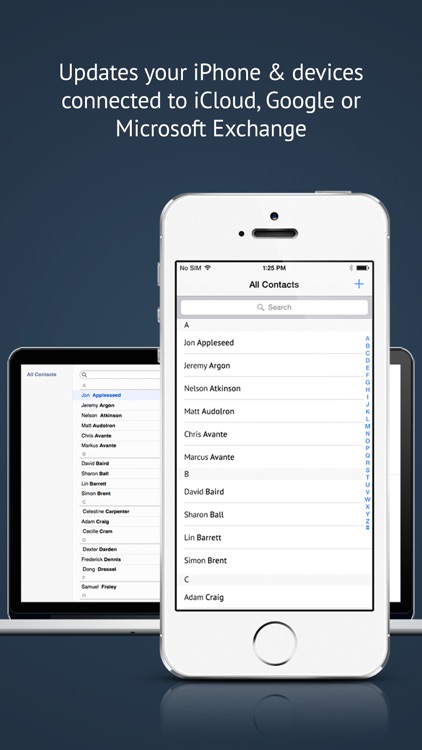
- Automatically updates your iPhone’s Contacts app so info is current for emails, texts, calls, apps, and navigation/maps
- Also updates any cloud service connected to your device, like iCloud or Microsoft Outlook/Exchange, so info is synced on your computer and other devices
- Supports over 40 types of contact info, including avatars (photo of contact)
- Synced info can be exported to spreadsheets, labels, CSV files, etc. using your favorite contact management programs connected to your iPhone
- Easily track who has synced and get notifications when info is updated
Free - Personal Contacts is free. To help ensure your privacy and security, you must register and confirm your email.
Data Ownership – Personal features industry-leading privacy, security and data ownership. For more information, please check out: https://www.personal.com/privacy-policy
Disclaimer:
AppAdvice does not own this application and only provides images and links contained in the iTunes Search API, to help our users find the best apps to download. If you are the developer of this app and would like your information removed, please send a request to takedown@appadvice.com and your information will be removed.
AppAdvice does not own this application and only provides images and links contained in the iTunes Search API, to help our users find the best apps to download. If you are the developer of this app and would like your information removed, please send a request to takedown@appadvice.com and your information will be removed.
