You are using an outdated browser. Please
upgrade your browser to improve your experience.

Add photos to your watch faces, tap them to go fullscreen

Photo Complications
by Atlum Limited
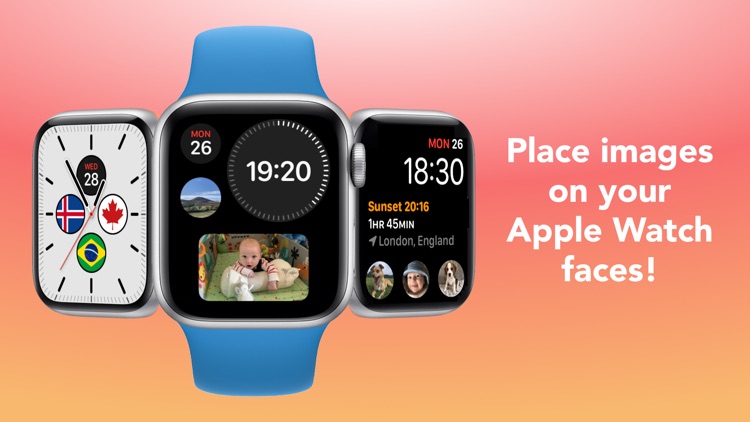

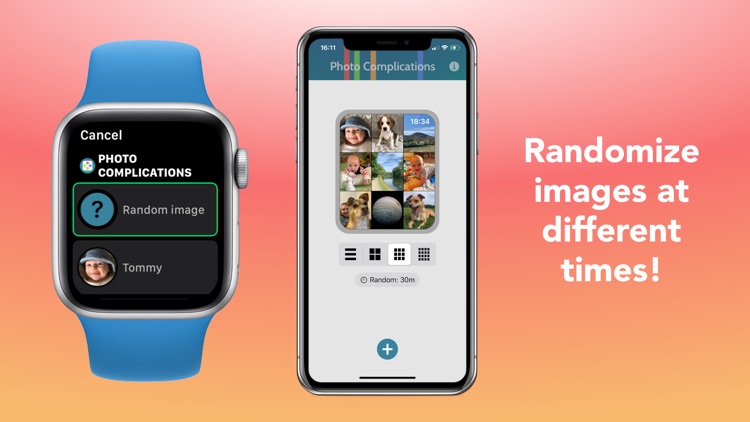

Photo Complications Offers Apple Watch App
Check the details on WatchAware
Check the details on WatchAware
What is it about?
Add photos to your watch faces, tap them to go fullscreen!
App Screenshots


App Store Description
Add photos to your watch faces, tap them to go fullscreen!
• Add images from your Photos library, iCloud, other apps, the clipboard, or a url
• Tap them to go fullscreen, with an optional title
• Randomize images, from every 15 minutes to once a day
• Adjust image positions and zoom in, for complications and when fullscreen
• Paste in images from the clipboard
• JPEG, PNG, HEIF, JPG, BMP, and GIF (non-animated) image types supported
For non-multicolor complications, on older watch faces, you can display the app icon to jump straight to an image.
Disclaimer:
AppAdvice does not own this application and only provides images and links contained in the iTunes Search API, to help our users find the best apps to download. If you are the developer of this app and would like your information removed, please send a request to takedown@appadvice.com and your information will be removed.
AppAdvice does not own this application and only provides images and links contained in the iTunes Search API, to help our users find the best apps to download. If you are the developer of this app and would like your information removed, please send a request to takedown@appadvice.com and your information will be removed.
