You are using an outdated browser. Please
upgrade your browser to improve your experience.

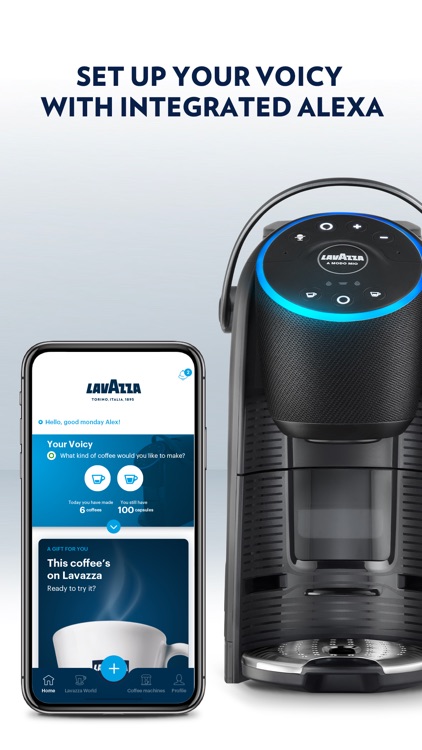
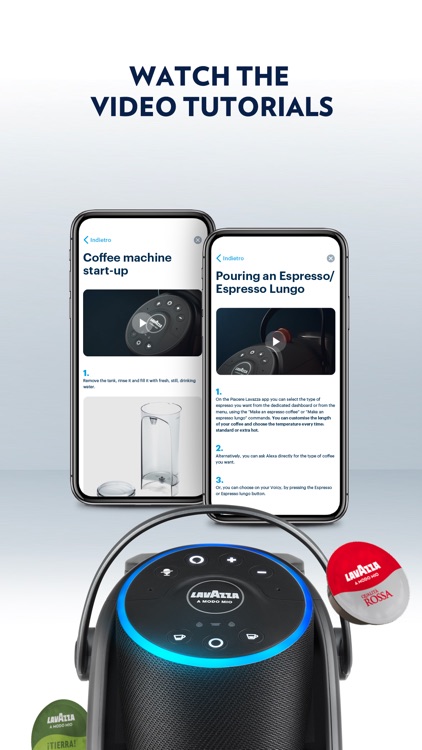
Discover an entirely new way to enjoy your coffee with Piacere Lavazza, the official app to configure and manage your Lavazza smart coffee machine

Piacere Lavazza
by Lavazza S.P.A.


What is it about?
Discover an entirely new way to enjoy your coffee with Piacere Lavazza, the official app to configure and manage your Lavazza smart coffee machine. Personalize your experience, control every detail, and enjoy coffee your way, whenever you want.
App Screenshots


App Store Description
Discover an entirely new way to enjoy your coffee with Piacere Lavazza, the official app to configure and manage your Lavazza smart coffee machine. Personalize your experience, control every detail, and enjoy coffee your way, whenever you want.
Main Features:
• Brew coffee directly from the app
Start brewing your favorite beverage with a single tap, wherever you are.
• Create and customize your favorite drinks
Experiment, adjust, and save coffee and beverages tailored to your taste: volume, temperature, aroma, foam… just the way you like it.
• Enhance the flavor of your beans
Select the Lavazza blend you're using: the machine will automatically adjust to the ideal settings to bring out the aroma and taste of your coffee.
• Explore a world of recipes
Get inspired by a variety of delicious recipes to make with your coffee machine.
• Track your consumption
Monitor your consumption habits with detailed statistics and helpful tips.
• Keep your machine running efficiently
Follow guided descaling instructions for optimal performance, worry-free.
• Manage subscriptions and orders with ease
Stay on top of your Lavazza subscription and view your recent orders anytime.
• Shop effortlessly
Order coffee, accessories, machine parts, and more in just a few steps.
Disclaimer:
AppAdvice does not own this application and only provides images and links contained in the iTunes Search API, to help our users find the best apps to download. If you are the developer of this app and would like your information removed, please send a request to takedown@appadvice.com and your information will be removed.
AppAdvice does not own this application and only provides images and links contained in the iTunes Search API, to help our users find the best apps to download. If you are the developer of this app and would like your information removed, please send a request to takedown@appadvice.com and your information will be removed.
