You are using an outdated browser. Please
upgrade your browser to improve your experience.

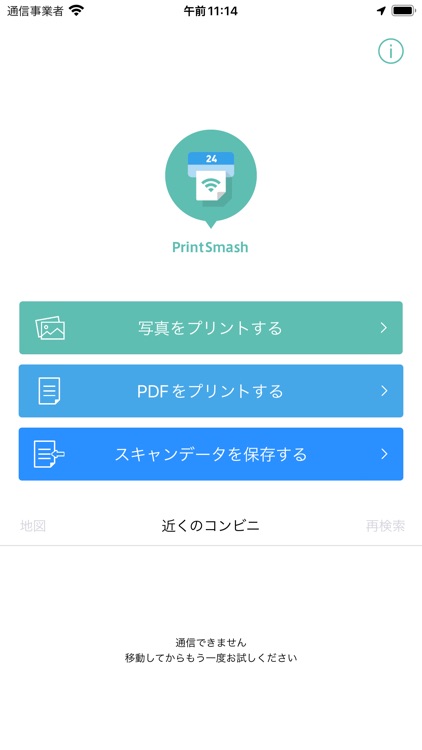
PrintSmash is an application, that enable to print photos and PDF files stored on iPhone and iPad devices and save scanned data, on a SHARP multi-functional copier installed in convenience stores, by utilizing Wi-Fi communications

PrintSmash
by Sharp Corporation


What is it about?
PrintSmash is an application, that enable to print photos and PDF files stored on iPhone and iPad devices and save scanned data, on a SHARP multi-functional copier installed in convenience stores, by utilizing Wi-Fi communications.
App Screenshots

App Store Description
PrintSmash is an application, that enable to print photos and PDF files stored on iPhone and iPad devices and save scanned data, on a SHARP multi-functional copier installed in convenience stores, by utilizing Wi-Fi communications.
Main Specification
Print
- Supported file format
JPEG, PNG, PDF
PDF file which is encrypted and/or set password is not supported.
- Registerable number of files
JPEG, PNG: 50 in total
PDF: 20
* For PDF files, each file needs to be less than 200 pages.
* When the pages of the uploaded file are more than the number of printable pages, you can select the range of pages to be printed at the operation of Multi-Function Copier to print them all in several batches.
- Transmittable file size
Less than 30MB for 1 file
Less than 100MB in total when transmit multiple files
Scan
- Supported file format
JPEG, PDF
- Receivable number of files
JPEG: 20 in total
PDF: 1
* The scanned data may become big depending on the settings. Please pay attention to the remaining space for storage.
* When you uninstall PrintSmash, all the saved scanned data are deleted together. If you want to copy them in other APPs, you can use [Share] to do that.
Disclaimer:
AppAdvice does not own this application and only provides images and links contained in the iTunes Search API, to help our users find the best apps to download. If you are the developer of this app and would like your information removed, please send a request to takedown@appadvice.com and your information will be removed.
AppAdvice does not own this application and only provides images and links contained in the iTunes Search API, to help our users find the best apps to download. If you are the developer of this app and would like your information removed, please send a request to takedown@appadvice.com and your information will be removed.
