You are using an outdated browser. Please
upgrade your browser to improve your experience.

PrivScanner: Next-Generation Offline AI Scanning Tool

PrivScanner - Batch Scan & OCR
by 颖 胡


What is it about?
PrivScanner: Next-Generation Offline AI Scanning Tool
App Screenshots

App Store Description
PrivScanner: Next-Generation Offline AI Scanning Tool
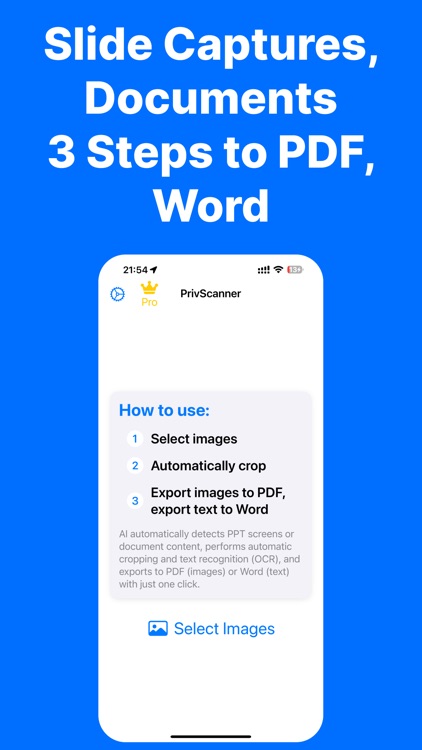
PrivScanner is an intelligent application that integrates document scanning, PPT photo processing, and text extraction. It supports one-click batch conversion of document photos and PPT photos into PDF, and text extraction into Word, making your work more efficient. Unlimited scanning functionality, free to use without limits.
Key Features
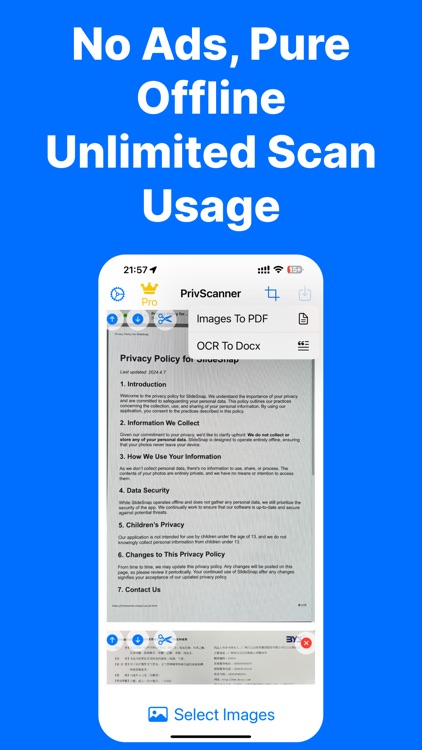
- High-Precision Offline Recognition: Optimized algorithms for recognizing PPT screens and documents, achieving high-precision and fast recognition without the need for internet.
- Smart Cropping and Correction: AI technology automatically performs cropping, perspective correction, image alignment, and text extraction, delivering professional results.
- Batch Text Extraction to Word: Extracts text from over 50 images at once, with beautiful automatic formatting, placing one image per page.
- Batch Image to PDF Conversion: Quickly converts multiple images into high-quality PDF files for easy storage and sharing.
- Fast Export to PDF and Word: Exports high-quality PDF and Word files, supporting one-click sharing to social platforms or local storage.
User Experience Principles
- Privacy First: Never uploads user photos or any personal data, all processing is done locally on the device.
- Ad-Free Experience: Minimalist UI design with no ads or notifications, focusing solely on your user experience.
- Exceptional Performance: The app is highly compact, developed natively for superior performance.
Problems We Aim to Solve
- Scanning Sensitive Documents: Worried about data leaks? PrivScanner uses advanced offline AI technology to keep your files safe.
- Classroom and Meeting Notes: Need to manually crop photos of lecture slides and PPTs? PrivScanner automatically detects PPT screen areas, saving you time and effort.
- Bulk Document Processing: Processing 100-page documents one by one is time-consuming? PrivScanner handles large numbers of images in one go, quickly and easily.
We Value Your Feedback
If you have any suggestions or issues, please contact us via email:
- afforwork@outlook.com
Terms of Service and Privacy Policy
- https://www.apple.com/legal/internet-services/itunes/dev/stdeula/
- https://thinkworld.club/privacy6.html
Thank you for choosing PrivScanner and experiencing the next generation of intelligent scanning!
Disclaimer:
AppAdvice does not own this application and only provides images and links contained in the iTunes Search API, to help our users find the best apps to download. If you are the developer of this app and would like your information removed, please send a request to takedown@appadvice.com and your information will be removed.
AppAdvice does not own this application and only provides images and links contained in the iTunes Search API, to help our users find the best apps to download. If you are the developer of this app and would like your information removed, please send a request to takedown@appadvice.com and your information will be removed.
