You are using an outdated browser. Please
upgrade your browser to improve your experience.

Turn an iPad Into a Windows Drawing Tablet

Project Blue
by Astro HQ
Removed from the App Store
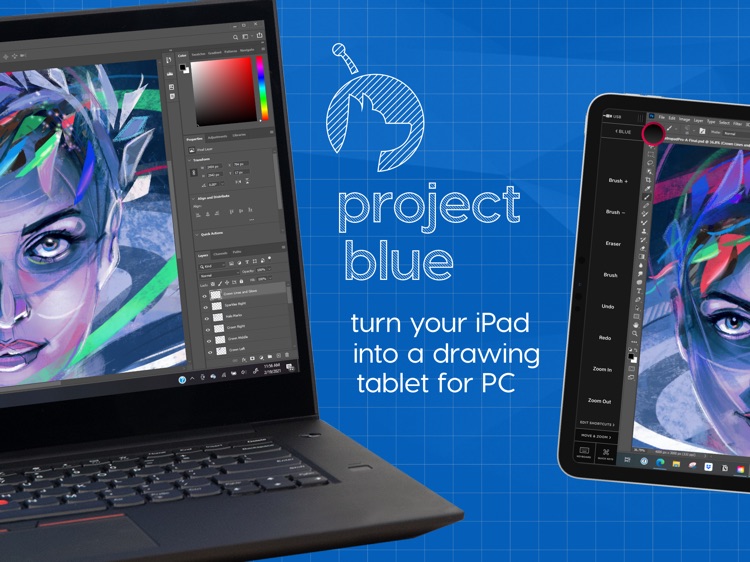
Project Blue from Astropad can turn an iPad into a drawing tablet for a Windows PC. You can connect via Wi-Fi or USB and works with any Windows software including Photoshop and Illustrator.
What is it about?
Turn your iPad into a wireless drawing tablet for PC → Try Project Blue for free today!
App Store Description
Turn your iPad into a wireless drawing tablet for PC → Try Project Blue for free today!
Project Blue requires both an iPad app and a Windows companion app. Visit astropad.com/projectblue to learn more and get started.
___
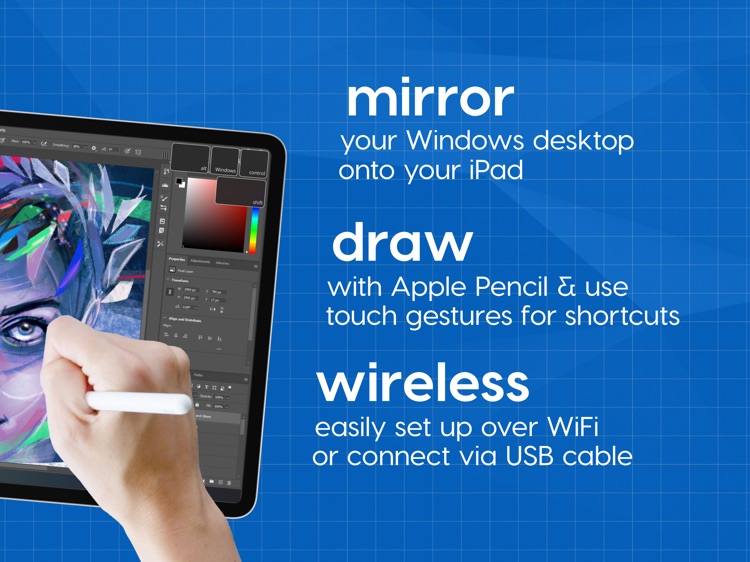
MIRROR YOUR WINDOWS DESKTOP ON YOUR IPAD
· Streamline your workflow across PC and iPad
· Works with any graphics software, including Photoshop, Illustrator, Blender, and ZBrush
· Low-latency performance at 16ms
· Crystal-clear image quality: True to your source material with color-corrected output and retina resolution
APPLE PENCIL & TOUCH SUPPORT
· Interact directly with your favorite Windows apps
· Optimized for the precision of Apple Pencil
· Use touch gestures to access tools and shortcuts
CONNECT OVER WIFI OR USB
· Untether your workflow! Project Blue works wirelessly over your existing wifi network
· Or connect over USB when wifi isn’t available
___
SYSTEM REQUIREMENTS
1. Windows: Windows 10 64-bit, build 1809 or later
2. iOS: iPad must be running iOS 9.1 (or later)
___
Learn more → www.astropad.com/projectblue
___
Need help? blue@astropad.com
Twitter: @astropad
Instagram: @astropadco
Facebook: facebook.com/astropadco
Disclaimer:
AppAdvice does not own this application and only provides images and links contained in the iTunes Search API, to help our users find the best apps to download. If you are the developer of this app and would like your information removed, please send a request to takedown@appadvice.com and your information will be removed.
AppAdvice does not own this application and only provides images and links contained in the iTunes Search API, to help our users find the best apps to download. If you are the developer of this app and would like your information removed, please send a request to takedown@appadvice.com and your information will be removed.
