You are using an outdated browser. Please
upgrade your browser to improve your experience.
This is an application that focuses on QR code scanning and production, barcode recognition and search

QR Code:Scanner&Reader
by guobin zhao


What is it about?
This is an application that focuses on QR code scanning and production, barcode recognition and search.
App Screenshots

App Store Description
This is an application that focuses on QR code scanning and production, barcode recognition and search.
Main features:
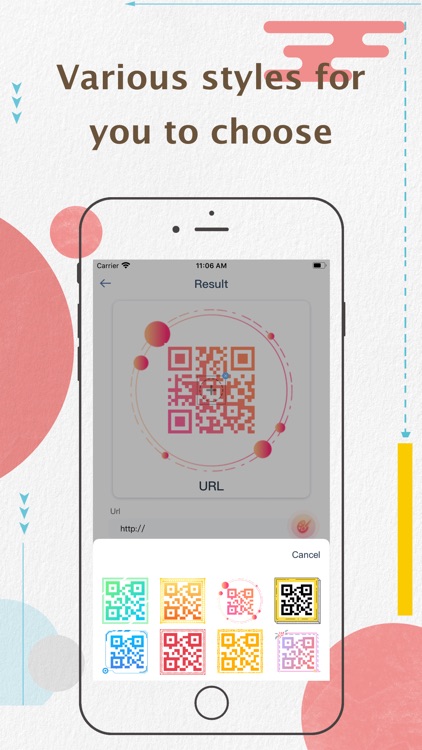
1.A variety of styles to choose, quickly make an exclusive QR code.
2. Scan product barcodes to quickly grasp product information.
3. Automatically generate scan history for easy viewing of history
4. Export the QR code for easier sharing
5. Upload a custom logo and generate a QR code that belongs to you
You can subscribe to enjoy your exclusive privileges:unlimited scans, Advanced QR code production,More styles and no ads!
You can choose the following subscription methods: 1-month with 3-day trial, 3-month, 1-year.
Important:
-The application is free to download, and provides limited use of QR code styles, creation and use of limited types of QR codes, and free scanning of QR codes and barcodes. You can subscribe for unlimited use of all styles and functions.
- Payment is charged to iTunes Account at confirmation of purchase. Subscription automatically renews for the same price and duration period unless auto-renew is turned off at least 24-hours before the end of the current period. Account will be charged for renewal within 24-hours prior to the end of the current period at the cost of the chosen package. Subscriptions may be managed by the user and auto-renewal may be turned off by going to the user's iTunes Account Settings after purchase. No cancellation of the current subscription is allowed during active subscription period. You may cancel a subscription during its free trial period via the subscription setting through your iTunes account. This must be done 24 hours before the end of the subscription period to avoid being charged. Please visit http://support.apple.com/kb/ht4098 for more information. You may turn off the auto-renewal of your subscription via your iTunes account settings. However, you are not able to cancel the current subscription during its active period.
- Subscriptions are linked to your account rather than to a given installation of an app on a device. Therefore cancelling a free trial or subscription must be done via your account Settings. Just deleting the app does not automatically cancel a subscription. If you need assistance, please contact us at ScannerReaderService@outlook.com and we'll be keen to help. But please note that for privacy and security reasons, we as developers are unable to directly access your account and alter your subscription on your behalf.
Privacy Policy:
https://docs.google.com/document/d/1qjTKYqpp-FEBaKBZHnYXYCBUeplEeo2v7D9TKD2rC3w/edit?usp=sharing
Terms of use:
https://docs.google.com/document/d/1JPGO3fWWL1EAHuivtY1FvZUhPxK282644h-tkgbs8yQ/edit?usp=sharing
Disclaimer:
AppAdvice does not own this application and only provides images and links contained in the iTunes Search API, to help our users find the best apps to download. If you are the developer of this app and would like your information removed, please send a request to takedown@appadvice.com and your information will be removed.
AppAdvice does not own this application and only provides images and links contained in the iTunes Search API, to help our users find the best apps to download. If you are the developer of this app and would like your information removed, please send a request to takedown@appadvice.com and your information will be removed.
