You are using an outdated browser. Please
upgrade your browser to improve your experience.

Create a sticky note reminder for your home screen with one tap

Quicky Sticky Notes
by Parker Barrile
What is it about?
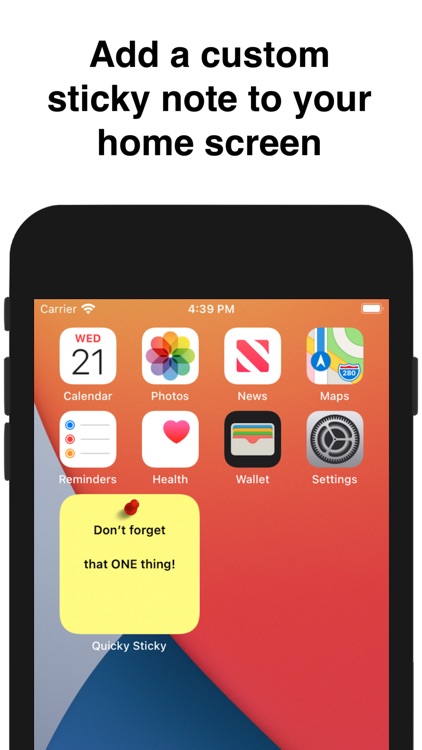
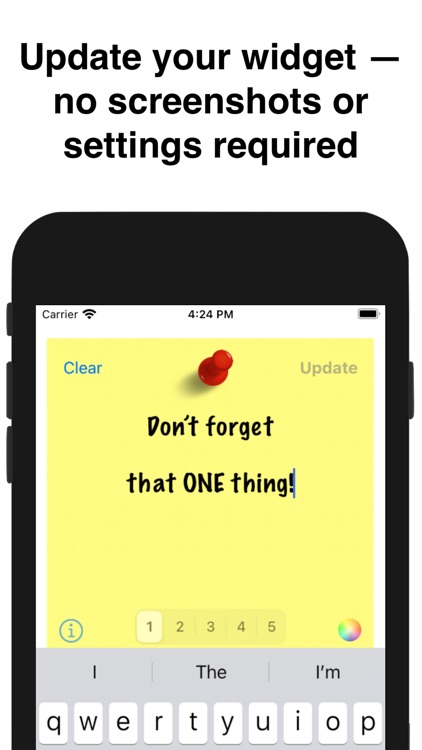
Create a sticky note reminder for your home screen with one tap. No images or settings required.
App Store Description
Create a sticky note reminder for your home screen with one tap. No images or settings required.
For that ONE thing you just can't forget!
** Widget Install Instructions **
1. Tap and hold any icon on your home screen, then tap 'Edit Home Screen'.
2. Tap the '+' in the upper left-hand corner of the screen.
3. Select 'Quicky Sticky' from the list, and tap the 'Add Widget' button.
Disclaimer:
AppAdvice does not own this application and only provides images and links contained in the iTunes Search API, to help our users find the best apps to download. If you are the developer of this app and would like your information removed, please send a request to takedown@appadvice.com and your information will be removed.
AppAdvice does not own this application and only provides images and links contained in the iTunes Search API, to help our users find the best apps to download. If you are the developer of this app and would like your information removed, please send a request to takedown@appadvice.com and your information will be removed.
