You are using an outdated browser. Please
upgrade your browser to improve your experience.

An application that enables the Quasi-Zenith Satellite System (QZSS) and GPS to be seen in from your iPhone in various ways

QZ-finder
by Lighthouse T and C Co
What is it about?
An application that enables the Quasi-Zenith Satellite System (QZSS) and GPS to be seen in from your iPhone in various ways!
App Screenshots

App Store Description
An application that enables the Quasi-Zenith Satellite System (QZSS) and GPS to be seen in from your iPhone in various ways!
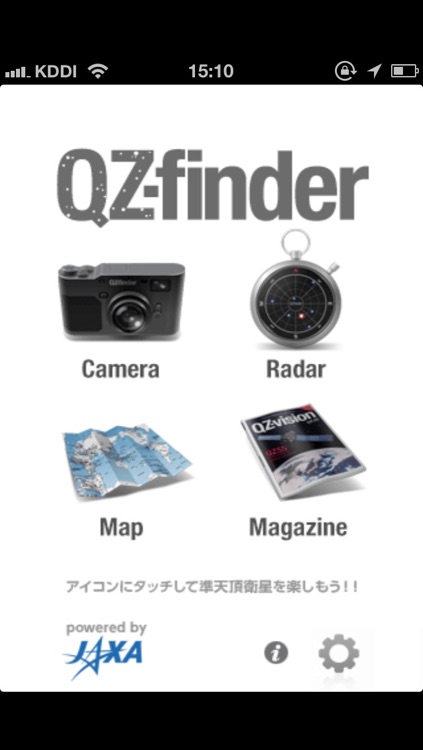
This application downloads the latest QZSS+GPS almanac file from the "QZ-vision" site and gives you the latest position of the QZSS and GPS. From the current position and time, it not only enables you to know the position of the satellites, but also enables you to see the satellites through your iPhone camera.
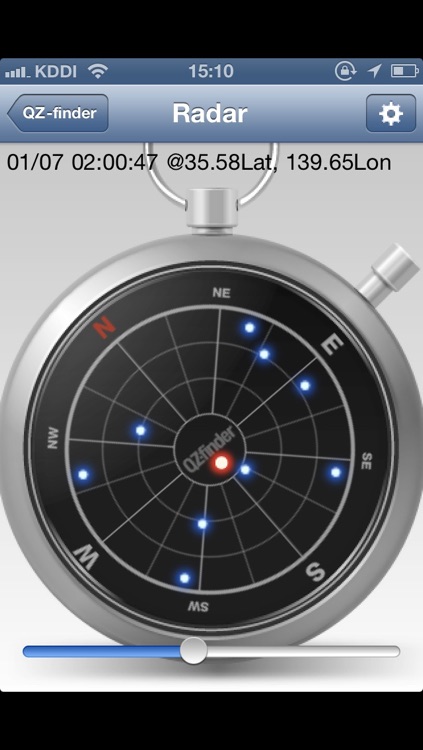
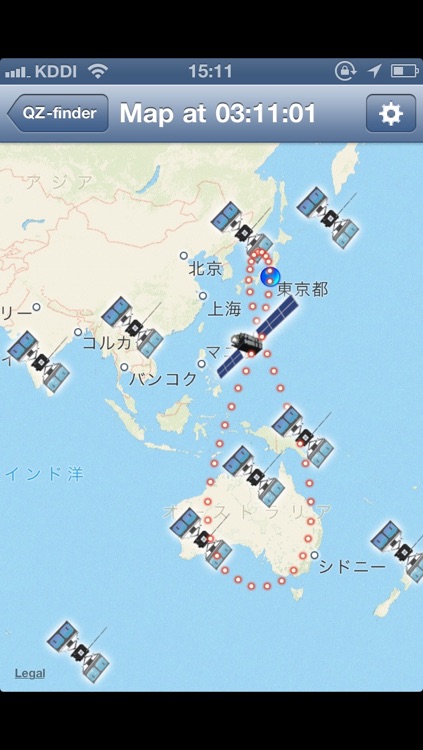
It is also provided with a radar view which you can use it as a sky plot of the QZSS/GPS satellites. Not only that! It gives you the latitude and the longitude of each satellites through a map view.
Versatile ways in showing where the satellites are, gives you great fun and lots of interest. And, no doubt, useful to your outdoor activities and navigation life.
Some more explanation in detail.
[Camera Mode] :
Through your iPhone camera, it shows you the QZSS and the GPS satellites in air using the augmented reality technique.
By single tapping the satellites on the screen, it gives you the specific numbers of the latitude and longitude of the target satellite, and the azimuth elevation angle to be seen.
You can also take cool pictures with the satellite in view.
[Radar Mode] :
A compass like, sky plot view in hand will help you to recognize where the QZSS and GPS satellites are above your head. It shows you the azimuth/elevation angle by touching the dot representing the satellites.
The compass enables you to keep correct heading direction. (You can also choose to set it heading north too).
[Map Mode] :
The world map view with the QZSS/GPS satellites will give you an idea of how the satellites are distributed around the earth. The cool "8" figure trajectory of the QZSS is also shown by small red dots. It is also pretty interesting to compare the satellites' position in the Map Mode and the Radar Mode.
[Magazine Mode] :
This will open the "QZ-vision" WEB site. It will jump to the READ area in the "QZ-vision".
It will also give you an extra function to be able to tweet using Twitter APIs. This extra function includes Twitter+OAuth code by Ben Gottlieb.
Disclaimer:
AppAdvice does not own this application and only provides images and links contained in the iTunes Search API, to help our users find the best apps to download. If you are the developer of this app and would like your information removed, please send a request to takedown@appadvice.com and your information will be removed.
AppAdvice does not own this application and only provides images and links contained in the iTunes Search API, to help our users find the best apps to download. If you are the developer of this app and would like your information removed, please send a request to takedown@appadvice.com and your information will be removed.
