You are using an outdated browser. Please
upgrade your browser to improve your experience.

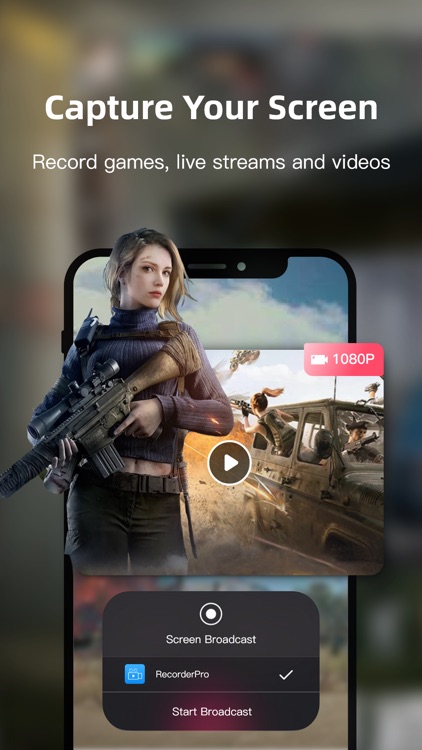
One tap to start recording your screen in high quality

RecorderPro - Screen Recorder
by Yanyan Mao


What is it about?
One tap to start recording your screen in high quality. You can record movies, games, video chats, live streams, etc. Capturing your screen has never been so easy.
App Screenshots


App Store Description
One tap to start recording your screen in high quality. You can record movies, games, video chats, live streams, etc. Capturing your screen has never been so easy.
FEATURES
- One tap to start, simple and flexible.
- Powerful editing functions allow you to corp and trim your recordings, voice over them, convert them to GIFs, etc.
- Record high-quality or even uncompressed videos, which are able to play smoothly.
- Record your screen at a custom resolution.
- Watermark-free.
- Both landscape mode and portrait mode available.
- Record audio from microphone. - Record gameplay.
- Record movies, games and any other videos on your screen.
CASES
- Gaming: Record it when you are playing Fortnight, PUBG Mobile, Minecraft, Hearthstone, etc., to save your best gaming moments.
- Videos: Movies, TV Shows, Tutorials, Online Courses, etc.
- Video Chat: FaceTime, Zoom Meeting, Skype, etc.
- Phone Screen: Record your screen on live.
TUTORIAL
1. Open Capture Screen Recorder, tap the ""Record Now"" button.
2. Turn Microphone on/off.
3. Tap ""Start Livestream"", it will begin after 3-second countdown.
4. End the recording by tapping on ""Stop"". *Manage your recordings in the App.
SUBSCRIPTION
1. With the subscription of RecorderPro - Screen Recorder you will get access to the following functions: 1080p HD Video recording, accurate video cropping, adding video dubbing, GIF Maker, and all paid features.
2. Price: $7.99/month for continuous monthly subscription, $39.99/year for continuous annual subscription.
3. Payment: Payment will be charged to your iTunes account at confirmation of purchase.
4. Membership renewal: 24 hours before your subscription expires, Apple will automatically deduct the subscription fee from your iTunes account.
5. If you want to cancel your subscription, please manually open your iPhone ""Settings""-->Enter ""iTunes & App Store""-->Click ""Apple ID"". ""Select ""View Apple ID"", enter ""Account Settings"" page, click ""Subscription"", select RecorderPro - Screen Recorder VIP. Simply cancel your subscription to the membership service. If you do not close your subscription at least 24 hours before the end of the subscription period, you will be deemed to have agreed to the continued authorization and the subscription will be automatically renewed.
TERMS OF SERVICE
https://h5.pptbest.com/wap_pay/privacy/individual/zh/user-agreement.html?soft_name=%E8%BF%85%E6%8D%B7%E5%BD%95%E5%B1%8F%E5%A4%A7%E5%B8%88&packageId=com.yanyan.RecordScreenAssistant&platform=IOS
PRIVACY POLICY
https://h5.pptbest.com/wap_pay/privacy/individual/zh/privacy.html?soft_name=%E8%BF%85%E6%8D%B7%E5%BD%95%E5%B1%8F%E5%A4%A7%E5%B8%88&packageId=com.yanyan.RecordScreenAssistant&platform=IOS
Disclaimer:
AppAdvice does not own this application and only provides images and links contained in the iTunes Search API, to help our users find the best apps to download. If you are the developer of this app and would like your information removed, please send a request to takedown@appadvice.com and your information will be removed.
AppAdvice does not own this application and only provides images and links contained in the iTunes Search API, to help our users find the best apps to download. If you are the developer of this app and would like your information removed, please send a request to takedown@appadvice.com and your information will be removed.
