You are using an outdated browser. Please
upgrade your browser to improve your experience.

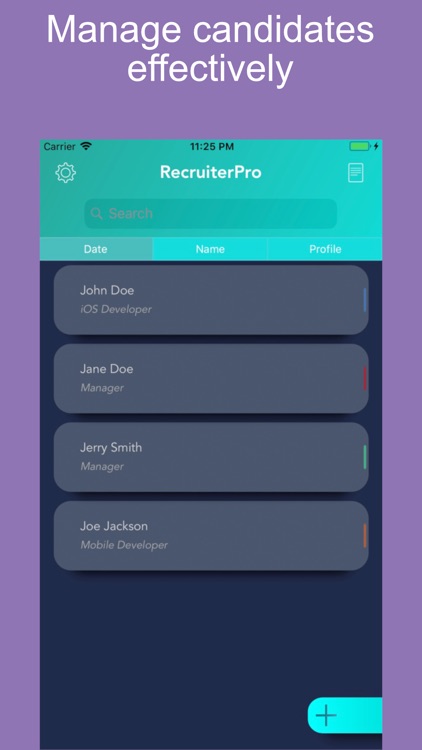
RecruiterPro is a great tool to help recruiters to accomplish more, you can add candidates in the traditional way (typing), or you can use our Text Recognition Feature, just take a photo of any resume or choose a resume photo from Gallery, and the Text Recognition Feature will do the rest

RecruiterPro
by Josue Acosta


What is it about?
RecruiterPro is a great tool to help recruiters to accomplish more, you can add candidates in the traditional way (typing), or you can use our Text Recognition Feature, just take a photo of any resume or choose a resume photo from Gallery, and the Text Recognition Feature will do the rest.
App Screenshots

App Store Description
RecruiterPro is a great tool to help recruiters to accomplish more, you can add candidates in the traditional way (typing), or you can use our Text Recognition Feature, just take a photo of any resume or choose a resume photo from Gallery, and the Text Recognition Feature will do the rest.
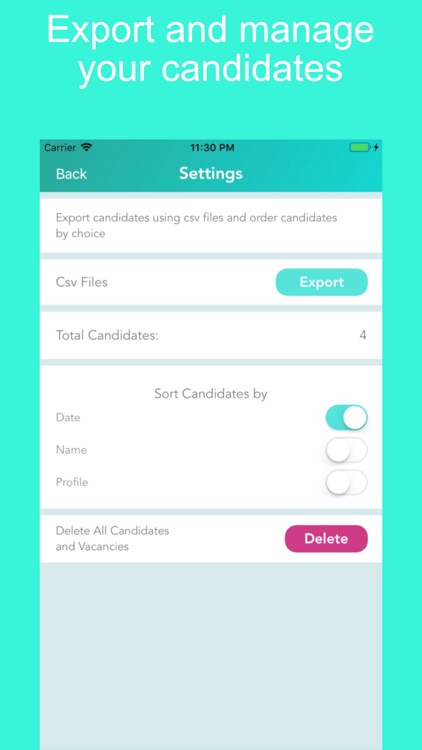
Import you spreadsheets database, export candidates from RecruiterPro data base, share a candidate with other RecruiterPro users.
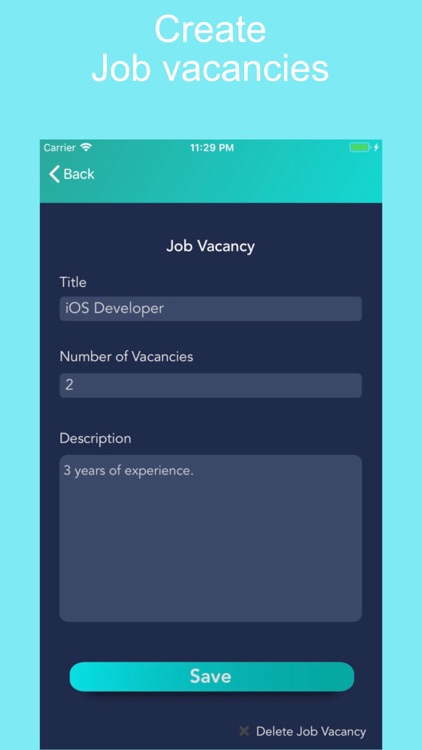
-Create Job Vacancies.
-Assign candidates to Job Vacancies.
-Remove candidates from Job Vacancies just by swiping left.
-Schedule Interviews.
-Track candidate status.
-Call, send email or contact them with social networks without having them on your contacts list.
*Phones must be only numbers, no spaces and no symbols.
*To import your spreadsheet database you only have to save it as ".csv" file, with the following columns: "Full Name, Phone, Email, Profile", any spreadsheet program can do it, email yourself this file, or use a social network to open this csv file in your phone, tap on share it, and select from the list "copy to RecruiterPro" and thats it.
Complete tutorial on www.diligentmonkey.com
Disclaimer:
AppAdvice does not own this application and only provides images and links contained in the iTunes Search API, to help our users find the best apps to download. If you are the developer of this app and would like your information removed, please send a request to takedown@appadvice.com and your information will be removed.
AppAdvice does not own this application and only provides images and links contained in the iTunes Search API, to help our users find the best apps to download. If you are the developer of this app and would like your information removed, please send a request to takedown@appadvice.com and your information will be removed.
