You are using an outdated browser. Please
upgrade your browser to improve your experience.

Ruuvi Station is an easy-to-use application that allows you to monitor the measurement data of Ruuvi's sensors

Ruuvi Station
by Ruuvi Innovations Ltd. (Oy)


What is it about?
Ruuvi Station is an easy-to-use application that allows you to monitor the measurement data of Ruuvi's sensors.
App Screenshots


App Store Description
Ruuvi Station is an easy-to-use application that allows you to monitor the measurement data of Ruuvi's sensors.
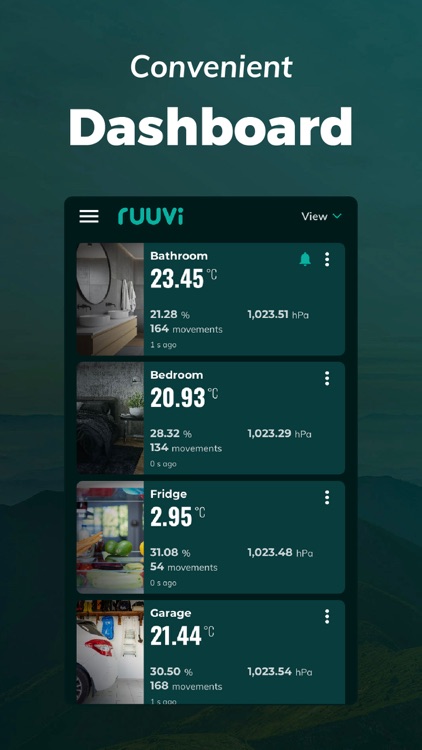
Ruuvi Station collects and visualises Ruuvi sensor data, such as temperature, relative air humidity, air pressure and movement from local Bluetooth Ruuvi sensors and Ruuvi Cloud. Additionally, Ruuvi Station allows you to manage your Ruuvi devices, set alerts, change background photos, and visualise the gathered sensor information through graphs.
How does it work?
Ruuvi sensors send tiny messages over Bluetooth, which can then be picked up by nearby mobile phones or specialised Ruuvi Gateway routers. Ruuvi Station mobile app enables you to collect and visualise this data on your mobile device. Ruuvi Gateway, on the other hand, routes the data over the internet not only to the mobile application but also to the browser application.
Ruuvi Gateway routes the sensor measurement data directly to the Ruuvi Cloud cloud service, which enables you to build a complete remote monitoring solution including remote alerts, sensor sharing and history in Ruuvi Cloud – all available within the Ruuvi Station app! Ruuvi Cloud users can view longer measurement history by using the browser application.
Use our customisable Ruuvi mobile widgets alongside the Ruuvi Station app when data is fetched from Ruuvi Cloud to view selected sensor data at a glance.
Above features are available to you if you are a Ruuvi Gateway owner or have received a shared sensor to your free Ruuvi Cloud account.
To use the app, get Ruuvi sensors from our official website: ruuvi.com
Disclaimer:
AppAdvice does not own this application and only provides images and links contained in the iTunes Search API, to help our users find the best apps to download. If you are the developer of this app and would like your information removed, please send a request to takedown@appadvice.com and your information will be removed.
AppAdvice does not own this application and only provides images and links contained in the iTunes Search API, to help our users find the best apps to download. If you are the developer of this app and would like your information removed, please send a request to takedown@appadvice.com and your information will be removed.
