You are using an outdated browser. Please
upgrade your browser to improve your experience.

SchoolCentral is a simple app that lets you manage school-related items, such as your schedule and homework, in one place

SchoolCentral
by Arnis Juknevicius

What is it about?
SchoolCentral is a simple app that lets you manage school-related items, such as your schedule and homework, in one place. You can customize the background colors, add a website you frequently access, choose between a five-day or A/B schedule type, calculate a grade average, see when class ends with a Live Activity, get homework notifications, add widgets, and more! SchoolCentral now supports CloudKit too, meaning your classes, schedule, and homework are saved!
App Store Description
SchoolCentral is a simple app that lets you manage school-related items, such as your schedule and homework, in one place. You can customize the background colors, add a website you frequently access, choose between a five-day or A/B schedule type, calculate a grade average, see when class ends with a Live Activity, get homework notifications, add widgets, and more! SchoolCentral now supports CloudKit too, meaning your classes, schedule, and homework are saved!
Here's a brief explanation of each tab item:
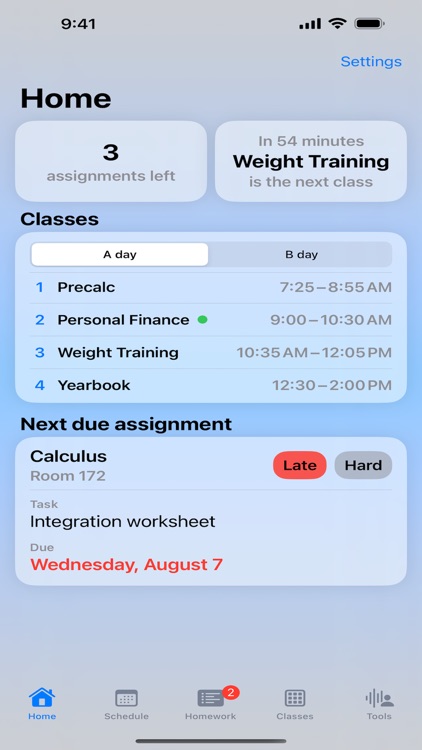
- Home: view information at a glance (assignments & upcoming classes, today's schedule, next due homework), access app settings, tap on a Quick Link (a button that opens a website you configure in app settings).
- Schedule: view and edit the schedule for a specific day or block (depending whether you chose a five-day or A/B schedule).
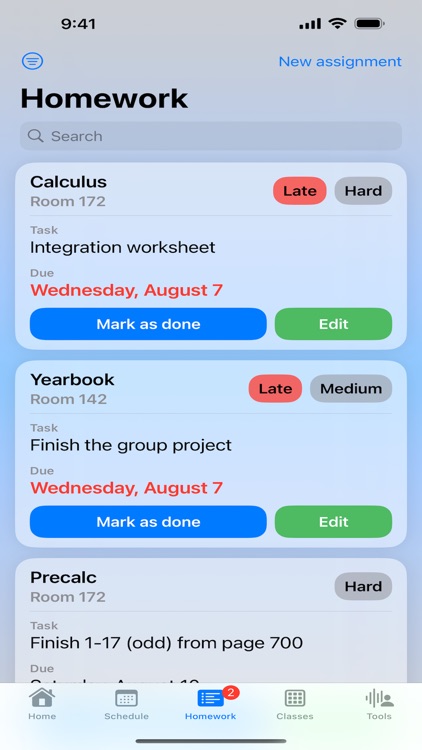
- Homework: view and edit assignments (homework) and sort them by their due date or difficulty.
- Classes: view and edit classes. Classes are assigned to schedule items and homework.
- Tools: calculate a grade average (arithmetic average) and set a countdown to a certain date (e.g. when school ends).
- Settings (accessible from Home): select what items you want Home to display, change your schedule type, change the app's appearance, configure homework notifications, configure a Live Activity.
I hope you enjoy using this app!
[The app icon was designed using Figma. Figma components under the MIT license were used. More information in Settings -> About App Icon.]
Disclaimer:
AppAdvice does not own this application and only provides images and links contained in the iTunes Search API, to help our users find the best apps to download. If you are the developer of this app and would like your information removed, please send a request to takedown@appadvice.com and your information will be removed.
AppAdvice does not own this application and only provides images and links contained in the iTunes Search API, to help our users find the best apps to download. If you are the developer of this app and would like your information removed, please send a request to takedown@appadvice.com and your information will be removed.
