You are using an outdated browser. Please
upgrade your browser to improve your experience.

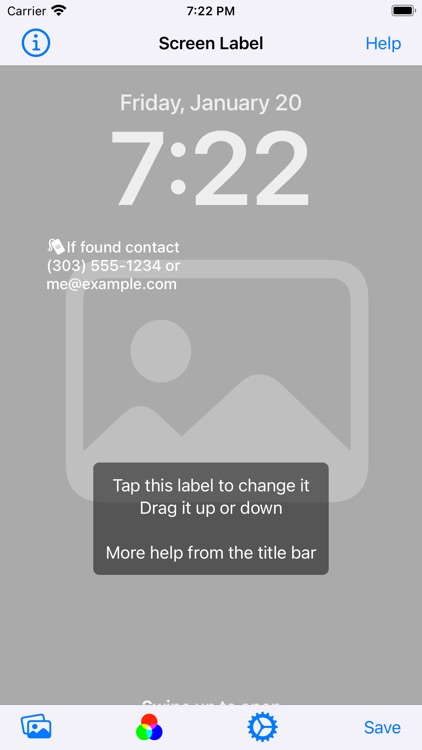
Screen Label lets you add a message to your Lock Screen or Home Screen, quickly and simply

Screen Label
by Ben Staveley-Taylor


What is it about?
Screen Label lets you add a message to your Lock Screen or Home Screen, quickly and simply.
App Screenshots



App Store Description
Screen Label lets you add a message to your Lock Screen or Home Screen, quickly and simply.
You might want to show some contact details, then if you lose your phone your chances of getting it back go way up. Or a company name, or department name... anything.
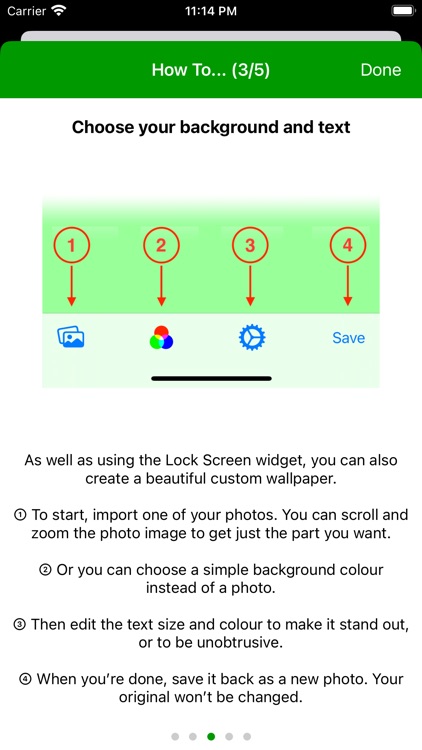
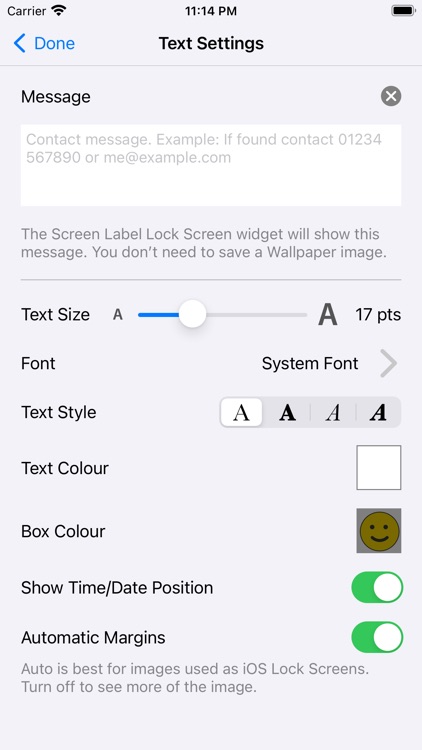
On iOS 16 and later you can use the Lock Screen widget to add a short message visible on all Lock Screens. For earlier iOS versions you can import any photo in your camera roll, then style and position your message label on top of it. This is saved back to the camera roll as a new picture, and then you can use it as Wallpaper.
You can use a plain background rather than a photo if you prefer.
Disclaimer:
AppAdvice does not own this application and only provides images and links contained in the iTunes Search API, to help our users find the best apps to download. If you are the developer of this app and would like your information removed, please send a request to takedown@appadvice.com and your information will be removed.
AppAdvice does not own this application and only provides images and links contained in the iTunes Search API, to help our users find the best apps to download. If you are the developer of this app and would like your information removed, please send a request to takedown@appadvice.com and your information will be removed.
