You are using an outdated browser. Please
upgrade your browser to improve your experience.

Securysat by EMIXIS enables you to make the most of your investment in Securysat Track & Trace

Securysat by EMIXIS
by Emixis
What is it about?
Securysat by EMIXIS enables you to make the most of your investment in Securysat Track & Trace. It makes you aware of all activities of your fleet at any time, wherever you are. Manage your entire fleet of vehicles on your iPhone with this intelligent application. All you need is to download and install the application Securysat by EMIXIS. Use usual login information.
App Screenshots
App Store Description
Securysat by EMIXIS enables you to make the most of your investment in Securysat Track & Trace. It makes you aware of all activities of your fleet at any time, wherever you are. Manage your entire fleet of vehicles on your iPhone with this intelligent application. All you need is to download and install the application Securysat by EMIXIS. Use usual login information.
Characteristics:
The Securysat by EMIXIS application allows you to:
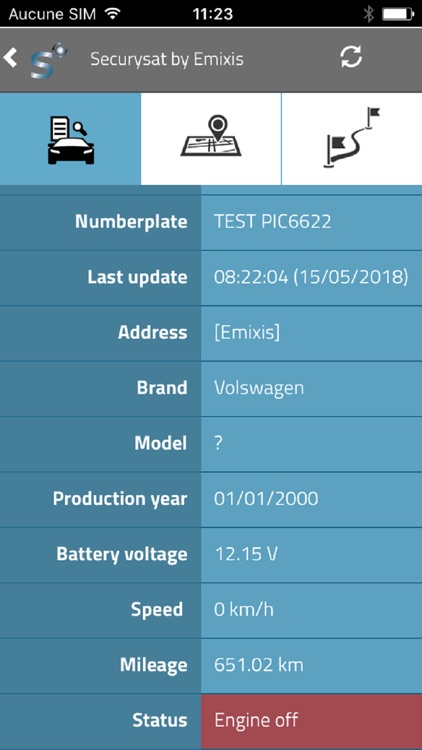
· Display a list of your vehicles and vehicle groups. Select a vehicle to get its details and its statutes (speed, driver, address, ...)
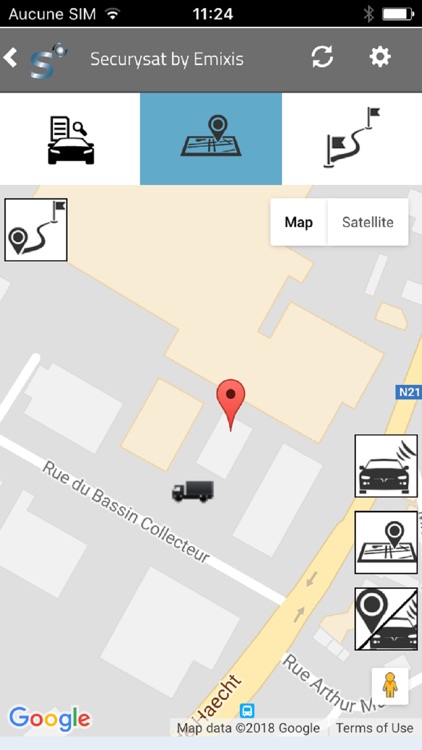
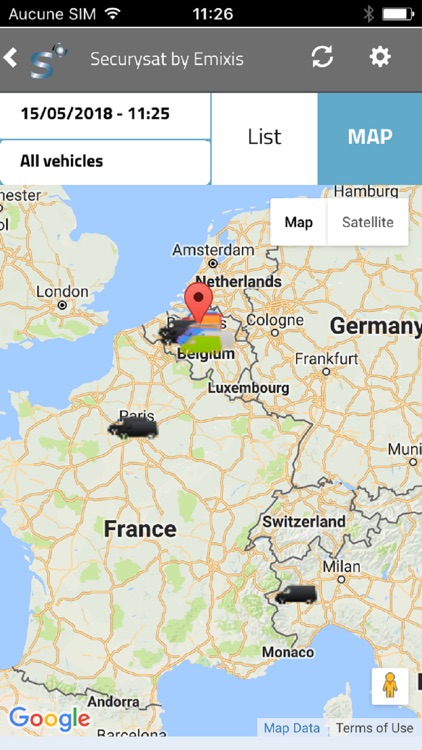
· Switch to map mode to see one or all of your vehicles on the map. Click on the vehicle to see the name of the driver and the speed at which he drives (by clicking on the information icon, all the details will appear).
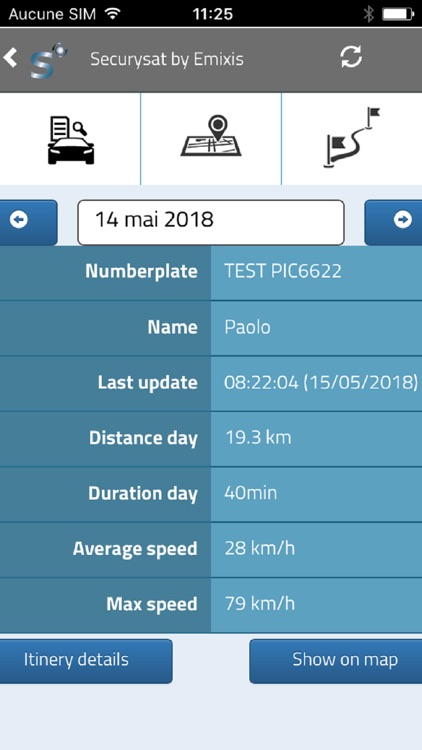
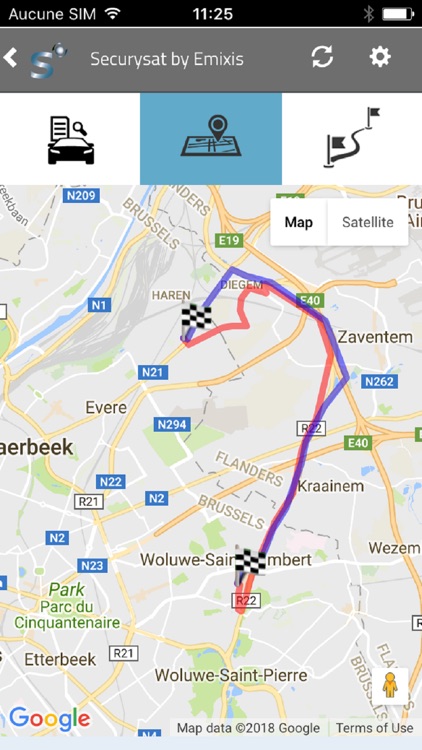
· The reports tab allows you to track the movements of today, yesterday or of a specific date. After selecting a vehicle and a period of time, the list of travel of the vehicle is displayed. You can view the trip or the stops on the map for a vehicle. A report "asset" allows you to locate always all your objects such as your trailers, containers, bins, ...
· The Magnifying glass helps you to search for all the items containing the characters you entered for your search (vehicles, drivers, assets, ...).
Disclaimer:
AppAdvice does not own this application and only provides images and links contained in the iTunes Search API, to help our users find the best apps to download. If you are the developer of this app and would like your information removed, please send a request to takedown@appadvice.com and your information will be removed.
AppAdvice does not own this application and only provides images and links contained in the iTunes Search API, to help our users find the best apps to download. If you are the developer of this app and would like your information removed, please send a request to takedown@appadvice.com and your information will be removed.
