You are using an outdated browser. Please
upgrade your browser to improve your experience.

Setup and connect your Sensoteq Gateway to the cloud

Sensoteq Credentials
by Sensoteq


What is it about?
Setup and connect your Sensoteq Gateway to the cloud. The Sensoteq Credentials App is the easy way to get the Sensoteq Gateway connected and sending your predictive maintenance machine data to our Analytix platform.
App Store Description
Setup and connect your Sensoteq Gateway to the cloud. The Sensoteq Credentials App is the easy way to get the Sensoteq Gateway connected and sending your predictive maintenance machine data to our Analytix platform.
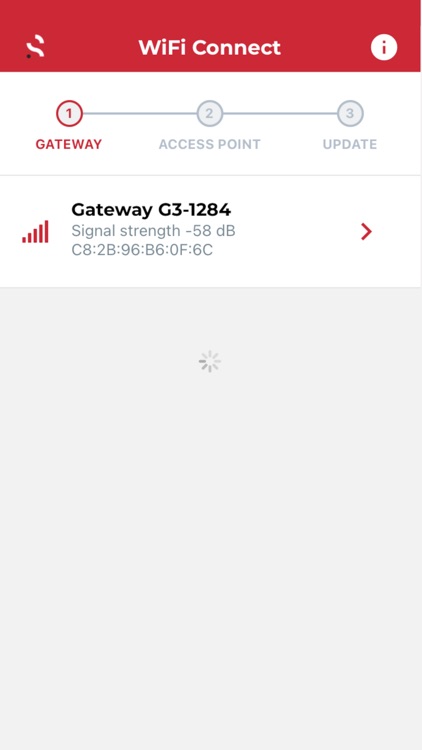
Configuration takes 3 steps:
1. Search and select your Sensoteq Gateway.
2. Select the access point to connect the Gateway to.
3. Enter the credentials and update.
Disclaimer:
AppAdvice does not own this application and only provides images and links contained in the iTunes Search API, to help our users find the best apps to download. If you are the developer of this app and would like your information removed, please send a request to takedown@appadvice.com and your information will be removed.
AppAdvice does not own this application and only provides images and links contained in the iTunes Search API, to help our users find the best apps to download. If you are the developer of this app and would like your information removed, please send a request to takedown@appadvice.com and your information will be removed.
