You are using an outdated browser. Please
upgrade your browser to improve your experience.
The Signing Life Science Dictionary (SLSD) is an interactive 3D sign language dictionary designed for students in grades 7-12 who are deaf or hard of hearing and studying life science content

Signing Life Science: SLSD
by Vcom3D
What is it about?
The Signing Life Science Dictionary (SLSD) is an interactive 3D sign language dictionary designed for students in grades 7-12 who are deaf or hard of hearing and studying life science content. It is also intended to serve as a resource for teachers and other professionals who work with them. The SLSD is one in a series of fully animated, illustrated and Interactive 3D signing dictionaries designed for students who use ASL or SE for communication.
App Screenshots

App Store Description
The Signing Life Science Dictionary (SLSD) is an interactive 3D sign language dictionary designed for students in grades 7-12 who are deaf or hard of hearing and studying life science content. It is also intended to serve as a resource for teachers and other professionals who work with them. The SLSD is one in a series of fully animated, illustrated and Interactive 3D signing dictionaries designed for students who use ASL or SE for communication.
The SLSD supports access to standards-based life science content among middle and high school students and is a great resource for teachers and parents!
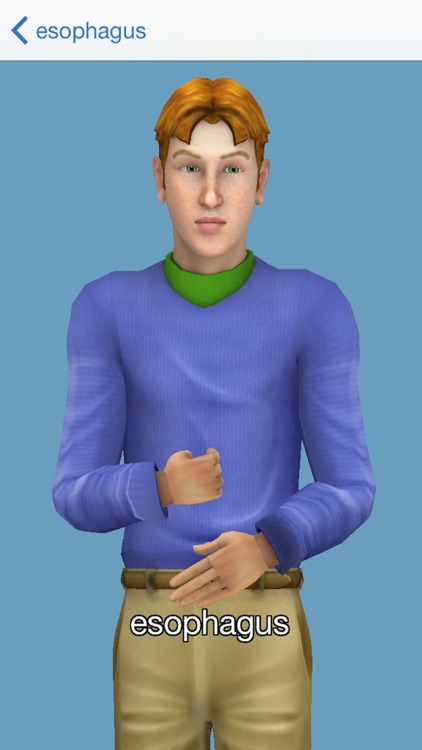
Our 3D character can be zoomed in or out and rotated to give you the best vantage point for every sign. YOU control the placement of the character - not us!
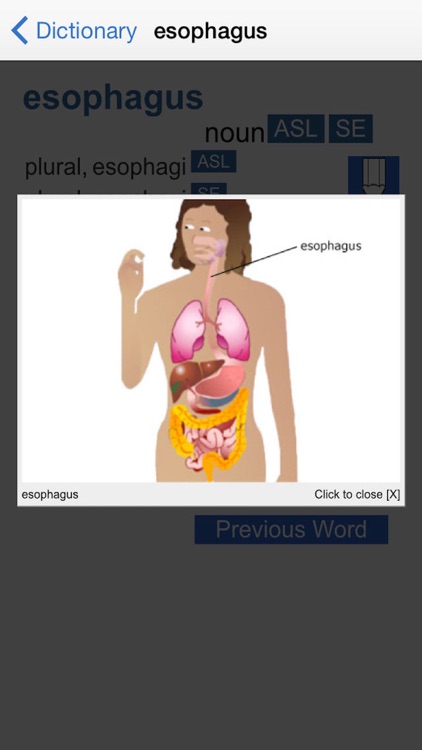
Use the controls to choose the sign language you prefer; view the illustration; speed up or slow down the signing; and send the character to his "home" or default position. The signing will automatically loop until you go back (using the "back" arrow in the top left corner), thereby exiting from the signing page.
Use the Quick Start Guide in the app to walk you through what the SLSD has to offer. For a full description of how to use the SLSD, go to www.siginingapp.com.
Soon to be available in this series is Diccionario de Señas de Ciencias de la Vida (DSCV). DSCV and SLSD are intended for use together. You can link from each English page in SLSD to a corresponding page in DSCV with Spanish translations of all of its components and all of the illustrated interactive 3D features. The DSCV can be found on iTunes.
The SLSD will also link to definitions in our Signing Physical Science Dictionary (SPSD). The SPSD can be found on iTunes
Text and illustrations were developed by and are copyrighted by TERC, Cambridge, Massachusetts. ©TERC, Inc. All rights reserved. SigningAvatar® animation technology and mobile interface were designed, developed and are copyrighted by Vcom3D, Inc. ©Vcom3D, Inc. All rights reserved. Any reproduction in whole or in part is strictly prohibited.
The Signing Life Science Dictionary for iPod Touch/iPhone/iPad is developed by TERC and Vcom3D and funded in part by the National Science Foundation, Grant #DRL-1019542. All opinions, findings, conclusions, and recommendations expressed herein are those of the authors and do not necessarily reflect the views of the funders.
Disclaimer:
AppAdvice does not own this application and only provides images and links contained in the iTunes Search API, to help our users find the best apps to download. If you are the developer of this app and would like your information removed, please send a request to takedown@appadvice.com and your information will be removed.
AppAdvice does not own this application and only provides images and links contained in the iTunes Search API, to help our users find the best apps to download. If you are the developer of this app and would like your information removed, please send a request to takedown@appadvice.com and your information will be removed.
