You are using an outdated browser. Please
upgrade your browser to improve your experience.

SmartPass allows users to access UAE Government services using a single account

SmartPass
by UAE Telecommunications Regulatory Authority


What is it about?
SmartPass allows users to access UAE Government services using a single account. Users just need to authenticate once to access multiple on-line Government e-services.
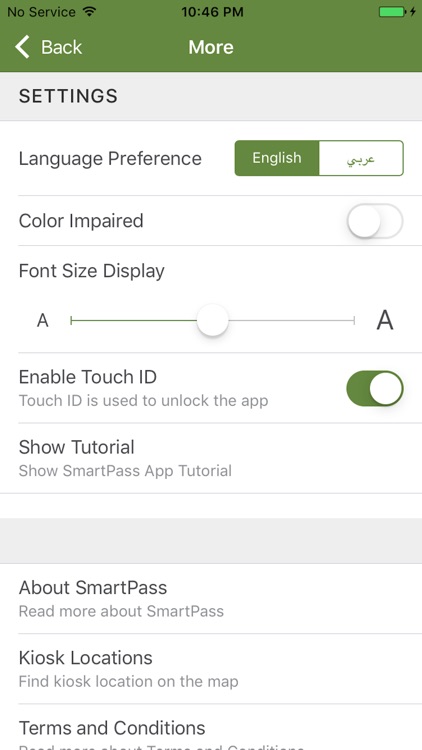
App Screenshots
App Store Description
SmartPass allows users to access UAE Government services using a single account. Users just need to authenticate once to access multiple on-line Government e-services.
The vast majority of UAE Government Services are available online. Without SmartPass, each UAE Government e-service requires a username and access password to use the e-services provided. Consequently, a user needs to memorise, or document, his username and password for all e-services that he can access. Having to memorise, or document, multiple and different usernames and passwords often leads to situations where a user cannot access the desired e-service, due to forgotten passwords, or user accounts being blocked because of failed login attempts. The only solution is to unblock a username, and to choose a new password. Unblocking a username only reinstates access to a specific e-service. It does not solve the issue of having to memorise, or document, multiple usernames and passwords. UAE Government e-services, enabled by SmartPass, accept the username and password that are stored in SmartPass. Therefore, in order to access UAE Government e-services, a user only needs to memorise his SmartPass username and password.
SmartPass is being rolled out to all Government entities. It is available to Citizens, Residents (Emirates ID Card holders) and Visitors. SmartPass is part of the UAE Smart Government National Plan initiatives.
The National Plan aims to deliver personalised Smart Governmental services to citizens, residents and visitors.
Disclaimer:
AppAdvice does not own this application and only provides images and links contained in the iTunes Search API, to help our users find the best apps to download. If you are the developer of this app and would like your information removed, please send a request to takedown@appadvice.com and your information will be removed.
AppAdvice does not own this application and only provides images and links contained in the iTunes Search API, to help our users find the best apps to download. If you are the developer of this app and would like your information removed, please send a request to takedown@appadvice.com and your information will be removed.
