You are using an outdated browser. Please
upgrade your browser to improve your experience.

SmoothScan is free app that supports integration of barcode scanning feature to any Web Application in the easiest possible way

Smooth Scan
by CT Software
What is it about?
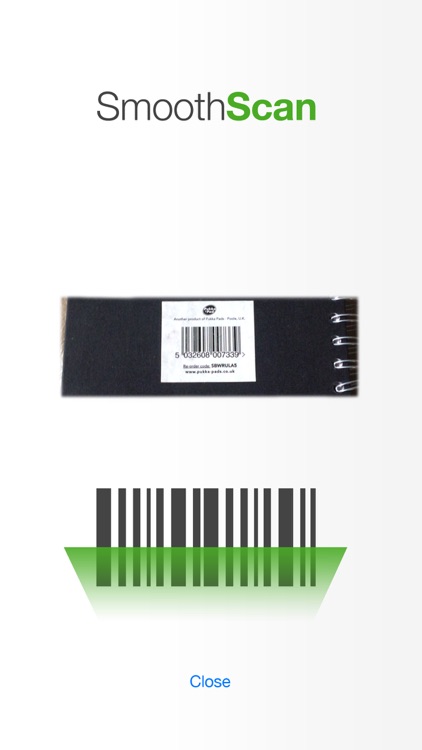
SmoothScan is free app that supports integration of barcode scanning feature to any Web Application in the easiest possible way. Just download the app and configure your web page by writing 3-4 lines of code.
App Store Description
SmoothScan is free app that supports integration of barcode scanning feature to any Web Application in the easiest possible way. Just download the app and configure your web page by writing 3-4 lines of code.
Features
• Smooth, fast and accurate scanning experience.
• Supports iPhone 4/4s, iPhone 5/5c/5s , iPhone 6/6 Plus
• Involves no cost, free for use.
• Viewport based display which allows easy placement of barcode.
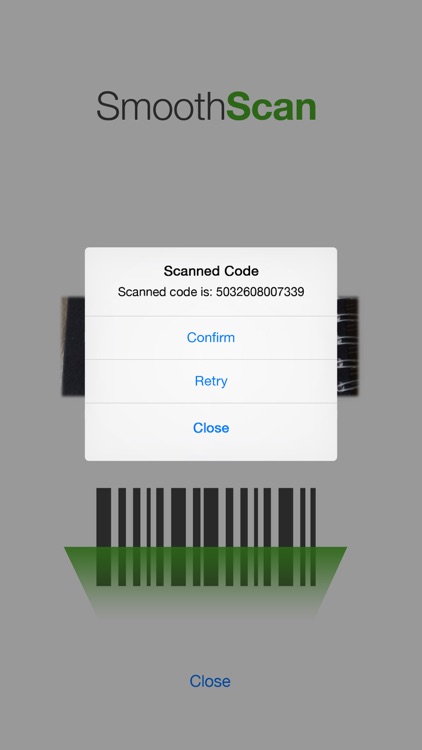
• Option of retry and confirming the barcode in case there are multiple barcodes in the viewport.
• Supports quick and easy way to be launched from within a webpage.
• Easy integration with a Web Application. Sends the scanned barcode to the custom URL passed by the calling web application
How it works
Calling Format:
The format of the URL used to invoke the app from a page is:
smoothscan://?Mode=Mode Value&TargetURL=Complete URL with word SCANNEDVAL somewhere in between
There are two parameters in the above format:
1) Mode
• Value 1 - Means smoothscan will open the URL in a new tab in the mobile browser
• Value 2 - Reserved for version updates
• Value 3 - Reserved for version updates
2) TargetURL
This is the URL which smoothscan will open after a successful scan. This should contain word “SCANNEDVAL” as a placeholder for the actual scanned barcode.
After a successful scan, SmoothScan replaces the word SCANNEDVAL with actual scanned barcode in the URL and opens the URL on the phone browser.
Example URL and calling format
For e.g. if the webapplication URL is http://samplewebapp/products/codes
Formats for calling can be:
smoothscan://?Mode=1&TargetURL= http://samplewebapp/products/codes/SCANNEDVAL
smoothscan://?Mode=1&TargetURL= http://samplewebapp/products/ SCANNEDVAL/codes
Actual URL called by app:
http://samplewebapp/products/codes/8989899999
http://samplewebapp/products/8989899999/codes
In the above 8989899999 is the actual scanned bar code. In case user cancels the scanning, SCANNEDVAL is replaced by 0
Disclaimer:
AppAdvice does not own this application and only provides images and links contained in the iTunes Search API, to help our users find the best apps to download. If you are the developer of this app and would like your information removed, please send a request to takedown@appadvice.com and your information will be removed.
AppAdvice does not own this application and only provides images and links contained in the iTunes Search API, to help our users find the best apps to download. If you are the developer of this app and would like your information removed, please send a request to takedown@appadvice.com and your information will be removed.
