You are using an outdated browser. Please
upgrade your browser to improve your experience.

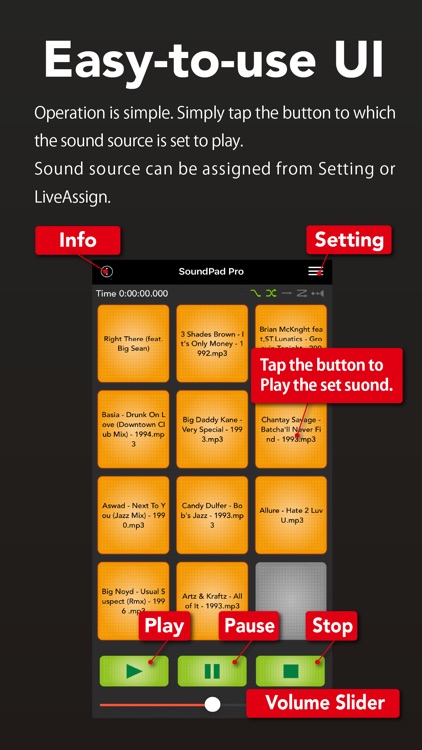
SoundPad Pro is an easy-to-use sound player application that allows you to assign music on your device to 48 buttons for playback

SoundPad Pro
by RENAVE INC.


What is it about?
SoundPad Pro is an easy-to-use sound player application that allows you to assign music on your device to 48 buttons for playback.
App Screenshots



App Store Description
SoundPad Pro is an easy-to-use sound player application that allows you to assign music on your device to 48 buttons for playback.
It is a higher version of SoundPad with playback modes such as master volume, individual volume adjustment, tempo setting, playback start position adjustment, fade-in, fade-out, cross-fade playback, and one-shot playback.
Each of the four pads can be played individually, so it is possible to play sound effects while playin music or looped sound sources*1.
1.
For gapless loop playback, please use uncompressed sound source (e.g., wav format).
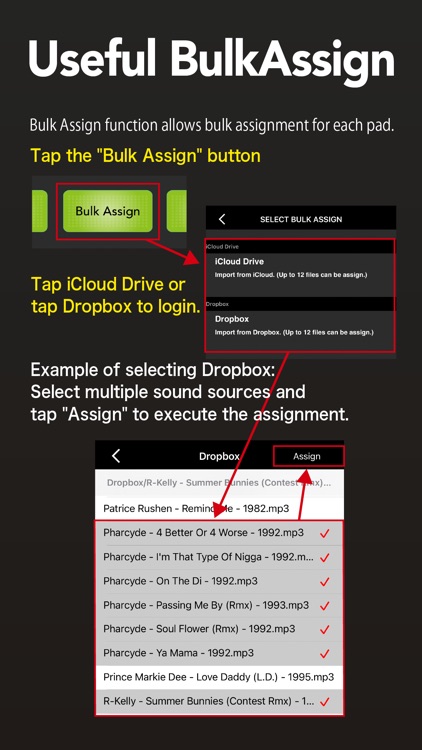
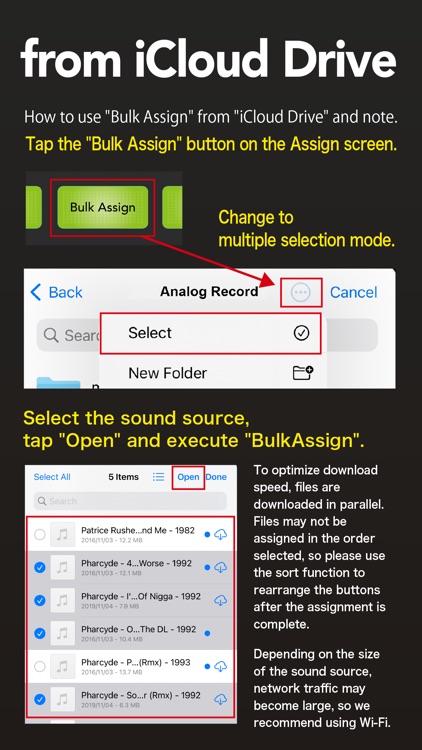
Sound sources can be downloaded and assigned from the Music library, iCloudDrive, or Dropbox. Downloading requires high-speed network communication, so a Wi-Fi environment is recommended. If you use a mobile connection, please make sure to subscribe to a flat-rate plan before using the service, as communication fees may be high.
We recommend that you use the "Airplane Mode" to avoid unexpected ring tones.
Music downloaded from AppleMusic cannot be used due to copyright protection DRM.
Various functions will operate in various ways depending on the combination of each setting, so please use the settings that suit your preference.
Even if multiple functions are enabled at the same time, they may not all work together at the same time due to exclusivity control or function conflicts, so please try the settings that best suit your purpose.
Disclaimer:
AppAdvice does not own this application and only provides images and links contained in the iTunes Search API, to help our users find the best apps to download. If you are the developer of this app and would like your information removed, please send a request to takedown@appadvice.com and your information will be removed.
AppAdvice does not own this application and only provides images and links contained in the iTunes Search API, to help our users find the best apps to download. If you are the developer of this app and would like your information removed, please send a request to takedown@appadvice.com and your information will be removed.
