You are using an outdated browser. Please
upgrade your browser to improve your experience.

SPS is a practical app that helps you see what wireless and electronic signals are active near you

Spy Camera Scanner - SPS
by Olex Busch

What is it about?
SPS is a practical app that helps you see what wireless and electronic signals are active near you. It’s made for people who want to be sure their home, rental, car, or office isn’t being watched or recorded.
App Screenshots

App Store Description
SPS is a practical app that helps you see what wireless and electronic signals are active near you. It’s made for people who want to be sure their home, rental, car, or office isn’t being watched or recorded.
No special knowledge is needed. Open the app, run the scans, review what shows up.
What you can do with SPS:
- Scan Wi-Fi
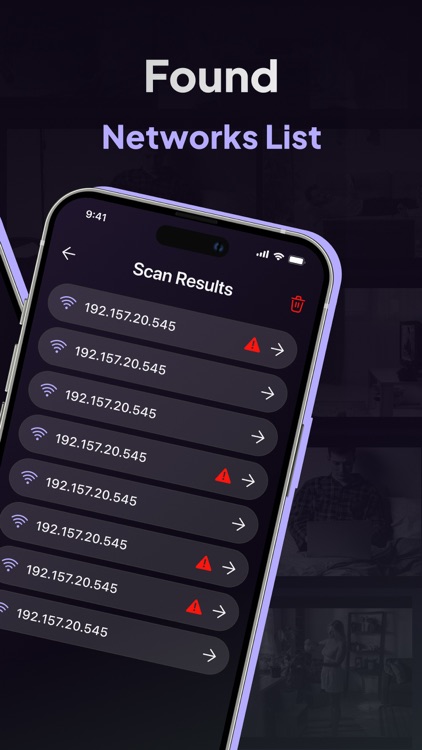
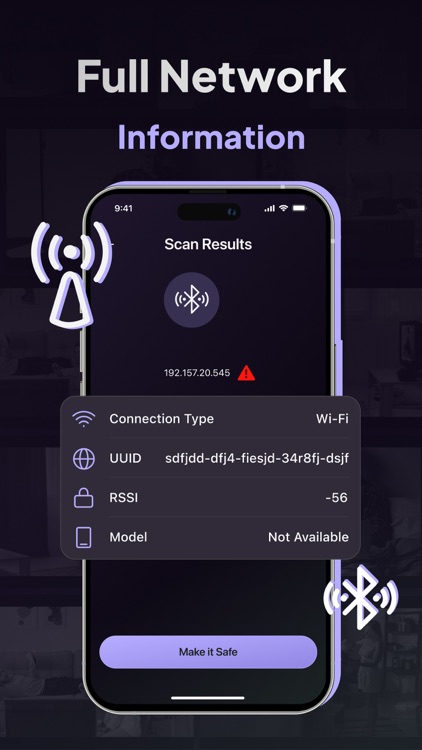
See every device connected to your current Wi-Fi network. Device names, IPs, MAC addresses, and more. Helps you find things that don’t belong.
- Check Bluetooth Signals
Detect active Bluetooth devices nearby. Even small trackers and wearables can show up here.
- Use the Magnetic Field Tool
If a powered electronic device is nearby, this sensor can help find it. Especially useful for short-range scanning like drawers or walls.
- Try the Infrared Camera Check
Some devices use infrared light. This tool helps you spot hidden sources through your phone’s camera.
- Use Manual Camera Check Guides
Step-by-step instructions for visually inspecting a room: mirrors, lights, shelves, vents, wall objects. Includes tips for indoor and outdoor areas.
- Keep a History of Scans
You can review results from previous scans to compare over time or between rooms.
Why people use it:
- Renting an apartment or Airbnb
- Checking into hotels
- Working in shared spaces
- Driving a connected vehicle
- Living in a smart-enabled home
- Meeting in private locations
SPS helps you scan fast, review clearly, and decide what’s safe.
With Premium, experience even deeper peace of mind:
– Magnetic detection for spotting hidden camera hardware in everyday objects
– Wi-Fi scanner to identify suspicious devices on the network
– Bluetooth scanner to catch covert gadgets nearby
– Ad-free interface for smooth and uninterrupted use
– Priority alerts and faster scans for urgent checks
Your comfort – our Premium:
– Weekly plan
– Monthly plan
– Annual plan
If you choose to purchase a Premium plan, payment will be charged to your Apple account, and your account will be charged for renewal within 24 hours prior to the end of the current period. Auto-renewal may be turned off at any time by going to your settings in the App Store after purchase. No cancellation of the current subscription is allowed during the active subscription period.
Privacy and Support:
– Privacy Policy: https://www.termsfeed.com/live/4e79dc20-ffd3-4d89-870c-ed8a5c1d2c8d
– Terms of Use: https://www.termsfeed.com/live/06882316-6787-4d35-8d78-68acc128ffb5
– Support: buchulyak.olexandr@gmail.com
Important:
SPS is a scanner and guide, not a magic detector. It can’t promise to find everything, but it gives you tools to check and think critically about your surroundings. Use it legally, and use it with purpose.
Disclaimer:
AppAdvice does not own this application and only provides images and links contained in the iTunes Search API, to help our users find the best apps to download. If you are the developer of this app and would like your information removed, please send a request to takedown@appadvice.com and your information will be removed.
AppAdvice does not own this application and only provides images and links contained in the iTunes Search API, to help our users find the best apps to download. If you are the developer of this app and would like your information removed, please send a request to takedown@appadvice.com and your information will be removed.
