You are using an outdated browser. Please
upgrade your browser to improve your experience.
Write provides a unique set of tools for editing and navigating handwritten documents, plus all the usual features of a vector drawing application

Stylus Labs Write Pro
by Matthew White


What is it about?
Write provides a unique set of tools for editing and navigating handwritten documents, plus all the usual features of a vector drawing application. Write is perfect for note-taking, brainstorming, and sketching.
App Screenshots


App Store Description
Write provides a unique set of tools for editing and navigating handwritten documents, plus all the usual features of a vector drawing application. Write is perfect for note-taking, brainstorming, and sketching.
MODERN DOCUMENT HANDLING
* uses standard Apple document browser for completely flexible file organization
* supports iCloud and all other cloud services that integrate with the Files app
* non-proprietary SVG file format can be opened in other vector graphics apps and web browsers
UNIQUE TOOLS FOR HANDWRITTEN DOCUMENTS
* intelligent tools to select, erase, and move writing
* reflow handwritten text with the insert space tool
* create bookmarks labeled with handwriting
* create handwritten links to bookmarks and websites
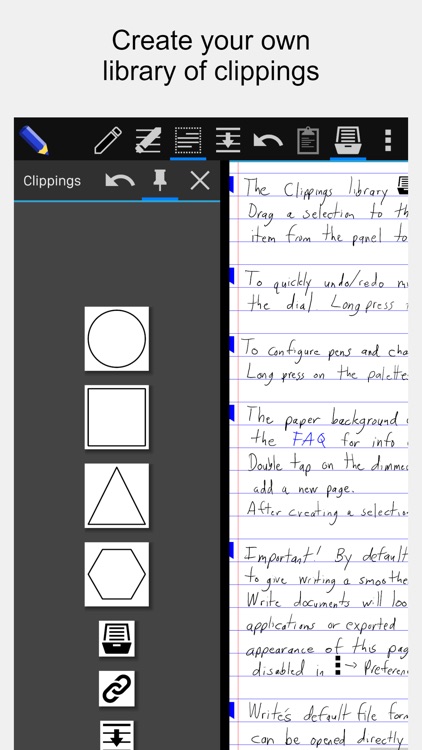
* save clippings for easy pasting into any document
* unlimited undo/redo jog dial
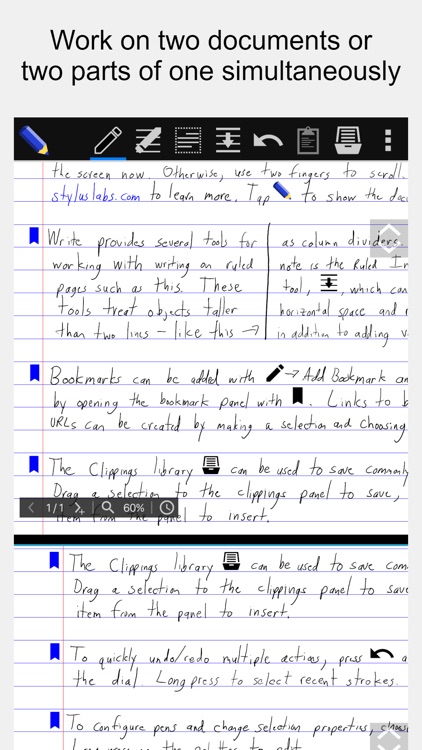
* split view: work on two documents or two parts of the same document
STANDARD NOTE-TAKING AND DRAWING TOOLS
* Apple Pencil support
* insert images (and vector content as SVG)
* cut, copy, paste, move, scale, and rotate selections
* cut, copy, and paste pages within and between documents
* customize and save pens
* customize page size, color, and ruling
* pages can grow automatically when writing nears edge
* PDF export
Website: http://www.styluslabs.com
FAQ: http://www.styluslabs.com/faq
Support: support@styluslabs.com
Disclaimer:
AppAdvice does not own this application and only provides images and links contained in the iTunes Search API, to help our users find the best apps to download. If you are the developer of this app and would like your information removed, please send a request to takedown@appadvice.com and your information will be removed.
AppAdvice does not own this application and only provides images and links contained in the iTunes Search API, to help our users find the best apps to download. If you are the developer of this app and would like your information removed, please send a request to takedown@appadvice.com and your information will be removed.
