You are using an outdated browser. Please
upgrade your browser to improve your experience.

The SWACU (Southwest Airlines Federal Credit Union) Mobile Banking App makes it easy to access your money at your fingertips, no matter where you are

SWACU Mobile
by Southwest Airlines Federal Credit Union


What is it about?
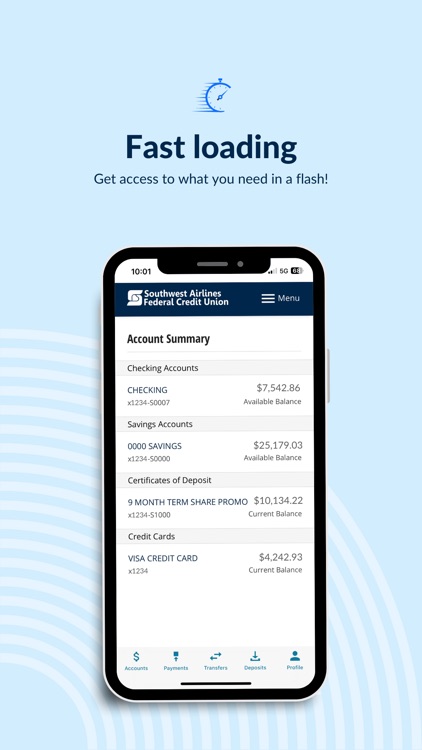
The SWACU (Southwest Airlines Federal Credit Union) Mobile Banking App makes it easy to access your money at your fingertips, no matter where you are. Conduct through payments, transfers, and check deposits with just a few taps. Quickly sign-in using Touch ID® or Face ID®. Apply for new accounts, become a member, or find your closest ATM or branch.
App Screenshots


App Store Description
The SWACU (Southwest Airlines Federal Credit Union) Mobile Banking App makes it easy to access your money at your fingertips, no matter where you are. Conduct through payments, transfers, and check deposits with just a few taps. Quickly sign-in using Touch ID® or Face ID®. Apply for new accounts, become a member, or find your closest ATM or branch.
Features:
• Secure and fast. Access your money wherever you are.
• View your balance(s) without signing into the app.
• Deposit checks without visiting a branch or ATM.
• Turn on/off SWACU Debit Cards.
• Schedule and view transactions, transfers, pending deposits, and bill payments.
• Make loan payments.
• Apply for new accounts, such as: checking, term share certificates, credit cards, and loans.
• Transfer money between accounts and to other SWACU members.
• Order checks, view statements and send secure messages.
• Find the nearest SWACU branch and ATMs.
• TouchID® Fingerprint and FaceID® Authentication.
To sign in to mobile banking, use your SWACU username and password. If you’re not a member, apply via swacu.org.
Federally Insured by NCUA.
Disclaimer:
AppAdvice does not own this application and only provides images and links contained in the iTunes Search API, to help our users find the best apps to download. If you are the developer of this app and would like your information removed, please send a request to takedown@appadvice.com and your information will be removed.
AppAdvice does not own this application and only provides images and links contained in the iTunes Search API, to help our users find the best apps to download. If you are the developer of this app and would like your information removed, please send a request to takedown@appadvice.com and your information will be removed.
