You are using an outdated browser. Please
upgrade your browser to improve your experience.
System PRO is the ultimate application for monitoring and optimizing your device's performance

System PRO
by David Mainfield


What is it about?
System PRO is the ultimate application for monitoring and optimizing your device's performance. Runs on iPhone / iPad / iPod touch.
App Screenshots
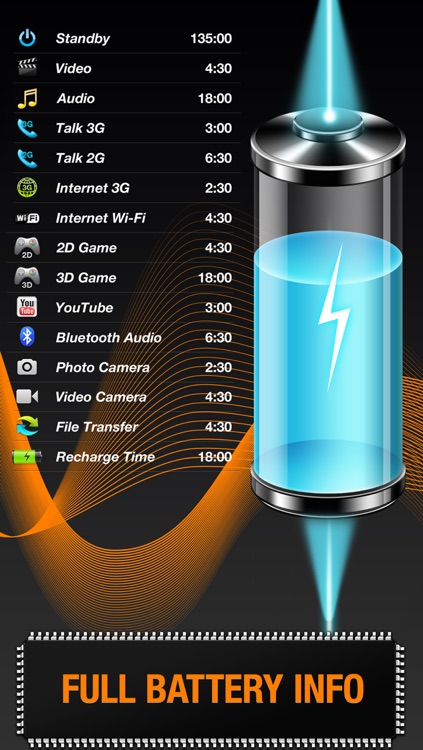

App Store Description
System PRO is the ultimate application for monitoring and optimizing your device's performance. Runs on iPhone / iPad / iPod touch.
In addition, you can:
- browse the system log to see if there are some problems with your device
GENERAL FEATURES
- Full iOS multitasking support
- Universal binary - full support of all iPhone, iPod Touch and iPad models
- Graphics optimized both for retina and older displays for pixel perfect graphics
- Well-arranged user interface so the most frequently used information available immediately
- Real time updates of the display every time the monitored parameters change
- Detailed help
MEMORY AND DISK MONITORING
- Real time memory usage monitoring
- Graphical display of wired, active, inactive, and free memory
- Pie chart and histogram mode
- Detailed page statistics including page ins and outs
- Used and free disk capacity monitoring
CELL AND NETWORK MONITORING
- 3G and Wi-Fi network connection information
- IP and MAC addresses of the current connection
- External IP address
- Default gateway
PROCESS AND CPU MONITORING
- List of all running processes with detailed information about each of them including process name, run time, priority and PID
- CPU usage updated in real time
OPERATING SYSTEM AND HARDWARE INFORMATION
- System boot time and uptime
- Operating system and kernel version
- Device model, user name and UDID
- Detailed CPU and GPU information - model, core number, CPU and BUS frequency
Disclaimer:
AppAdvice does not own this application and only provides images and links contained in the iTunes Search API, to help our users find the best apps to download. If you are the developer of this app and would like your information removed, please send a request to takedown@appadvice.com and your information will be removed.
AppAdvice does not own this application and only provides images and links contained in the iTunes Search API, to help our users find the best apps to download. If you are the developer of this app and would like your information removed, please send a request to takedown@appadvice.com and your information will be removed.
