You are using an outdated browser. Please
upgrade your browser to improve your experience.

TAMURA OFDM Mic Manager is a utility software to configure Tamura Corporation's digital wireless microphones, TWO-H120* and TWO-T120*, via BLE connection

TAMURA OFDM Mic Manager
by Social Aid Research
What is it about?
TAMURA OFDM Mic Manager is a utility software to configure Tamura Corporation's digital wireless microphones, TWO-H120* and TWO-T120*, via BLE connection.
App Store Description
TAMURA OFDM Mic Manager is a utility software to configure Tamura Corporation's digital wireless microphones, TWO-H120* and TWO-T120*, via BLE connection.
To start configuration, set the "REMOTE CONTROL" setting of the microphone to "TABLET MODE."
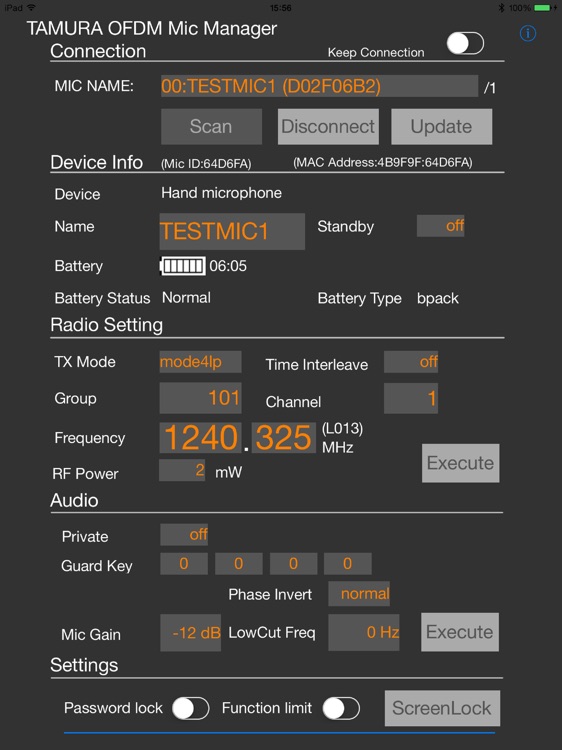
Tap the "Scan" button on the app to show a list of configurable microphones. Select the microphone to configure and tap the "Connect" button to establish connection. Tap the "Update" button to acquire current settings. (This process will take about 10 seconds)
After making changes, apply the settings by tapping the "Execute" button for each configuration category.
Please note that changes made to the settings in the “Device Info” category will take effect as soon as the settings are modified.
The "ScreenLock" button can be used to prevent operational error by locking the screen.
The "Password lock" and "Function limit" feature can be used to restrict the executable operations of the app with password protection.
For further details on the configurable settings, please refer to the user's manual of the corresponding product.
*TWO-H120 and TWO-T120 are registered trademarks of Tamura Corporation
Disclaimer:
AppAdvice does not own this application and only provides images and links contained in the iTunes Search API, to help our users find the best apps to download. If you are the developer of this app and would like your information removed, please send a request to takedown@appadvice.com and your information will be removed.
AppAdvice does not own this application and only provides images and links contained in the iTunes Search API, to help our users find the best apps to download. If you are the developer of this app and would like your information removed, please send a request to takedown@appadvice.com and your information will be removed.
