You are using an outdated browser. Please
upgrade your browser to improve your experience.

TeamViewer Spatial Support offers a disruptive way to approach aftersales support by connecting the shopfloor with the expert’s office by introducing the efficiencies and intuitiveness of spatial computing

TeamViewer Spatial Support
by TeamViewer Germany GmbH


What is it about?
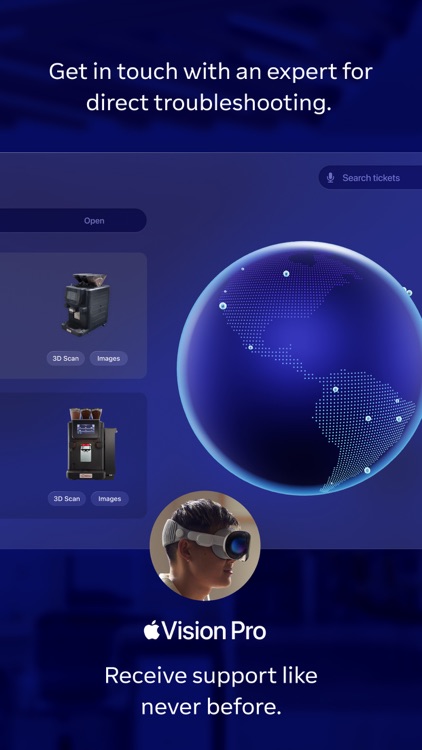
TeamViewer Spatial Support offers a disruptive way to approach aftersales support by connecting the shopfloor with the expert’s office by introducing the efficiencies and intuitiveness of spatial computing. The solution is designed to drive more efficient and effective aftersales support by letting technicians or other users on-site report on problems enhanced with 3D models or join a collaborative session powered by AR – all in one application.
App Screenshots

App Store Description
TeamViewer Spatial Support offers a disruptive way to approach aftersales support by connecting the shopfloor with the expert’s office by introducing the efficiencies and intuitiveness of spatial computing. The solution is designed to drive more efficient and effective aftersales support by letting technicians or other users on-site report on problems enhanced with 3D models or join a collaborative session powered by AR – all in one application.
Report a problem: Raise the issue at hand with a few clicks. Attach photos and videos or simply capture a 3D model of the machine or equipment in front of you.
Remote assistance session: Join a live session by connecting via video call with a remote expert. Receive interactive guidance with the help of 3D models, and AR markers for intuitive problem resolution.
Disclaimer:
AppAdvice does not own this application and only provides images and links contained in the iTunes Search API, to help our users find the best apps to download. If you are the developer of this app and would like your information removed, please send a request to takedown@appadvice.com and your information will be removed.
AppAdvice does not own this application and only provides images and links contained in the iTunes Search API, to help our users find the best apps to download. If you are the developer of this app and would like your information removed, please send a request to takedown@appadvice.com and your information will be removed.
