You are using an outdated browser. Please
upgrade your browser to improve your experience.

#####################################################

TITUS Classification for Mobile
by TITUS Inc.
What is it about?
#####################################################
App Screenshots


App Store Description
#####################################################
- Easy to use email and document security solution for mobile devices that prevents data loss
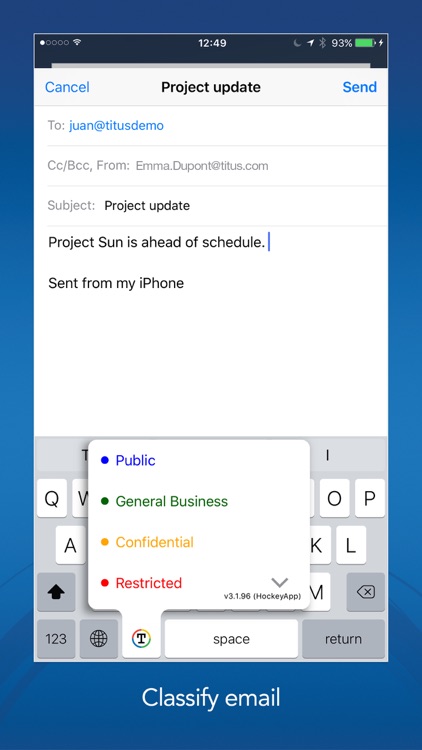
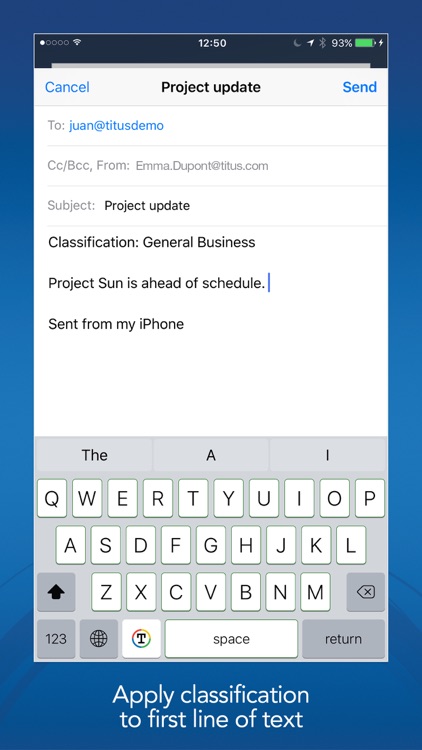
- Allows users to classify messages sent from native iOS Mail.
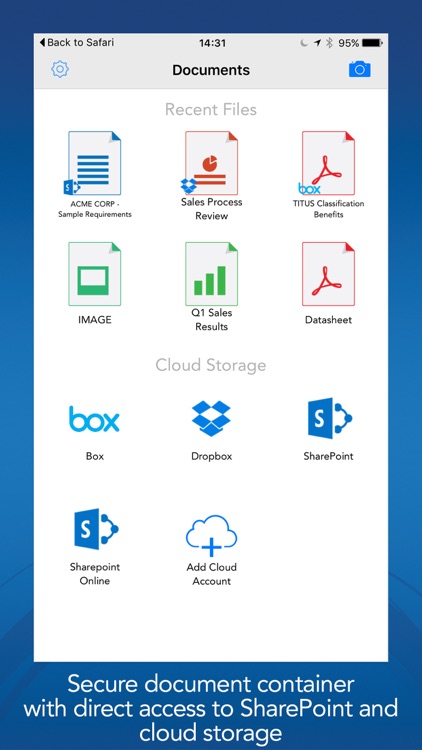
- Provides a secure container for viewing corporate documents and files, keeping them secure with FIPS-140 compliant AES 256-bit encryption.
- Allows administrators to control cloud storage options available to users (such as Microsoft SharePoint, SharePoint Online (Office 365), Box, and Dropbox).
- Provides support for viewing of Microsoft Rights Management Services (RMS) protected files on mobile devices as well as RMS protected email - RMS on iOS support.
#####################################################
SUPPORTS EMAIL & DOCUMENT CLASSIFICATION
- Allows users to classify native iOS Mail messages
- Inter-operates with TITUS Message Classification and TITUS Classification for Office*
- Allows users to classify files and documents
- Raise user security awareness by clearly displaying the email or document's classification*
- Enable security policy based on classification*
SECURE ACCESS TO CONTENT REPOSITORIES
- Administrators can control user's access to cloud storage*
- Access, open and upload files with Microsoft SharePoint (limit of 10)**
- Access, open and upload files with Microsoft SharePoint Online (Office 365)
- Access, open and upload files with Box without the need for the Box app
- Access, open and upload files with Dropbox without the need for the Dropbox app
SECURE CONTAINER - CONTROL FILE DISTRIBUTION
- Documents and files are encrypted using AES 265-bit encryption
- Can be set as the only app for opening email attachments, and accessing SharePoint, Box or Dropbox files
- Ability to control a user’s ability to: print, copy, open, email, and upload documents to cloud storage*
- Expire documents after a set period of time*
SUPPORTS MICROSOFT RMS for iPhone and iPad
- Allows users to open RMS protected Microsoft Office documents, or PFiles on the mobile device *
- Allows users to RMS protect files on the mobile device (Pfile)
- Allows users to open and view RMS protected emails received via Apple Mail*
- Supports both ADRMS and Azure RMS
*these features require the use of the TITUS Administration Console which must be obtained from TITUS.
Disclaimer:
AppAdvice does not own this application and only provides images and links contained in the iTunes Search API, to help our users find the best apps to download. If you are the developer of this app and would like your information removed, please send a request to takedown@appadvice.com and your information will be removed.
AppAdvice does not own this application and only provides images and links contained in the iTunes Search API, to help our users find the best apps to download. If you are the developer of this app and would like your information removed, please send a request to takedown@appadvice.com and your information will be removed.
