You are using an outdated browser. Please
upgrade your browser to improve your experience.

How to play:

UA MapGess
by qiang han
What is it about?
How to play:
App Store Description
How to play:
The game is very simple - basically just the location of the guess area on the Ukrainian map.
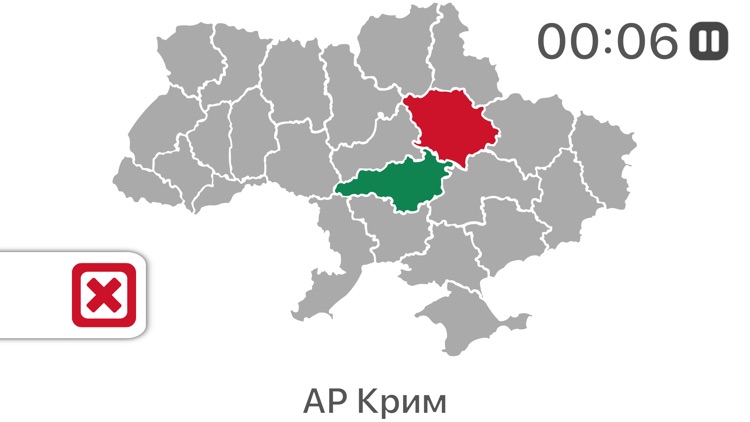
The randomly selected area name appears on the screen, and the player must find the corresponding area by clicking on one of the shapes in the symbol map.
The game will then tell the player whether the guess is correct or incorrect by displaying the animation, playing the sound and highlighting the area with green (for the correct answer) or red (for the wrong answer).
If the player misses the correct area, it can also display the correct area.
Disclaimer:
AppAdvice does not own this application and only provides images and links contained in the iTunes Search API, to help our users find the best apps to download. If you are the developer of this app and would like your information removed, please send a request to takedown@appadvice.com and your information will be removed.
AppAdvice does not own this application and only provides images and links contained in the iTunes Search API, to help our users find the best apps to download. If you are the developer of this app and would like your information removed, please send a request to takedown@appadvice.com and your information will be removed.
