You are using an outdated browser. Please
upgrade your browser to improve your experience.
iPhone App version of the VeriLocation website in “lite” version for ease of use

VeriLocation tracking solutions
by Overview Mapping

What is it about?
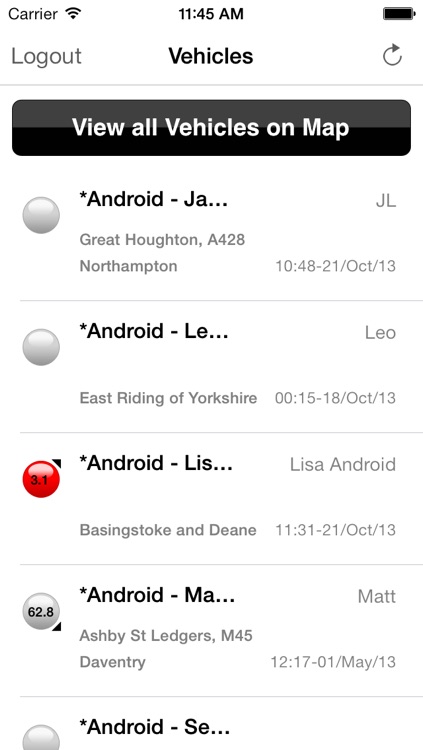
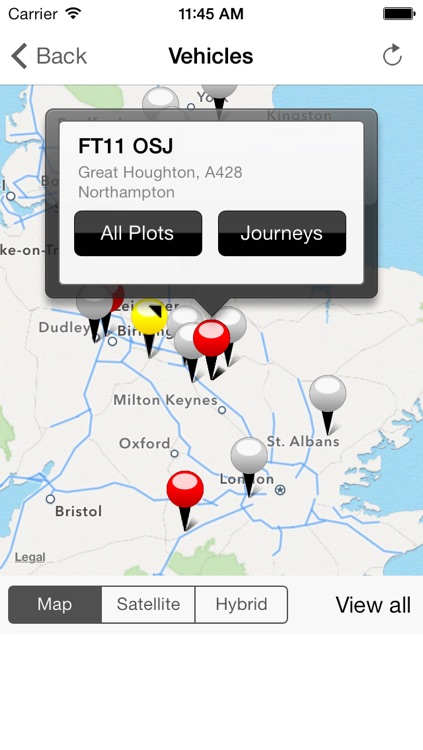
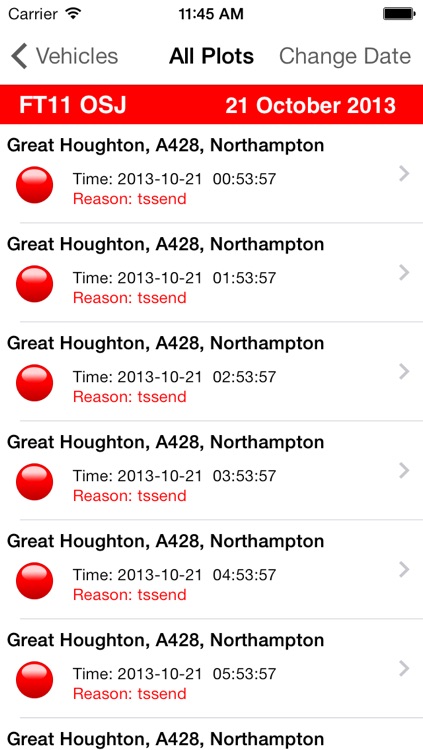
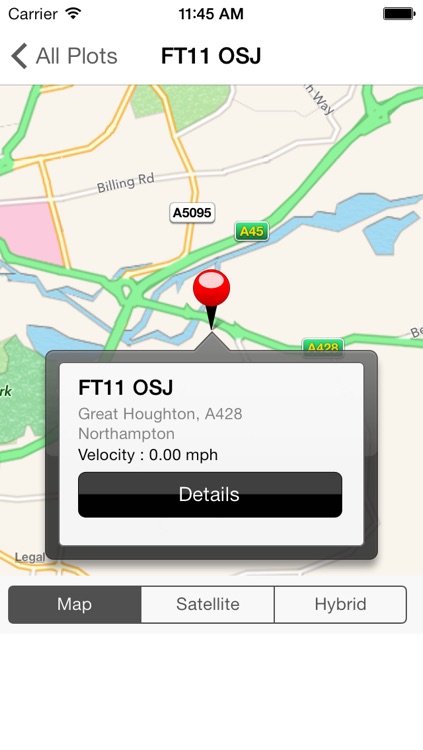
iPhone App version of the VeriLocation website in “lite” version for ease of use. Free for existing VeriLocation customers requiring only username and login password to access your account. Provides ability to view overview map with location of all vehicles and see their status using web colour codes and direction arrows. Fleet list allows drill down by vehicle to view journeys, snail trails and entire days plots. Date can be changed to view historical data. iPhone users position is overlaid also to see where the vehicles are in relation to the viewer. Map can be switched to aerial imagery or hybrid mode for realism. Refresh buttons update vehicle lists and map locations in real time. The App requires users to already have a VeriLocation GPS hardware device already installed and an active account.
App Screenshots
App Store Description
iPhone App version of the VeriLocation website in “lite” version for ease of use. Free for existing VeriLocation customers requiring only username and login password to access your account. Provides ability to view overview map with location of all vehicles and see their status using web colour codes and direction arrows. Fleet list allows drill down by vehicle to view journeys, snail trails and entire days plots. Date can be changed to view historical data. iPhone users position is overlaid also to see where the vehicles are in relation to the viewer. Map can be switched to aerial imagery or hybrid mode for realism. Refresh buttons update vehicle lists and map locations in real time. The App requires users to already have a VeriLocation GPS hardware device already installed and an active account.
Disclaimer:
AppAdvice does not own this application and only provides images and links contained in the iTunes Search API, to help our users find the best apps to download. If you are the developer of this app and would like your information removed, please send a request to takedown@appadvice.com and your information will be removed.
AppAdvice does not own this application and only provides images and links contained in the iTunes Search API, to help our users find the best apps to download. If you are the developer of this app and would like your information removed, please send a request to takedown@appadvice.com and your information will be removed.
