You are using an outdated browser. Please
upgrade your browser to improve your experience.
Video to ASCII

Video To ASCII
by Hakan Nehir
What is it about?
Video to ASCII
App Store Description
Video to ASCII
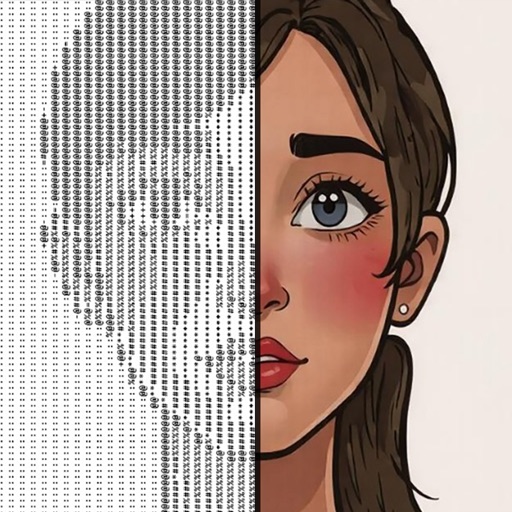
Transform your videos into stunning ASCII art!
With just a few taps, convert any video from your gallery into a mesmerizing display of characters.
Perfect for creators, developers, and anyone who loves unique visual effects.
Share your ASCII masterpieces with friends or use them in your projects.
Simple, fun, and endlessly creative!
Features:
Convert videos to ASCII art in real-time.
Adjust resolution and character density for the perfect look.
Save and share your ASCII creations.
Works with videos from your gallery. PORTRAIT videos are recommended.
Tap screen to open/close settings window.
Pro Tip: Want to record and save your ASCII art as a video?
Use your device's native iOS screen recorder for a secure and seamless experience.
It's easy, reliable, and ensures the best quality!
Download now and turn your videos into works of art!
If you are not seeing record button in your home screen:
Make sure your phone is updated with iOS 12.
Go to your Settings, then select Control Centre.
Tap into ‘Customise Controls’ then add “Screen Recording” to the list.
Exit your settings and then head to your homescreen.
Swipe up the Control Centre and select the little white circle in the square icon.
This is the Screen Recording icon.
Note:
This app is totally free but you need credits to make video transitions.
To get credits you need to watch ads if you have zero credit left.
Disclaimer:
AppAdvice does not own this application and only provides images and links contained in the iTunes Search API, to help our users find the best apps to download. If you are the developer of this app and would like your information removed, please send a request to takedown@appadvice.com and your information will be removed.
AppAdvice does not own this application and only provides images and links contained in the iTunes Search API, to help our users find the best apps to download. If you are the developer of this app and would like your information removed, please send a request to takedown@appadvice.com and your information will be removed.
