You are using an outdated browser. Please
upgrade your browser to improve your experience.

Vocaltalk App for iPhone, iPad and iPod Touch let you make voice call worldwide with the finest voice quality

Vocaltalk
by Alen wilson

What is it about?
Vocaltalk App for iPhone, iPad and iPod Touch let you make voice call worldwide with the finest voice quality..
App Screenshots

App Store Description
Vocaltalk App for iPhone, iPad and iPod Touch let you make voice call worldwide with the finest voice quality..
App Benefits:
•Works from all over the world
•Uses iPhone contacts
•Crystal Clear Quality
•Satisfaction guaranteed!
Main features:
* Connectivity through WIFI, 4G/3G,2G EDGE
* Integrated contacts from the phone
* Loudspeaker
* Balance information
* Call cost information
* Time, call status logs
How to Activate:
1. Go to App Store and download "Vocaltalk" on your iPhone, iPad and or iPod.
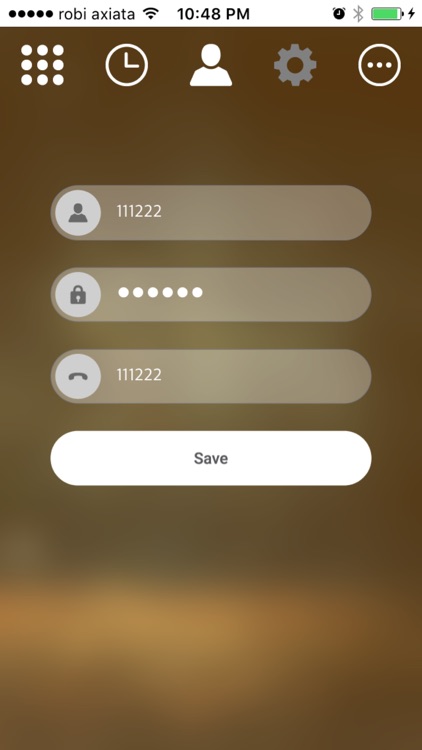
2. Launch Vocaltalk App —> Login—> enter your user name and PIN.
3. Launch Vocaltalk App and dial destination number using any of the Dial formats or directly from App's Contact list.
Disclaimer:
AppAdvice does not own this application and only provides images and links contained in the iTunes Search API, to help our users find the best apps to download. If you are the developer of this app and would like your information removed, please send a request to takedown@appadvice.com and your information will be removed.
AppAdvice does not own this application and only provides images and links contained in the iTunes Search API, to help our users find the best apps to download. If you are the developer of this app and would like your information removed, please send a request to takedown@appadvice.com and your information will be removed.
