You are using an outdated browser. Please
upgrade your browser to improve your experience.

Create a second WhatsApp account using international virtual numbers with Wasi, the sms confirmation tool for WhatsApp and WhatsApp Business

Wasi - Virtual WhatsApp Number
by KORANET
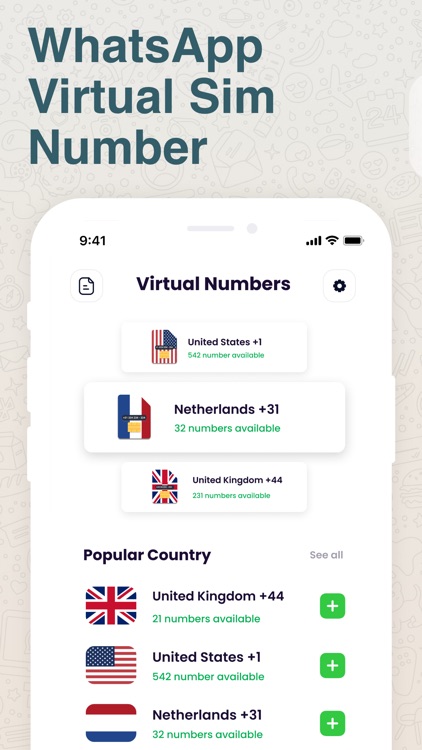

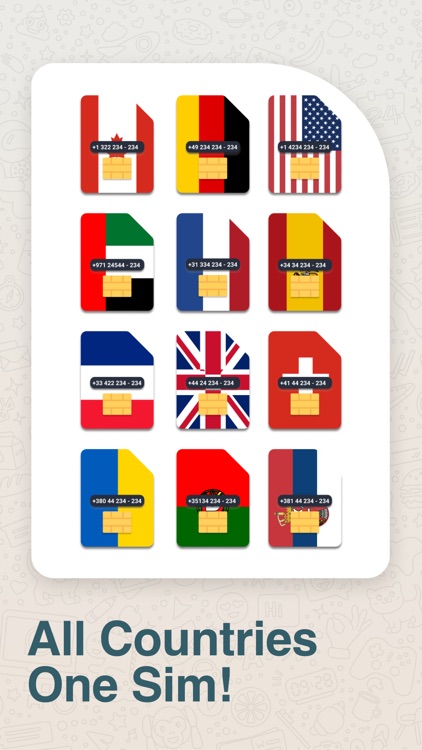
What is it about?
Create a second WhatsApp account using international virtual numbers with Wasi, the sms confirmation tool for WhatsApp and WhatsApp Business.
App Screenshots

App Store Description
Create a second WhatsApp account using international virtual numbers with Wasi, the sms confirmation tool for WhatsApp and WhatsApp Business.
• How to use?
First, you have to choose one of the 100+ country prefixes and buy a virtual number. You must copy the number you purchased to WhatsApp or WhatsApp Business and request SMS confirmation. Then you should open Wasi and write the incoming SMS on the verification screen.
• International Numbers
Wasi provides you with international verifications. Create WhatsApp number with any country prefix in seconds.
• For WhatsApp and WhatsApp Business
You can create separate WhatsApp for personal use and for business. You don't need to buy a new sim card for this. With Wasi you can buy virtual sim number in seconds. So you can use a new phone number for your business.
• Why Wasi?
If you cannot confirm the SMS, we will refund your money. If you do not receive the verification SMS, you can cancel the number and request a new virtual number.
• How Does WhatsApp Business Work?
WhatsApp Business is the easiest way to open a second WhatsApp account on your phone. You can start using WhatsApp Business by downloading it from the app store. In addition to WhatsApp Messenger, you can use extra features for business. Wasi provides virtual sim numbers for WhatsApp and WhatsApp Business.
* Note: This app was created by independent developers. WhatsApp Inc. or Meta Inc. It is in no way related.
• Privacy Policy: https://koranetdigital.com/wasi/privacy.html
• Terms of Service: https://koranetdigital.com/wasi/terms.html
If you have any feedback or questions, please contact support@koranetdigital.com.
Disclaimer:
AppAdvice does not own this application and only provides images and links contained in the iTunes Search API, to help our users find the best apps to download. If you are the developer of this app and would like your information removed, please send a request to takedown@appadvice.com and your information will be removed.
AppAdvice does not own this application and only provides images and links contained in the iTunes Search API, to help our users find the best apps to download. If you are the developer of this app and would like your information removed, please send a request to takedown@appadvice.com and your information will be removed.
