You are using an outdated browser. Please
upgrade your browser to improve your experience.

Wi2Connect4 is a Wi-Fi hotspot auto-login tool for Wi2 300 Wi-Fi service areas provided by Wire and Wireless Co

Wi2Connect4
by Wire and Wireless Co.,Ltd.


What is it about?
Wi2Connect4 is a Wi-Fi hotspot auto-login tool for Wi2 300 Wi-Fi service areas provided by Wire and Wireless Co., Ltd..
App Screenshots

App Store Description
Wi2Connect4 is a Wi-Fi hotspot auto-login tool for Wi2 300 Wi-Fi service areas provided by Wire and Wireless Co., Ltd..
[Supported OS]
iOS 6 or later(iPhone / iPad / iPod touch)
[Main features]
- One click to login/logout at Wi2 300 Wi-Fi hotspots
- Hotspot Search
[Wi2 300 Wi-Fi Service Areas]
- Wi-Fi Square (Wi2, Wi2_club,,wifi_square)
Marunouchi (Tokyo), Yokohama area, Limousine Bus Liners, Wi-Fi Square community area etc
- BB MOBILEPOINT (mobilepoint)
McDonalds', Narita Airport etc
*mobilepoint2 is not supported by Wi2connect as of August 2014.
- UQ Wi-Fi (UQ_Wi-Fi)
Toei Subway , On Narita Express etc
note: This tool can NOT be used to login in Shinkansen (The N700 series) or wating areas in Shinkansen Stations.
For detail service areas, please use Area Search on this tool.
[How to set up]
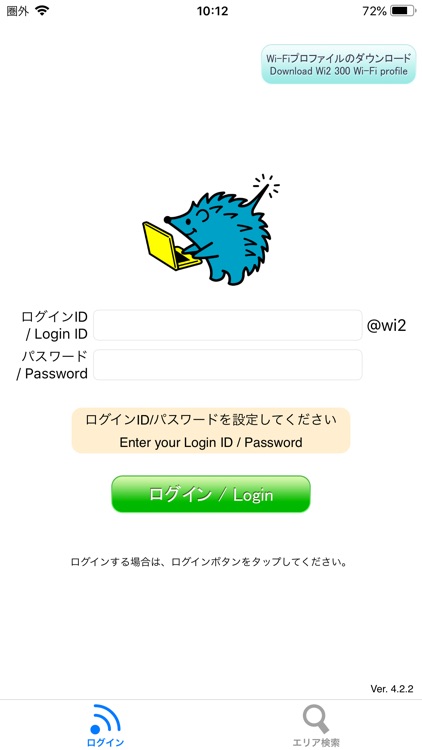
1. Enter your login ID and password.
(To get your login ID and password, please tap Wi2 300 Service Page (top left).
2. Tap Wi2 300 Wi-Fi profile (top right) to install Wi2 300 profile.
[How to use]
Open this tool at one of our Wi-Fi service areas to log in automatically. Once successfully logged in, it will close by itself. Tap the Logout button to logout from a logged-in spot.
Disclaimer:
AppAdvice does not own this application and only provides images and links contained in the iTunes Search API, to help our users find the best apps to download. If you are the developer of this app and would like your information removed, please send a request to takedown@appadvice.com and your information will be removed.
AppAdvice does not own this application and only provides images and links contained in the iTunes Search API, to help our users find the best apps to download. If you are the developer of this app and would like your information removed, please send a request to takedown@appadvice.com and your information will be removed.
