You are using an outdated browser. Please
upgrade your browser to improve your experience.

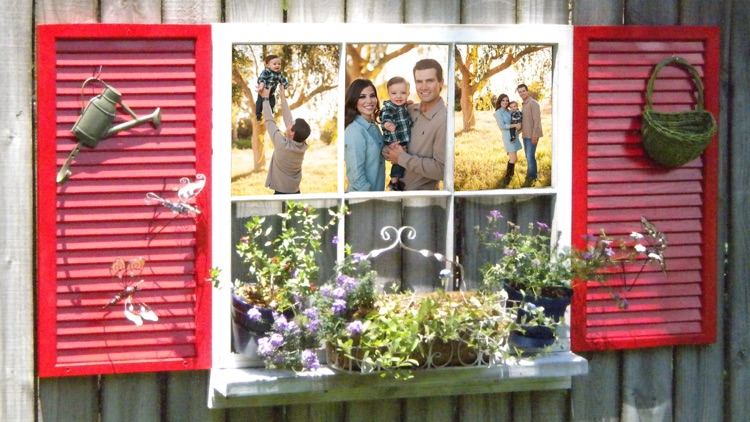
Windows mobile Photo Frames is one of the best photo editor And beautiful frames to your photos

Windows photo frame Editor : Desktop Photo Frame
by jitendra khunt


What is it about?
Windows mobile Photo Frames is one of the best photo editor And beautiful frames to your photos. Choose photo from Album and select a frame and generate your photo frames. Enjoy the best photo frames in App Store. With Photo Frame you can add new frames to your favorite photos. Photo Frame is a powerful Photo frame maker for you to create amazing Photo frame using your photos, Photo Frame editor has a very simple user interface, everybody can use, with a powerful photo editor, Photo Frame that gives you everything to create amazing collage of your photos.
App Screenshots


App Store Description
Windows mobile Photo Frames is one of the best photo editor And beautiful frames to your photos. Choose photo from Album and select a frame and generate your photo frames. Enjoy the best photo frames in App Store.
With Photo Frame you can add new frames to your favorite photos. Photo Frame is a powerful Photo frame maker for you to create amazing Photo frame using your photos, Photo Frame editor has a very simple user interface, everybody can use, with a powerful photo editor, Photo Frame that gives you everything to create amazing collage of your photos.
Take a photo watching the frame straight on your cell phone camera for having a correct thought of how the pic will look.
How to use :
- Launch Photo Frame app, then tap Grid, backgrounds or Photo Effects...
- Select a photo or take a picture using camera or Gallery
- Edit, crop, rotate your photo using Photo Frame
- Save your collage or edited photos.
- View your photos in gallery
- Share The picture To Facebook twitter IG Whatsapp Beetalk to your friends.
Features:
- Mutiple frame flower for use choose
- It lets you combine multiple photos with various photo layouts.
- Pick the layout you like best.
Download this app to find more features and lots of readymade Windows Photo Frames. So, This app has much more Windows Photo Frame Editor For You. No Charges Required For App.
Download it and Enjoy. Don’t Forget to Rate us if you Like the App.
Disclaimer:
AppAdvice does not own this application and only provides images and links contained in the iTunes Search API, to help our users find the best apps to download. If you are the developer of this app and would like your information removed, please send a request to takedown@appadvice.com and your information will be removed.
AppAdvice does not own this application and only provides images and links contained in the iTunes Search API, to help our users find the best apps to download. If you are the developer of this app and would like your information removed, please send a request to takedown@appadvice.com and your information will be removed.
