EyeTV Can Stream Live TV Over 3G With This Simple Trick
October 3, 2009

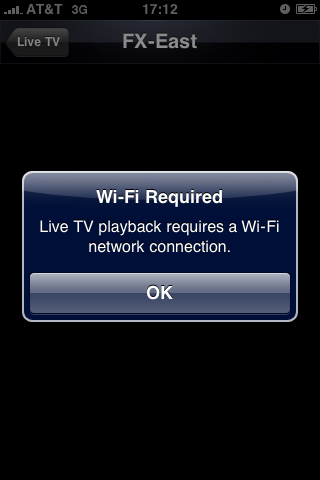 Normally when you launch EyeTV on your iPhone and attempt to stream live TV over 3G, a message appears indicating that such activity is simply not allowed. The message states "Live TV requires a Wi-Fi network connection," but apparently that's not entirely true. Instead of tapping "OK" and allowing AT&T to win this battle, simply tap anywhere else within that dialog box. The message will magically disappear and from that point on everything should operate just as usual without a Wi-Fi connection.
This simple workaround doesn't require any extra software or the need to jailbreak, but once Apple catches wind of this you can be sure EyeTV will be yanked from the App Store without warning, so go enjoy live TV streaming over 3G while you can!
Normally when you launch EyeTV on your iPhone and attempt to stream live TV over 3G, a message appears indicating that such activity is simply not allowed. The message states "Live TV requires a Wi-Fi network connection," but apparently that's not entirely true. Instead of tapping "OK" and allowing AT&T to win this battle, simply tap anywhere else within that dialog box. The message will magically disappear and from that point on everything should operate just as usual without a Wi-Fi connection.
This simple workaround doesn't require any extra software or the need to jailbreak, but once Apple catches wind of this you can be sure EyeTV will be yanked from the App Store without warning, so go enjoy live TV streaming over 3G while you can!

