


You are using an outdated browser. Please upgrade your browser to improve your experience.

Apps That
Went Free on
2015-01-16

Our collection of apps today will help you get going in the right direction, whether that’s physically, monetarily, or professionally.

Super Lemonade Factory Part Two
iPhone
iPad
Super Lemonade Factory Part Two

Super Lemonade Factory Part Two

Shane Brouwer

Join Andre and Liselot in the second part of their great adventure in this puzzle-platformer.

Super Lemonade Factory Part Two is for those who enjoy indie games with amazing pixel art and tunes.

FREE ($2.99) For a limited time FREE ($2.99) For a limited time
Why we picked this?

Super Lemonade Factory Part Two is bigger and better than the original in every way, and that’s saying something! Once again, you’re put in control of Andre and his wife Liselot. This time around, however, you must help them escape from the chaos that has descended upon Sydney. Both Andre and Liselot have their own unique abilities, and you can switch between the two in order to solve puzzles and successfully reach the end of each level.

If you enjoy puzzle platformers, you have to check out Super Lemonade Factory Part Two. Don’t forget about the original, either!

The game can be extremely challenging, especially in some of the later puzzles.

GPS Navigation Hiking Compass
iPhone
GPS Navigation Hiking Compass

GPS Navigation Hiking Compass

Alexander Deplov

Store GPS locations and find your way back to them with this navigation app.

This is the perfect tool for adventurers and travelers alike.

FREE ($1.99) For a limited time FREE ($1.99) For a limited time
Why we picked this?

We really enjoy using Anchor Point because of its simplicity. Just tap the “Add Anchor” button to pinpoint your location, and attach a name and icon to it. The location will be stored in your personal list where you can also share it with your friends. When you want to make your way back to your anchor point, just follow the compass or view the directions on the built-in map.

If you like to wander around outdoors, Anchor Pointer will become an indispensable tool. It will lead you back no matter where you find yourself. It’s great for remote locations where all you have is a compass to go off of and some coordinates.

Besides being able to name and attach an icon to your location, Anchor Pointer is pretty slim on options. You’re not able to store notes, photos, or any other additional information. It’s solely a navigational tool.

Coins - Spending Tracker
iPhone
iPad
Coins - Spending Tracker

Coins - Spending Tracker

Yuzhou Zhu

Find out where all of your money is going with this finance app.

It’s designed for anyone that wants to keep track of their daily expenses.

FREE ($1.99) For a limited time FREE ($1.99) For a limited time
Why we picked this?

Unlike similar finance apps, 5coins doesn’t try to do it all. Instead, it focuses on just what you spend on a daily basis. That’s it. No jumping through multiple screens to perform a single task. Just swipe down on the screen to enter a value and attach a note. The app will keep a running total of everything you’ve spent, and you can view your expense history with an upward swipe.

If you just want to track what you’re spending, 5coins is perfect for you. It features iCloud support, so no matter what iDevice you enter your expenses on, you’ll be able to see your total on every one.

If you want to do more than track your daily expenses, you’re going to have to look elsewhere for a finance app. 5coins is solely focused on tracking daily expenses and doesn’t offer any overweight features like budgets, multiple account support, or charts.

Audio Notebook: Sound Recorder
iPad
Audio Notebook: Sound Recorder

Audio Notebook: Sound Recorder

Qrayon, LLC

This note taking app will help you stay on top of all of your classes and meetings with only your iPad.

It’s ideal for students and business professionals who have trouble keeping up with discussions while taking notes.

$4.99 $4.99
Why we picked this?

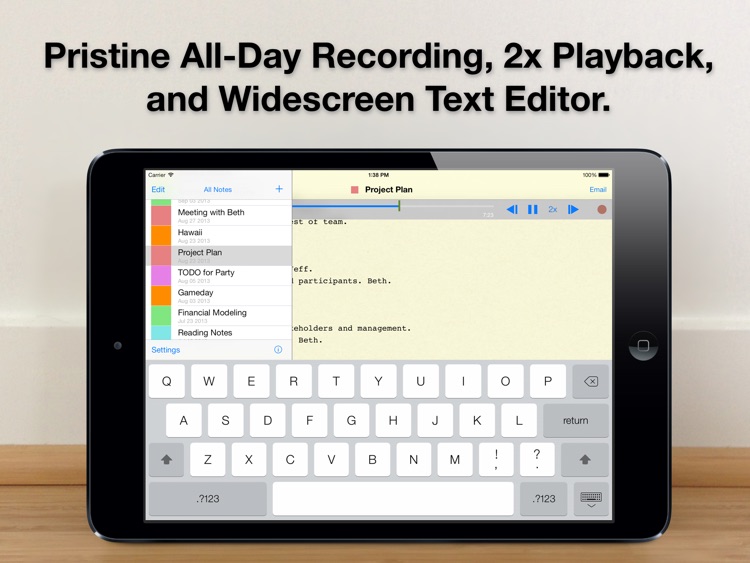
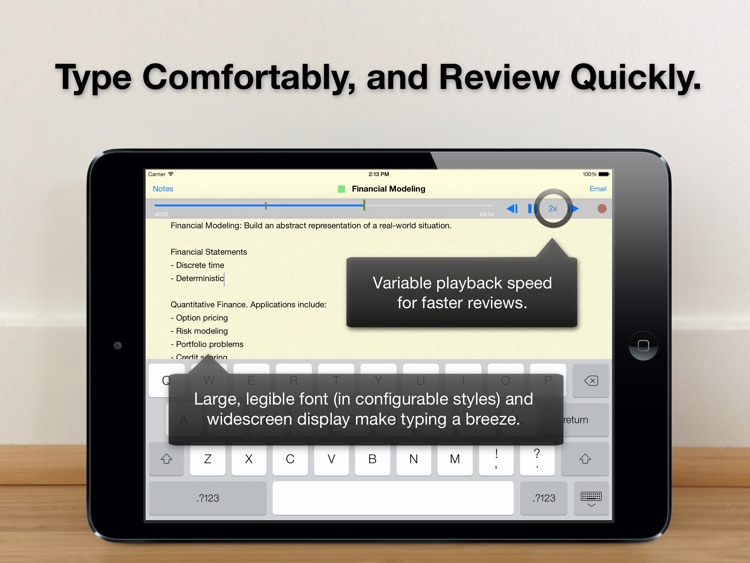
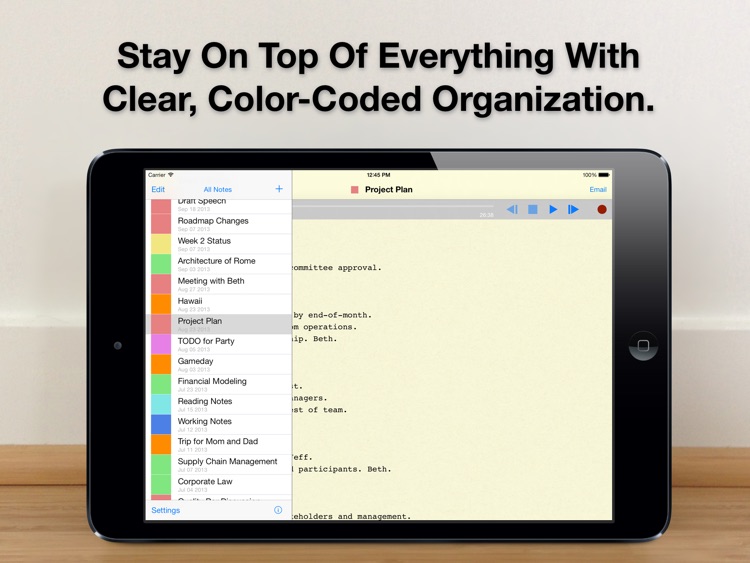
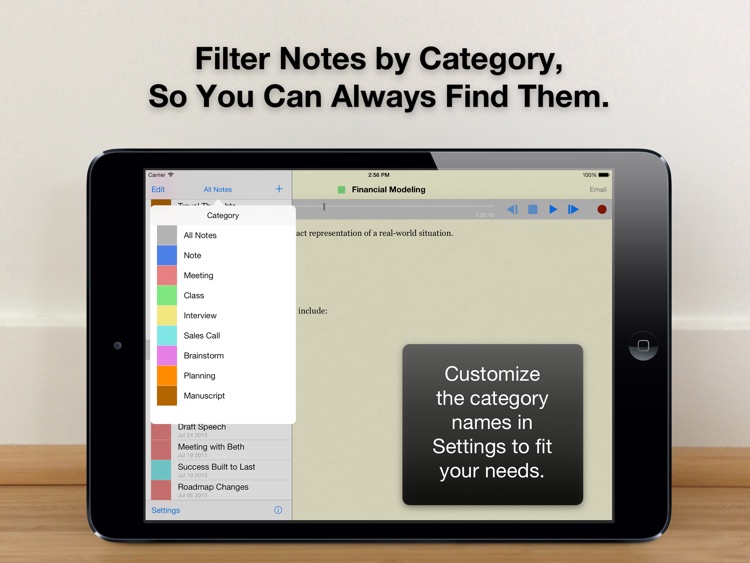
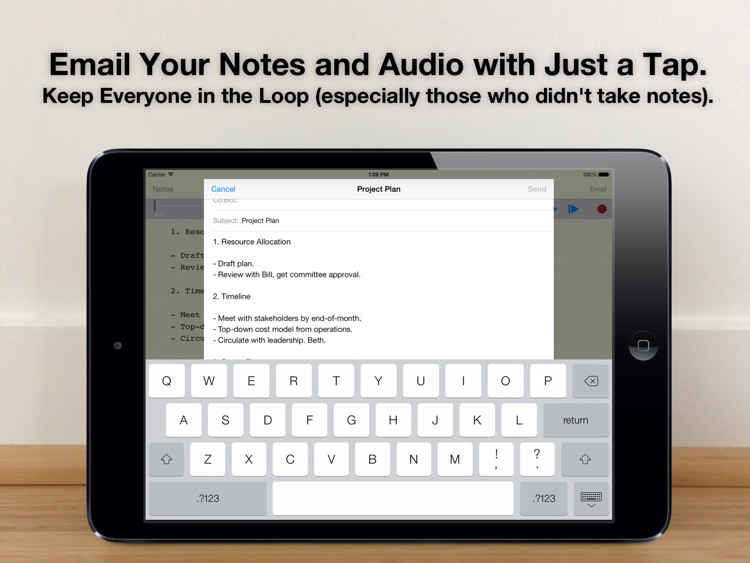
Audio Notebook is able to capture a whole day’s worth of audio while you take thorough notes. When creating a new note, you’re able to title and color code it. Then tap record and start typing. The app features a large, legible font and automatic spellcheck, making it supremely easy to blast out notes. You’re also able to take notes in portrait or landscape orientation. When playing back audio, you’re able to seek and choose various speeds. The app includes unlimited audio recording, customizable categories, the ability to filter notes, and the ability to share notes and recordings via email.

If you struggle with keeping up with your instructors and colleagues, this is the perfect tool for you. It allows you to focus on taking thorough notes while having entire conversations readily available.

It’s only for iPad. There isn’t even an iPhone or iPod touch version available.

Rocket Valet! Galaxy Landing Service
iPhone
iPad
Rocket Valet! Galaxy Landing Service

Rocket Valet! Galaxy Landing Service

Eggroll Games LLC

Try to hit the landing target outside of a dark city with your rocket ship in this casual arcade game.

Rocket Valet is for anyone that enjoys pick up and play games.

$2.99 $2.99
Why we picked this?

Rocket Valet is the perfect little time waster that’s easy to get the hang of but difficult to master. Your rocket ship controls are found at the bottom of the screen. You must tap the thrusters to navigate your ship through delicate mazes and safely to the landing pad. You’ll be rewarded with bonus points for a direct hit and small bounces. After each successful landing you can choose to record your high score or risk it all to climb even higher up the leaderboards.

If you enjoy casual pick up and play arcade games, you’ll absolutely love Rocket Valet. The ability to risk your points to build up your multiplier makes things even more intense.

If you like games with breadth, you’ll have to look elsewhere. Rocket Valet is as simple as they come.