

![File Explorer & Player [Pro]](https://is1-ssl.mzstatic.com/image/thumb/Purple211/v4/f0/bb/e8/f0bbe83c-8339-186d-687e-97ad91de7f57/AppIcon-0-0-1x_U007emarketing-0-8-0-85-220.png/100x100bb.jpg)

Geography Duel: World Practice
Find out how well you know your geography with this fun educational app.
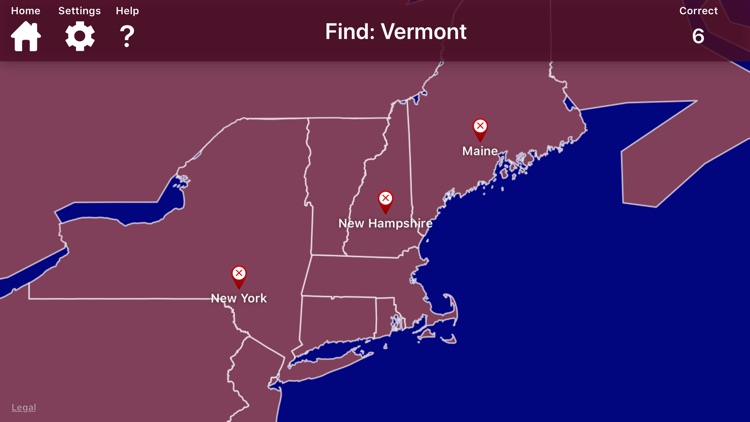
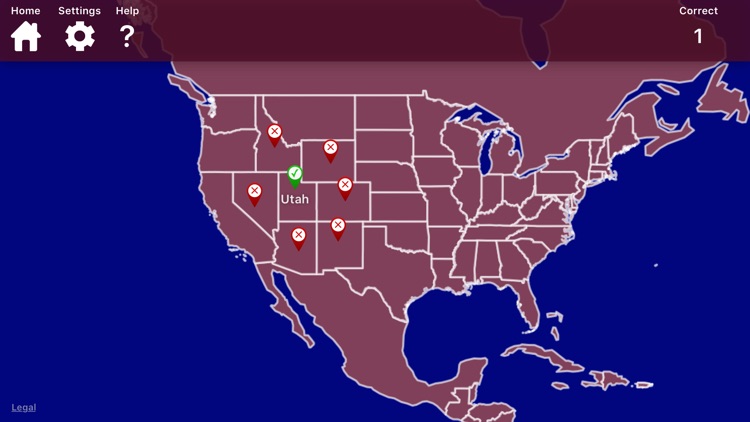
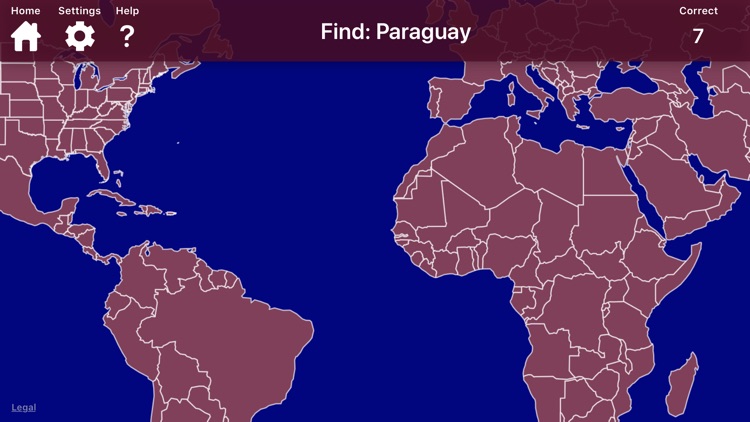
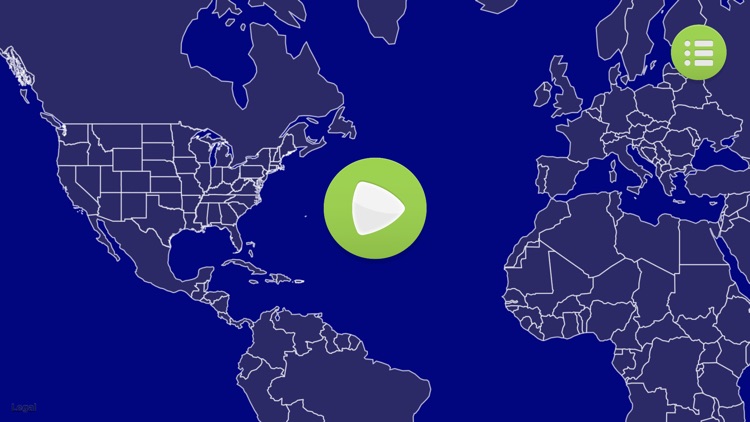

Both parents and teachers who want to help their children study the world.
FREE ($2.99) For a limited time FREE ($2.99) For a limited timeWhat really makes Geography Duel great is that anyone can join in on the fun, even adults! You’re able to adjust the settings to ensure that the game is fair and balanced. For example, if you’re an adult playing against a child, you can enable capitals or countries to make it more difficult for you to find your location before your opponent. The duel part of the game can be played in split screen mode on the same iPad, but you can also hone your skills in the single player mode. The game also includes the ability to change the map design.
You want your child work on their geography. It’s a ton of fun whether played alone or against a friend or family member.
You want a single player challenge. The single player mode doesn’t have a timer, so there really isn’t much pushing the player along.




![File Explorer & Player [Pro]](https://is1-ssl.mzstatic.com/image/thumb/Purple211/v4/f0/bb/e8/f0bbe83c-8339-186d-687e-97ad91de7f57/AppIcon-0-0-1x_U007emarketing-0-8-0-85-220.png/256x256bb.jpg)
![File Explorer & Player [Pro] screenshot-0](https://is1-ssl.mzstatic.com/image/thumb/PurpleSource116/v4/43/15/71/4315716e-9add-ee95-96bf-c89268e284d7/2a4e0fe3-4a33-4156-b58c-25ad6e120e16_iPhone_8_Plus_-_01_f498bc4f-90b8-4a73-ba5b-0fe10e9eeb3b_framed.jpg/750x750bb.jpeg)
![File Explorer & Player [Pro] screenshot-1](https://is1-ssl.mzstatic.com/image/thumb/PurpleSource116/v4/59/b4/5a/59b45a65-1462-52b0-8d43-bdaf019a7850/109b8ac5-51df-4ed3-bd8d-b40d9c6b02ca_iPhone_8_Plus_-_02_5c1d7888-2429-4f1d-baec-be654403bad6_framed.jpg/750x750bb.jpeg)
![File Explorer & Player [Pro] screenshot-2](https://is1-ssl.mzstatic.com/image/thumb/PurpleSource126/v4/05/62/21/056221eb-c971-4dbd-8d31-61020ac9a39b/2252d8eb-6b97-42df-b077-543a2a02f406_iPhone_8_Plus_-_03_b1b42fb2-02dd-4e10-b596-f46898eb394c_framed.jpg/750x750bb.jpeg)
![File Explorer & Player [Pro] screenshot-3](https://is1-ssl.mzstatic.com/image/thumb/PurpleSource126/v4/77/b6/4f/77b64f74-145c-de57-296c-7b260fa7225e/b3412ee8-16dd-4eb8-8fe2-03633c37a947_iPhone_8_Plus_-_04_6dc94729-1ec4-4ba3-b889-5481994adfae_framed.jpg/750x750bb.jpeg)
![File Explorer & Player [Pro] screenshot-4](https://is1-ssl.mzstatic.com/image/thumb/PurpleSource116/v4/db/43/93/db439347-3acc-6d59-de9e-01d8aa9a3efd/9a06e203-f7f4-46c0-a0b8-63c6117e246c_iPhone_8_Plus_-_05_721a5918-75f7-48f2-b41f-fafe129b714f_framed.jpg/750x750bb.jpeg)
![File Explorer & Player [Pro] screenshot-5](https://is1-ssl.mzstatic.com/image/thumb/PurpleSource116/v4/f5/40/8e/f5408e84-03d5-6c92-e64e-9095f2ced5b6/8f9d9017-f670-4b8d-9738-5eaafd18c536_iPhone_8_Plus_-_07_f3b73a03-5418-4859-ab4e-45fc05b0805d_framed.jpg/750x750bb.jpeg)
![File Explorer & Player [Pro] screenshot-6](https://is1-ssl.mzstatic.com/image/thumb/PurpleSource116/v4/eb/4a/88/eb4a887b-413a-0ebb-a8d4-cbe29c7ff3bd/35a599d3-065f-4492-aad5-d1e6d87a3027_iPhone_8_Plus_-_08_1b7086de-016d-4fbd-8c28-d9a515f9f4b6_framed.jpg/750x750bb.jpeg)
![File Explorer & Player [Pro] screenshot-7](https://is1-ssl.mzstatic.com/image/thumb/PurpleSource126/v4/5a/77/c2/5a77c235-3e46-d160-7c6f-1eab3a32e17b/e89a4452-ffb3-46d0-babe-60e920b0dbe6_iPhone_8_Plus_-_09_ba61e618-3c0e-4dc0-b2a1-3c8c8943d88e_framed.jpg/750x750bb.jpeg)
![File Explorer & Player [Pro] screenshot-8](https://is1-ssl.mzstatic.com/image/thumb/PurpleSource126/v4/41/65/9f/41659f7b-585b-4be1-1381-fe5291e17830/188eb017-5ee3-4450-a0ae-3da093edf17b_iPhone_8_Plus_-_10_a5f0dfa5-04fa-4746-bf74-bbedd466e79e_framed.jpg/750x750bb.jpeg)
