![File Explorer & Player [Pro]](https://is1-ssl.mzstatic.com/image/thumb/Purple211/v4/f0/bb/e8/f0bbe83c-8339-186d-687e-97ad91de7f57/AppIcon-0-0-1x_U007emarketing-0-8-0-85-220.png/100x100bb.jpg)


iPhone
Strongify Rep Count
Astrochimp SRL
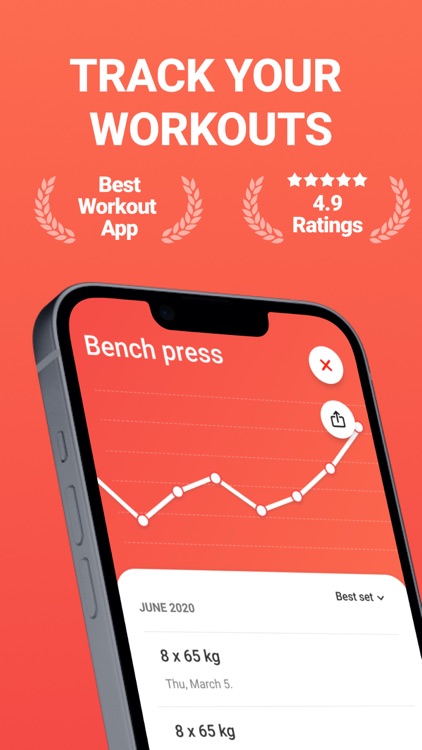
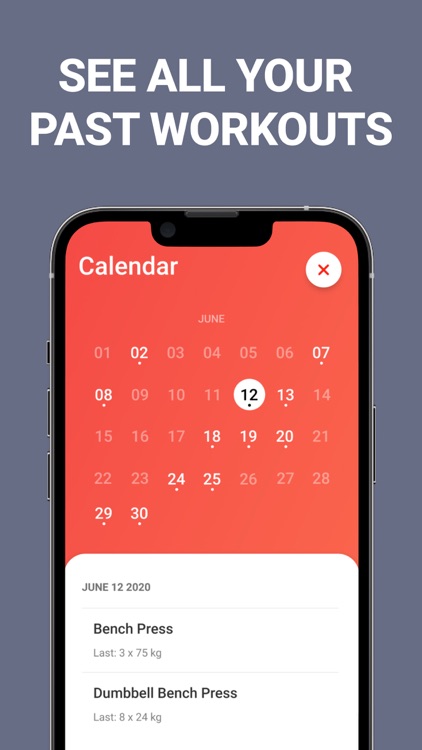
***THIS OFFER HAS EXPIRED*** Create gym routines and log your workouts with Strongify. TODAY ONLY: Upgrade to Strongify Premium for free! This will unlock unlimited exercises, workout calendar, and multiple themes. Simply tap the settings icon in the top right corner and tap on “Go Premium.”


Those who lift weights at the gym.
FREE ($8.99) For a limited time FREE ($8.99) For a limited timeWhy we picked this?
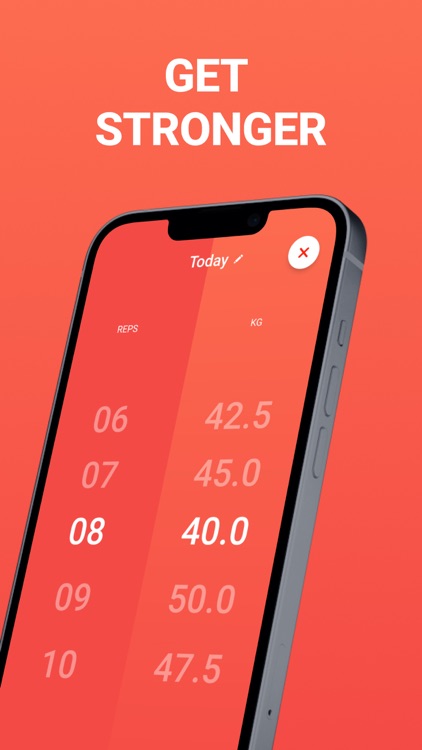
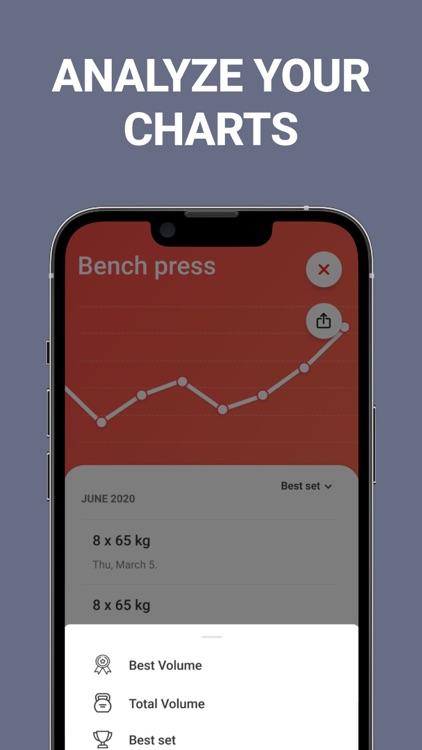
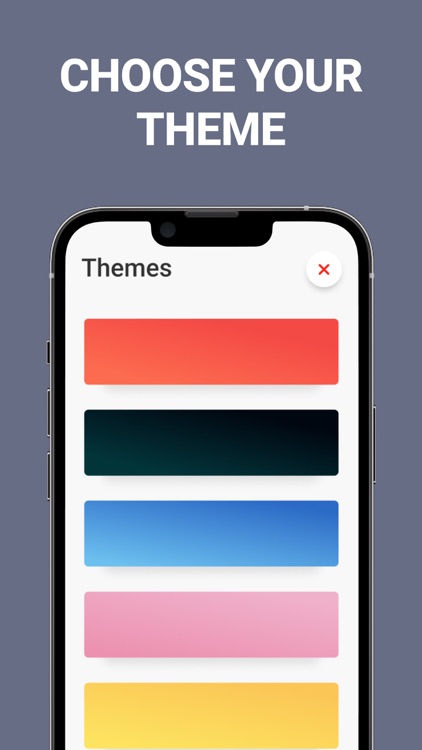
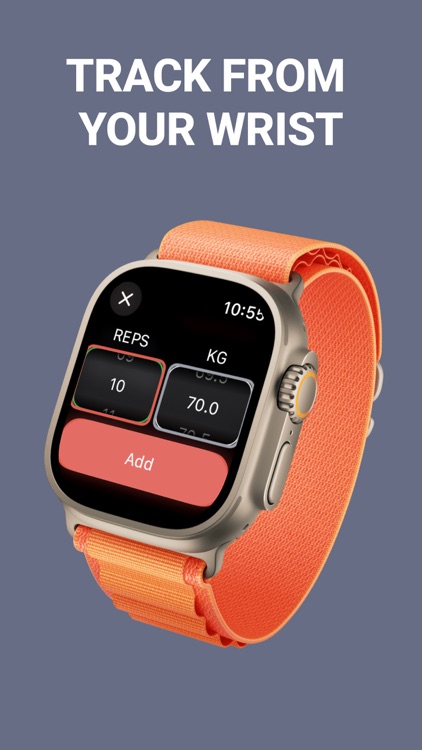
Strongify was designed to be fast and efficient. Instead of wasting valuable gym time scrolling through long lists, Strongify allows you to create custom routines in a snap. Simply name the routine, add a workout, and select the number of reps and weight. Strongify will remember the last weight and reps entered, allowing you to log workouts even faster. You’re also able to share your workout progress, view workout charts, and choose from eight different themes.
You go to the gym to workout, not sit on your phone.
Your routines are complex and you need additional ways to log information.


![File Explorer & Player [Pro]](https://is1-ssl.mzstatic.com/image/thumb/Purple211/v4/f0/bb/e8/f0bbe83c-8339-186d-687e-97ad91de7f57/AppIcon-0-0-1x_U007emarketing-0-8-0-85-220.png/256x256bb.jpg)
![File Explorer & Player [Pro] screenshot-0](https://is1-ssl.mzstatic.com/image/thumb/PurpleSource116/v4/43/15/71/4315716e-9add-ee95-96bf-c89268e284d7/2a4e0fe3-4a33-4156-b58c-25ad6e120e16_iPhone_8_Plus_-_01_f498bc4f-90b8-4a73-ba5b-0fe10e9eeb3b_framed.jpg/750x750bb.jpeg)
![File Explorer & Player [Pro] screenshot-1](https://is1-ssl.mzstatic.com/image/thumb/PurpleSource116/v4/59/b4/5a/59b45a65-1462-52b0-8d43-bdaf019a7850/109b8ac5-51df-4ed3-bd8d-b40d9c6b02ca_iPhone_8_Plus_-_02_5c1d7888-2429-4f1d-baec-be654403bad6_framed.jpg/750x750bb.jpeg)
![File Explorer & Player [Pro] screenshot-2](https://is1-ssl.mzstatic.com/image/thumb/PurpleSource126/v4/05/62/21/056221eb-c971-4dbd-8d31-61020ac9a39b/2252d8eb-6b97-42df-b077-543a2a02f406_iPhone_8_Plus_-_03_b1b42fb2-02dd-4e10-b596-f46898eb394c_framed.jpg/750x750bb.jpeg)
![File Explorer & Player [Pro] screenshot-3](https://is1-ssl.mzstatic.com/image/thumb/PurpleSource126/v4/77/b6/4f/77b64f74-145c-de57-296c-7b260fa7225e/b3412ee8-16dd-4eb8-8fe2-03633c37a947_iPhone_8_Plus_-_04_6dc94729-1ec4-4ba3-b889-5481994adfae_framed.jpg/750x750bb.jpeg)
![File Explorer & Player [Pro] screenshot-4](https://is1-ssl.mzstatic.com/image/thumb/PurpleSource116/v4/db/43/93/db439347-3acc-6d59-de9e-01d8aa9a3efd/9a06e203-f7f4-46c0-a0b8-63c6117e246c_iPhone_8_Plus_-_05_721a5918-75f7-48f2-b41f-fafe129b714f_framed.jpg/750x750bb.jpeg)
![File Explorer & Player [Pro] screenshot-5](https://is1-ssl.mzstatic.com/image/thumb/PurpleSource116/v4/f5/40/8e/f5408e84-03d5-6c92-e64e-9095f2ced5b6/8f9d9017-f670-4b8d-9738-5eaafd18c536_iPhone_8_Plus_-_07_f3b73a03-5418-4859-ab4e-45fc05b0805d_framed.jpg/750x750bb.jpeg)
![File Explorer & Player [Pro] screenshot-6](https://is1-ssl.mzstatic.com/image/thumb/PurpleSource116/v4/eb/4a/88/eb4a887b-413a-0ebb-a8d4-cbe29c7ff3bd/35a599d3-065f-4492-aad5-d1e6d87a3027_iPhone_8_Plus_-_08_1b7086de-016d-4fbd-8c28-d9a515f9f4b6_framed.jpg/750x750bb.jpeg)
![File Explorer & Player [Pro] screenshot-7](https://is1-ssl.mzstatic.com/image/thumb/PurpleSource126/v4/5a/77/c2/5a77c235-3e46-d160-7c6f-1eab3a32e17b/e89a4452-ffb3-46d0-babe-60e920b0dbe6_iPhone_8_Plus_-_09_ba61e618-3c0e-4dc0-b2a1-3c8c8943d88e_framed.jpg/750x750bb.jpeg)
![File Explorer & Player [Pro] screenshot-8](https://is1-ssl.mzstatic.com/image/thumb/PurpleSource126/v4/41/65/9f/41659f7b-585b-4be1-1381-fe5291e17830/188eb017-5ee3-4450-a0ae-3da093edf17b_iPhone_8_Plus_-_10_a5f0dfa5-04fa-4746-bf74-bbedd466e79e_framed.jpg/750x750bb.jpeg)