
You are using an outdated browser. Please upgrade your browser to improve your experience.

Boost Your Productivity With These Apps

We all find ourselves getting sidetracked and distracted. These apps use trusted time management techniques to help you get your productivity flowing. Who knew just a few little changes could get you on a more productive path so you can tackle any task!

Power Focus - Work Break Timer
TomoNow(Old Version)
Focus timer - time keeper
Power Focus - Work Break Timer

Power Focus - Work Break Timer

Fast Robo LLC

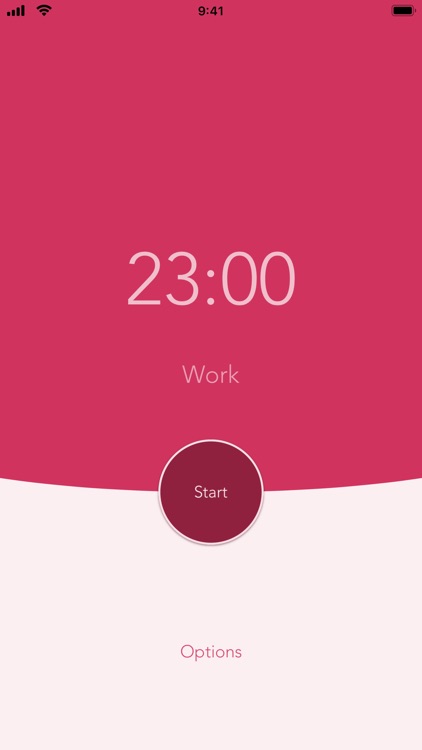
Beat procrastination by working in manageable amounts of time! Boost your productivity and focus on your tasks with Power Focus, the easiest to use countdown timer.

[Phone features]
* Customize your work session timer length
* Customize your regular & long break lengths
* View daily & all-time completed work session stats
* Interactive notifications (Continue, Pause, or Stop current timer)
* More customization choices in Options
* Haptic Feedback (if your device supports it)
* Use Siri Shortcuts (iOS 12) to start your timer
* Dark Mode (iOS 13) support

[Watch features]
* Apple WatchOS support
* Perform actions (Start / Pause / Resume / Stop) from either the watch or phone and continue on either device when in range
* Use the digital crown to set work duration
* Haptic feedback & timer transition animations
* Note: watch is best used with phone to receive notifications

[How it works]
Use the intervals to get tasks done and give yourself a break in between tasks. Power Focus allows you to easily control the timer at your own pace. You can also customize the timer lengths for shorter work sessions, longer breaks, and more. Take a longer break after a few completed sessions. Keep track of daily and all-time completed work sessions. Get more work done by focusing on your job in manageable chunks of time.

[Privacy]
If you upgrade to Pro, our app does not run third party tracking to show ads. The free version may run ads to support ongoing development.

[About]
Power Focus is designed, built, and maintained in California. We'd love to know how we can improve your experience, so please contact us at support@fastrobo.co or tweet us @FastRobo.
TomoNow(Old Version)

TomoNow(Old Version)

Jinyu Meng

TomoNow 2 has been released! Would you like to check it out?

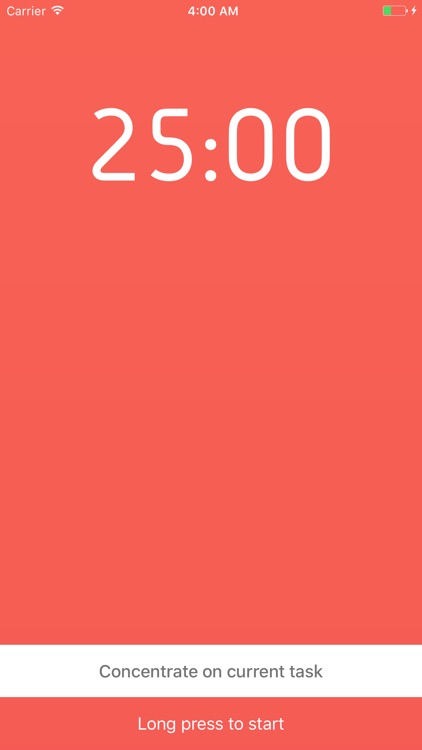
- Full-function focus timer: TomoNow's timing tools are highly flexible and easy to customize.

- To-do List: Focus on the current task. Use as "current actions list" to incorporate the TomoNow into your time management workflow. You can make a plan and follow the progress. TomoNow also provide a undo function to prevent accidental deletion.

- It feels different: A specially designed winding gesture helps improve your focus and avoid interruption.

- Quick Timer mode: You can also leave your daily timing work to us. TomoNow's "fast timing keyboard" greatly simplifies the time setting operation. More with less.

- Statistics chart: Record your daily work efficiency. It's easy to analysis and review.

- Watch App: Start focus from Apple watch! Set and add task. Work perfect in background.

- Good accessibility: TomoNow has been optimized for accessibility and is suitable for daily usage by visual impairment people.

- TomoNow is designed and developed by Megabits. You can send an e-mail(megabits_mzq@icloud.com) to communicate with me.

- Technical Information - URL Scheme
Show “Add task” dialog box: pomonow://addTask
Show task list: pomonow://tasks
Stop current focus cycle: pomonow://stop
Add task: pomonow://?task=Task1&tag=0&aim=0&task=Task2&tag=1&aim=1...
(Description: task:[Task name,String] tag:[Color tag,Integer,Range 0-6] aim:[Focus plan,Integer]You can add multiple tasks at once.)
Set current task:pomonow://?set=Task&tag=0&aim=0
(Description: set:[Task name,String] tag:[Color tag,Integer,Range 0-6] aim:[Focus plan,Integer]The program will search for tasks that match the criteria in the task list. If there are multiple matches, the program will select the first. It's optional to provide all conditions.)

- Using open source project:
Gidole - Open Source Modern DIN (MIT): https://github.com/larsenwork/Gidole

Focus timer - time keeper

Focus timer - time keeper

翠玲 施

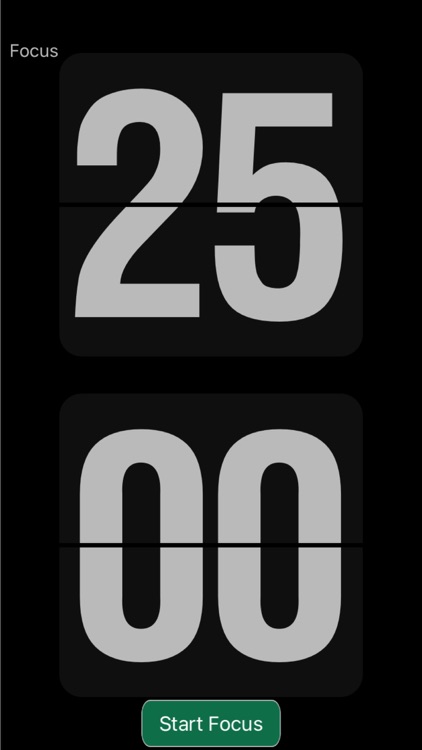
Focus timer is a tomato timer based app that helps you concentrate on your work and study. When you want to start concentrating on, you can choose an environment, accompanied by beaches, trains, rainy days, bonfire, country cricket sounds, and you will be comfortable concentrating on.

Features:
- Tomato timer, break down work into intervals, traditionally 25 minutes in length, separated by short breaks.
- Support custom time, easy to set the focus time, rest time.
- Set the reminder after the end of the timer, a variety of sounds to choose from.
- Minimal interface design, timer display clear with flip animation
- Supports background running

Sloth - Task Manager

Sloth - Task Manager

Jafar Najafov

*** Featured in the Best New Apps category ***
*** Featured on TechCrunch, BuzzFeed, Gizmodo, Product Hunt ***

Sloth is a task manager that helps you be more efficient with YOUR TIME.

- Set length of each task
- Get notified when time runs out
- Simple gesture based control
- Whiz through tasks without leaving notification center
- Customization options

Sloth is perfect if you’re looking to:

- Sharpen focus
- Overcome procrastination
- Conquer perfectionism
- Create a personal or work routine
- Make a dent in big tasks
- Be more time conscious

"This app has managed to motivate me to accomplish more in the past three DAYS than I've done in the past three WEEKS"

"I like the approach of this app compared to the sea of other task apps in the store, it's ideal to break down tasks for studying, working etc"

Productivity Challenge Timer

Productivity Challenge Timer

Vladimir Jovanovic

Productivity Challenge Timer aims to help you be more productive, more focused, waste less time and so on, you already know all that stuff.

What this app is really about is challenging you to work harder and tracking your work habits. You'll earn/lose ranks depending on your performance, earn achievements and track your productivity over time, so you'll know how long you worked on what and during which days of the week and hours of the day you're at your most productive.

Now here's a few things you should know before downloading:

- This is not an organizer. If you can't keep track of what you're supposed to be doing, this is not the app for you. The app includes tracking of projects so you know how much time you spent working on each of your clients/books/websites/whatever - like a time sheet, but it's not meant to be an organizer or a to-do list.

- This app will not let you pause work sessions or finish them early, so if you have a tiny baby-sized bladder and you need to pause every few minutes, this is not the app for you. The shortest work session you can set is 10 minutes and you're not supposed to be interrupted. Besides, I use this app too, and I'd be the first to abuse that pause feature to go look up useless nonsense instead of getting work done.

- The purpose of this app is not to promote a healthy work-life balance, but to get you to work harder. Because of this, it does not recognize weekends or holidays or parenting or any other excuse people come up with to take time off, and it will demote you if you start slipping. Please don't expect the app to validate your personal goals, its sole purpose is to make you work harder, even when you shouldn't.

That's it, thanks for reading and I hope you find this app as useful as I do.

Time Everything - Productivity Timer

Time Everything - Productivity Timer

Moonswing

If you want to keep track of how you're spending your time, then you need Time Everything. If you need to keep track of...

o Children's TV time
o Children's homework
o Billable hours
o Time spent exercising
o Household chores
o Travel time
o Labor contractions
o Sleep patterns
o Time spent reading a book

... or anything else you can think of timing, then Time Everything can do it for you.

Create as many tasks as you like and as many timings as you require. Time events that are happening simultaneously. Time Everything will keep track of when you did it, and for how long you did it. Time Everything helps you understand exactly how you're spending your time and let you filter your search to a set of dates that you specify. With that knowledge you can begin to separate the wheat from the chaff and start to focus on what's really important to you.

If for some reason you don't have your phone to hand, you can manually enter the details at a later time. With Time Everything you need never lose track.

You can Filter your results and sort your results. You can then export the data to iTunes as a Comma Separated Variable (.CSV) file. From there you can import it into a spreadsheet program for detailed analysis or making graphs, for example.

Block & Flow: Pomodoro Timer

Block & Flow: Pomodoro Timer

One foot after the other

Do more in less time with 25-minute blocks. Take it one block at a time and surprise yourself with how much you can accomplish.

Inspired by tried and trusted time management techniques. Block & Flow is simple, beautiful and will get your productivity flowing.

FEATURES:
- A 25-minute visual countdown keeps you focussed and avoiding distractions.
- Manage your energy levels with regular breaks
- Measure your day, week and longer by how many blocks you finish.
- Colour code a block for the activities that you do often or care particularly about.
- Goals enable you to be intentional with your time.
- History gives you an understanding of where your time goes.
- A block’s duration can be changed to your ideal time.

WHY IT WORKS:
- It makes it easy to get the day started. Just do your first block.
- Creates an enjoyment and satisfaction as you see all that you get done. See your blocks build up one by one.
- It is clear when to stop. Stop when your block has finished, or after you have done x many blocks for the day.
- Every block that you finish is a small success. As these small successes build-up, your self- belief grows.
- If you keep finishing your blocks. The time will add up to a lot and you will surprise yourself. (We under-estimate what we can do in the long term).

WHO IS IT FOR?
People tell me that they do x many blocks a day, or over a week which is fantastic. A few people have been completing their blocks for a year and more. I imagine someone completing their blocks over a month, a year and ultimately many years. I believe they will grow as a person, stretch themselves, and be surprised with what they are able to learn, create and accomplish. This is what excites me and motivates me to do my best for someone that chooses Block & Flow.

What will you accomplish, one block at a time?

Happy Block & Flowing

Stefan

*********************

PRO SUBSCRIPTION:
- A Monthly or Yearly Pro Subscription is offered. If you purchase a Pro Subscription payment will be charged to your iTunes account.
- Renewals will be charged 24 hours prior to the end of your current Pro Subscription.
- You can turn off auto-renewal at any time in your iTunes Store settings.


POLICIES:
- Privacy Policy: https://www.blockandflowapp.com/privacy%20policy/
- Terms of Service: https://www.blockandflowapp.com/terms%20of%20service/

AmosTime

AmosTime

yuke wu

We all know the importance of time management. Sometimes the procrastination is just too powerful.
That's why we designed and made this elegant, efficient and handy tool to help our users become an expert with measurable effort.

AmosTime combines time tracker and pomodoro technique that can help our user to seize the moment.
To maximize your productivity and improve time management, you can:

* Plan your time investment for everyday
* Record daily working hours with only start
* Focus on current target and add details after
* Set your deadline so you’ll never pass it
* Review daily and monthly timesheet
** Become an expert in particular field with 10,000 hours

AmosTime can help you to know:

- How long have I been reading
- How long have I been coding
- How long have I been studying
- How long have I been playing piano
- How long have I been practicing
= How much longer I could be a master!

Everyone can be an expert with 10,000 hours time investment.

【Key Features】

· Well designed for easy using
· 3D Touch for both icon and in-app
· Today Extension control (IOS 10)
· Sync data between all your devices

Talk to me in the app, or email me for everything:
Email: wyk111wyk@me.com
---------------------------------------

This app integrates with the Apple Health app, after user's authorization, it can read & write Sleep and Workout data from Apple Health.

---------------------------------------
The optional Premium subscription costs USD $5.99 per year.
The instruction of auto-renew subscription:

1. Content: Unlimited number of project could be created during each subscription period
2. Purchase: Your iTunes account will be charged for renewal within 24-hours prior to the end of the current period at the price of USD $5.99/Year.
3. Free trial: Any unused portion of a free trial period will be forfeited when the user purchases a subscription.
4. Renew: This subscription auto-renews at the end of each term, unless cancelled 24-hours in advance.
5. Cancelation: You may manage your subscription and turn off auto-renewal by going to your iOS-Setting. No cancellation of the current subscription is allowed during active period.

Terms and conditions:
https://www.notion.so/amostime/Terms-and-conditions-5da3f7aca3ff4c9f9cf27cd6111c1c82

Privacy Policy:
https://www.notion.so/amostime/Privacy-Policy-cc1f5c8dfdc141fd94770cf19f190fed

Stay Focused - Time Tracking & Task Timer

Stay Focused - Time Tracking & Task Timer

Janina Kretschmann

Stay focused lets you get things done by breaking up individual event among discrete intervals, separated by short breaks. It helps you stay focused in work and study to makes your time more productive and joyful.

FOUCS TIMER
• Base on Pomodoro Technique, for work and study.
• 25-minutes fully concentrated periods, separated by 5-minutes short breaks
• Long Break mode. Trigger a long break every four concentrated periods
• Allows customising the length of focuses and breaks
• Includes Apple Watch

Pomodoro Technique is an easy-to-use time management method, which uses a timer to break down works into intervals, traditionally 25 min in length, separated by 5 min breaks.

Productivity Journal

Productivity Journal

Dmitrijus Drozdovas

By having a maximum of three to five tasks a day, doing the most important task first, and working on only one task at a time you will be able to finish the project that you have been procrastinating on and achieve great things.

* Create and Manage Tasks
* Plan your Week
* Plan your Day
* Break down tasks into Subtasks
* Track your time using the coutndown timer
* Review your Weekly Progress

The Technique:
1. Decide on a clear task that you want to focus on and break it down into subtasks that will take you at least 25 minutes to do.
2. Start the timer and begin working on the task. You can never do half of a session. Do not work on anything else. If you get distracted, gently bring yourself back to work. If your distraction pulls you away from the task at hand, reset the timer and start again. Over time, this technique will condition you to focus exclusively on the task at hand, and will increase your productivity and discipline.
3. Once the timer ends, time for a mini-celebration! Get up, stretch, get some more water, do a happy dance. You have 5 minutes of break time until you start the next session.

Promo Timer Pro

Promo Timer Pro

Joy Tharmapalan

Promo Timer Pro is the same Promo Timer you love but without the ads! A completely ad free experience keeps you free from all distractions and focused on your work.

Having trouble focusing on work, studying or revising for exams? With Promo Timer, you can work the smart and easy way!

Promo timer is based on the method of simply timing yourself and allocating frequent breaks so you work your fastest without burning out. You’ll be amazed at the results.

Promo Timer makes it incredibly simple and easy: just set how long you want to work and break for!

Promo Timer even takes into account distractions like games, Youtube and social media; the timer only counts down when it’s open - if you open another app, the timer pauses so you can’t cheat!

Got homework? Exams? Deadlines at work? Trying to learn a new language or to code? Always procrastinating? Promo Timer makes it all much easier.

- No complicated set up
- No login
- Simple to use