You are using an outdated browser. Please
upgrade your browser to improve your experience.
Optimized for iOS 8

DIY Wallpaper Frames ( SCREEN Pro : for Lock Screen & Home Screen )
by YoungGam communication


What is it about?
Optimized for iOS 8. Enjoy the new wallpaper.
App Screenshots

App Store Description
Optimized for iOS 8. Enjoy the new wallpaper.
- Limited time SALE! 50% OFF -
- Introduction -
Do you still use typical and dull backgrounds?
'SCREEN' is the finest wallpaper app you have found yet. It’s definitely not typical collection of backgrounds that most apps offer. Enjoy your imagination with 'SCREEN'. A large collection of ready to use wallpapers is also available to choose the best you like.
- Features -
* Chic and cool images
By using 1000 high-quality library images and five layers, we can create endless image combinations and depending on your diversified taste, you can also utilize your favorite photos to create special wallpaper backgrounds.
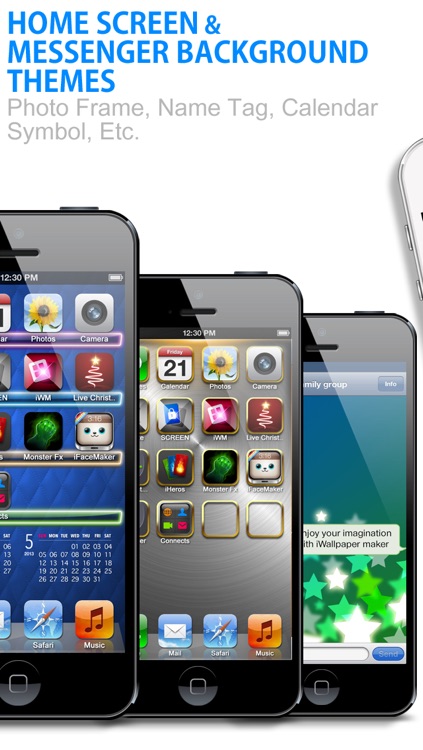
( We provide a variety of library images: Calendars, Name tags, Symbols, Frames, Skin bar, Backgrounds )
* Preview: instant preview feature that allows you to quickly preview your new background or app shelf.
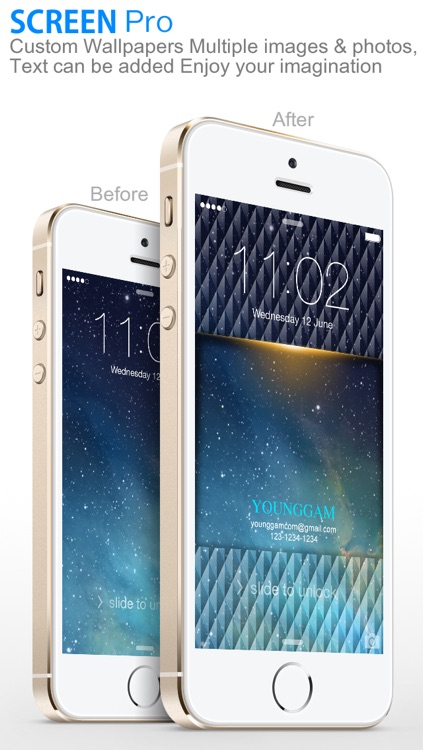
* Text (Multiple can be added): can change/modify font type, addition, position, size, rotation and colors
* Photos (Multiple can be added): can change location, size, rotation and transparency
* My gallery: you can store the images you edited in your own gallery and re-edit anytime.
* No need for Internet connection, everything you need to design fantastic wallpapers is inside this application.
* To save images, and to send the images to Email, Twitter, Facebook, Instagram and the printer
* Standard resolution images for iPhone/3G/3GS, iPod touch
* Retina resolution images for iPhone 4/4S/5/5C/5S, iPod touch 4th/5th gen
* Main thems : for Lock screen
* Bouns thems : for Home screen
Thank you for the comments submitted via email, we're working hard on making the app better.
Q: We can't save it to our photos folder
A: Settings > Privacy > Photos > App ON
Q: Wallpaper doesn't fit in the screen position.
A: Settings > General > Accessibility > Reduce Motion > ON
(Note: If zoomed, you will need to rescale your wallpaper to fit to the screen.)
Disclaimer:
AppAdvice does not own this application and only provides images and links contained in the iTunes Search API, to help our users find the best apps to download. If you are the developer of this app and would like your information removed, please send a request to takedown@appadvice.com and your information will be removed.
AppAdvice does not own this application and only provides images and links contained in the iTunes Search API, to help our users find the best apps to download. If you are the developer of this app and would like your information removed, please send a request to takedown@appadvice.com and your information will be removed.
