You are using an outdated browser. Please
upgrade your browser to improve your experience.

Control your Videohub broadcast SDI routers from your iPad

Blackmagic Videohub
by Blackmagic Design Inc

What is it about?
Control your Videohub broadcast SDI routers from your iPad!
App Store Description
Control your Videohub broadcast SDI routers from your iPad!
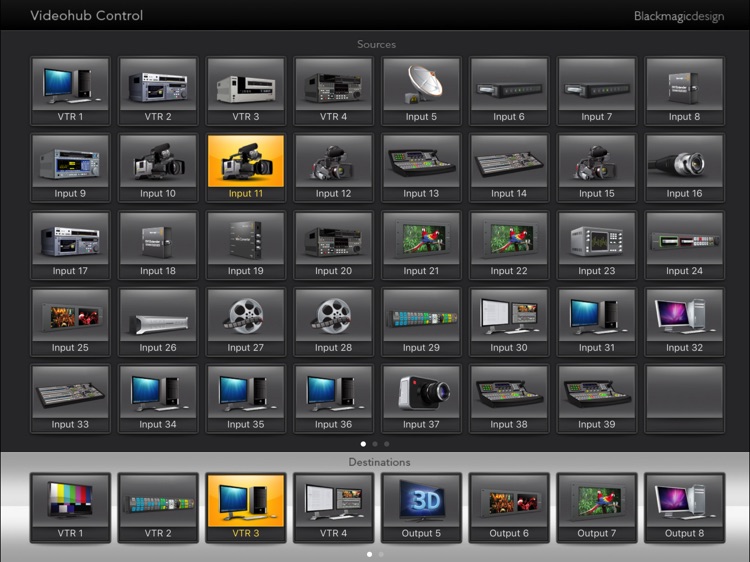
Videohub Control uses a familiar push button interface that's fast and easy to use. Simply tap a destination button to show the connected source, and then change sources by pushing any of the source buttons! If you want to lock a destination, then double tap! For more destination and source buttons, just swipe!
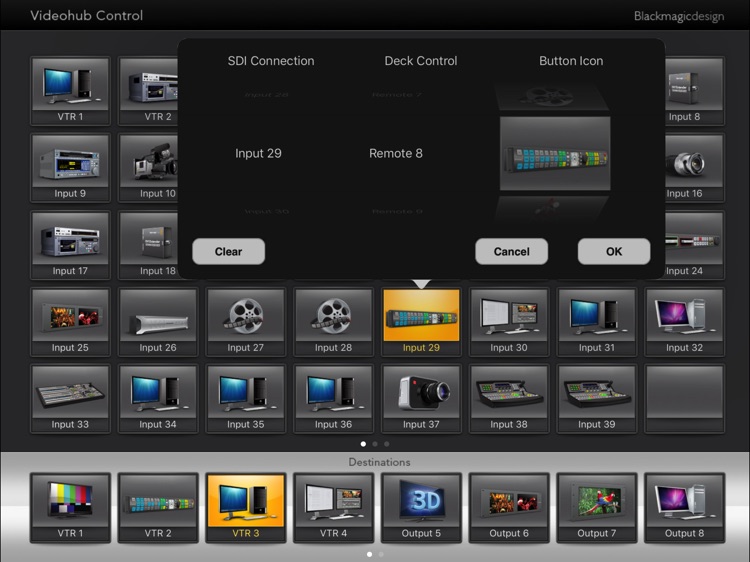
Installation is simple, and all you need to do is select Videohub in your iPad settings to enter the IP address for your Videohub router. Be sure your iPad is on a wireless network that has access to your Videohub router first! To configure each interface button, just press and hold to select source numbers and icons.
Check the Videohub router instruction manual on the Blackmagic Design web site for more information. www.blackmagicdesign.com.
Disclaimer:
AppAdvice does not own this application and only provides images and links contained in the iTunes Search API, to help our users find the best apps to download. If you are the developer of this app and would like your information removed, please send a request to takedown@appadvice.com and your information will be removed.
AppAdvice does not own this application and only provides images and links contained in the iTunes Search API, to help our users find the best apps to download. If you are the developer of this app and would like your information removed, please send a request to takedown@appadvice.com and your information will be removed.
