You are using an outdated browser. Please
upgrade your browser to improve your experience.

Tired of holding your iPad or Android tablet while playing Infinite Flight

IF Cockpit
by Nicolas Barthe-Dejean
What is it about?
Tired of holding your iPad or Android tablet while playing Infinite Flight ?
App Store Description
Tired of holding your iPad or Android tablet while playing Infinite Flight ?
Install IF Cockpit on your phone and control Infinite Flight remotely !
** This app is a remote control app for Infinite Flight simulator. It requires Infinite Flight to be installed on another device. Only compatible with iPhone 5c or better, iOS 9 or better **
Features :
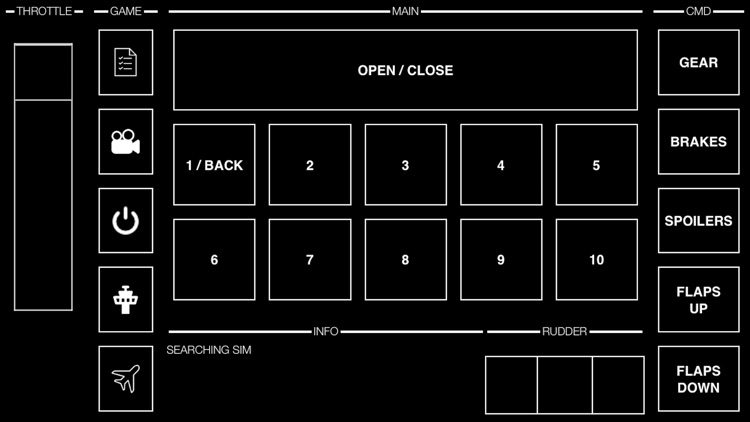
- Throttle
- Rudder
- Pitch & Roll (with pan tilt movements)
- Gear (toggle)
- Breaks (toggle)
- Spoilers (toggle: Flight/Armed/Off)
- Flaps (Up/Down)
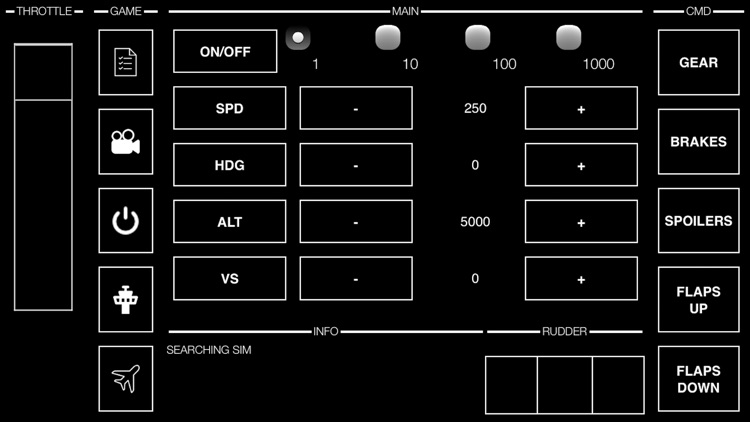
- Autopilot : SPD, HDG, ALT, VS
- ATC : Open/Close window + 1 to 10 commands
- Lights
- Pushback
- Trim (Up/Down)
- Play/Pause
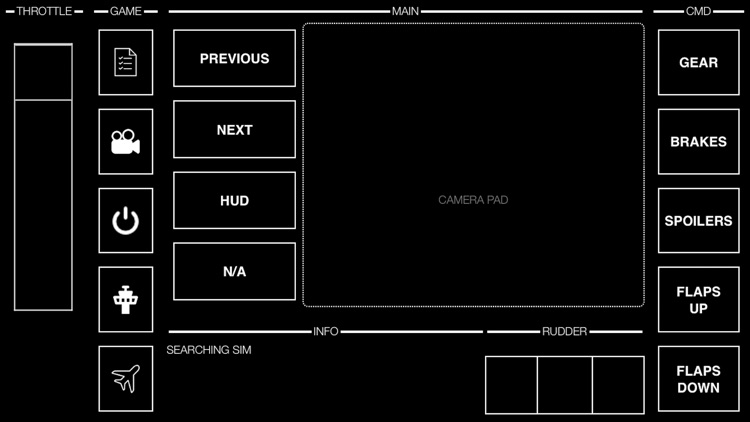
- Camera (next/previous) + POV
- HUD (enable / disable)
- And more to come !
Requirements & Disclaimer :
- Only compatible with iPhone 5c or better, iOS 9 or better
- This app requires to install Infinite Flight on another device
- Infinite Flight and IF Cockpit must run on two different devices connected to the same WiFi network
- Disconnections can happen : Relax, all our tests were fine but a connection fail is always possible. The developer of IF Cockpit is not responsible for any disconnection due to WiFi or Infinite Flight app related issues. See instructions below to reconnect quickly.
Privacy :
No data is collected by the app nor transmitted to any tier (no analytics tracking system)
Instructions : [IF] = Infinite Flight, [IC] = IF Cockpit
- [IF] + [IC] Make sure your devices are connected to the same WiFi network
- [IF] Start Infinite Flight
- [IF] Check 'Enable Infinite Flight Connect' in General Settings
- [IF] Start a Flight
- [IC] Click 'Auto Connect'
- [IC] Wait for 'Connected' message in the info panel
- [IF] Go to Settings > Controls
- [IF] - Click on 'Roll' and move your phone to left/right
- [IF] - Click on 'Pitch' and move your phone frontwards/backwards
- [IF] - Click on 'Yaw' and move the 'Rudder' slider left/right
- [IF] - Click on 'Throttle' and move the 'Throttle' slider up/down
- [IF] - Check any 'reverse' box if needed
- [IC] Click 'Auto Setup' at any time to reset connection if needed
- [IC] Click 'Calibrate' at any time to reset axis center
Disclaimer:
AppAdvice does not own this application and only provides images and links contained in the iTunes Search API, to help our users find the best apps to download. If you are the developer of this app and would like your information removed, please send a request to takedown@appadvice.com and your information will be removed.
AppAdvice does not own this application and only provides images and links contained in the iTunes Search API, to help our users find the best apps to download. If you are the developer of this app and would like your information removed, please send a request to takedown@appadvice.com and your information will be removed.
