You are using an outdated browser. Please
upgrade your browser to improve your experience.

Picture Caller makes calling a contact much easier

Picture Caller
by Appfrilans

What is it about?
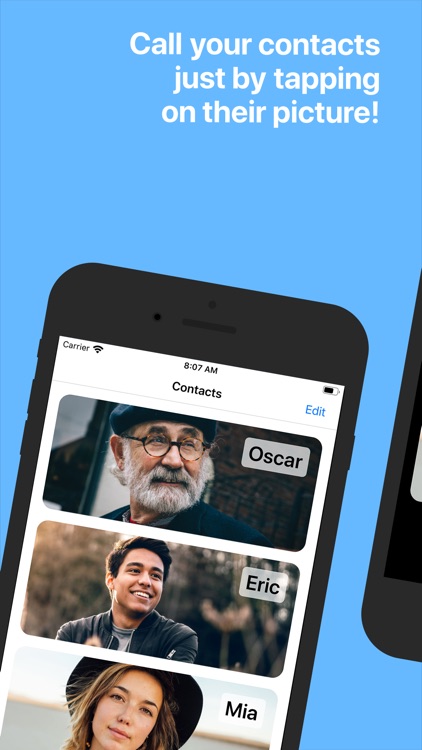
Picture Caller makes calling a contact much easier. Just click on the large picture of the contact you want to call.
App Screenshots

App Store Description
Picture Caller makes calling a contact much easier. Just click on the large picture of the contact you want to call.
The app is perfect for:
- People who have difficulties remembering names
- People who have difficulties reading
- People who have difficulties navigating the standard iPhone dial
- Anyone who wants smoother calling
Make a call in two steps:
1. Click the photo of the person you would like to call
2. Click the confirm button
Add new contacts easily:
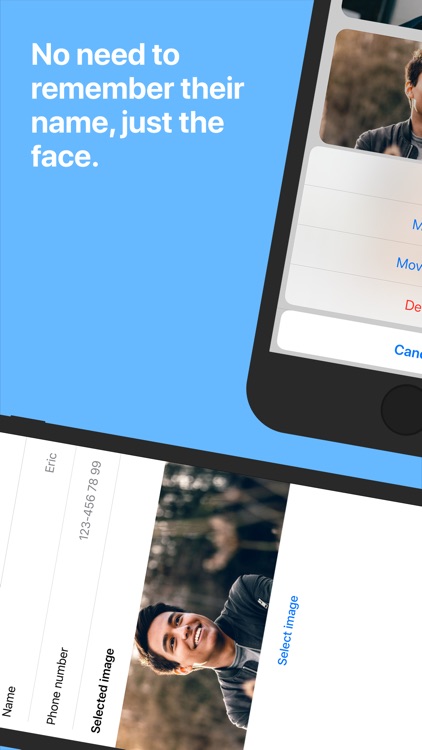
1. Click Edit
2. Click Add contact
3. Enter the name and number or import from Contacts
4. Select an image from gallery or camera
5. Done!
We've specially considered people with Dementia or Alzheimer's disease and other cognitive disorders. If you have feedback on the app, on how to make it better, please let us know!
Supports Dark Mode!
Disclaimer:
AppAdvice does not own this application and only provides images and links contained in the iTunes Search API, to help our users find the best apps to download. If you are the developer of this app and would like your information removed, please send a request to takedown@appadvice.com and your information will be removed.
AppAdvice does not own this application and only provides images and links contained in the iTunes Search API, to help our users find the best apps to download. If you are the developer of this app and would like your information removed, please send a request to takedown@appadvice.com and your information will be removed.
