You are using an outdated browser. Please
upgrade your browser to improve your experience.

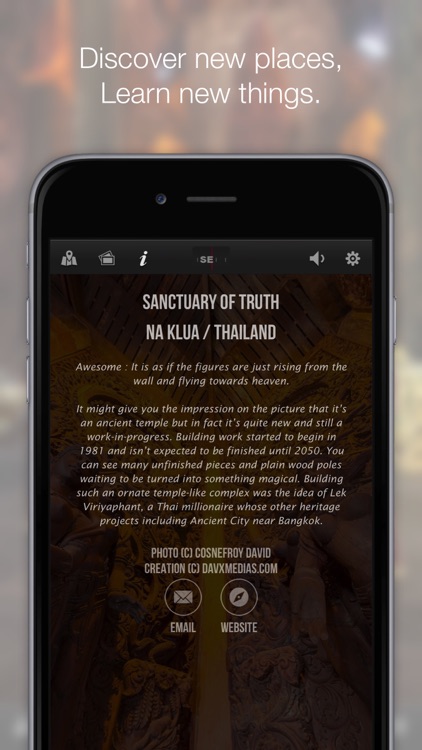
Discover the Sanctuary of Truth temple, located in ChonBuri province, Thailand

Sanctuary 360
by DAVID COSNEFROY


What is it about?
Discover the Sanctuary of Truth temple, located in ChonBuri province, Thailand.
App Screenshots
App Store Description
Discover the Sanctuary of Truth temple, located in ChonBuri province, Thailand.
Explore your way :
- Touch to drag panoramic image
- Move your iPhone around you (with gyroscope enabled in options)
- See in VR with your Google Cardboard (or any others VR Headset)
Enjoy the visit and share the kindness.
Keep in mind that real world visit is truly more impressive,
Temple is awaiting you in Thailand.
if you love Thailand, you will love the App !
Love the App ? Write me an App Store review !
Have an idea ? Something not working ? shoot me an email at david@davxmedias.com
————————————
In-Depht Description :
————————————
For your convenience,
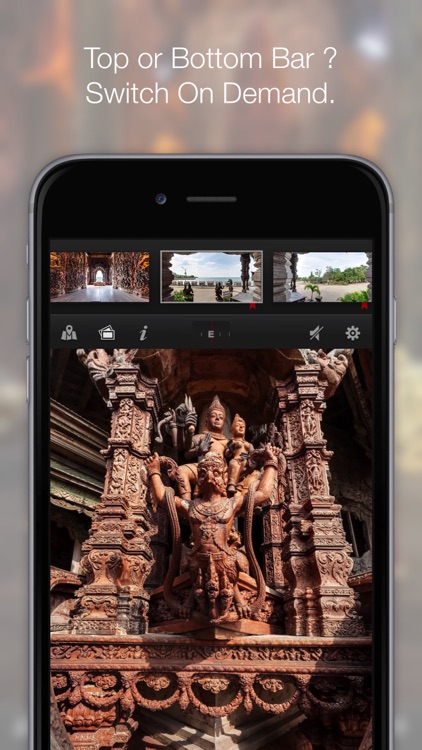
Switch buttons are located in user interface bar :
- Show / Hide map (map spots are clickable)
- Show / Hide scrolling thumbs gallery to choose your visit
- Show / Hide infos regarding the current panorama
- Compass ( short-touch bring North direction, long-Touch Switch Bottom / Top bar )
- Pause / Resume current sound (there also a Silence mode in Options)
- Show / Hide Options panel
in Options panel :
- You can change language interface
- Turn ON / OFF silence mode (then sound will not resume anymore with a new image)
- Turn ON / OFF Auto-rotation mode (auto-tour)
- Turn ON / OFF Gyroscope mode (move your device to visit instead of touch-dragging image)
- Turn ON / OFF Weather with Snow and rain
- Turn ON / OFF Little Planet projection
- Turn ON / OFF Fisheye Mode to get a wider field of view
- Turn ON / OFF VR Mode to use with with Google cardboard or any VR Headset
Pinch to Zoom on Maps or Panorama
More features and more images to come, stay tuned ! :-)
Disclaimer:
AppAdvice does not own this application and only provides images and links contained in the iTunes Search API, to help our users find the best apps to download. If you are the developer of this app and would like your information removed, please send a request to takedown@appadvice.com and your information will be removed.
AppAdvice does not own this application and only provides images and links contained in the iTunes Search API, to help our users find the best apps to download. If you are the developer of this app and would like your information removed, please send a request to takedown@appadvice.com and your information will be removed.
