You are using an outdated browser. Please
upgrade your browser to improve your experience.

Huawei Telepresence is an application which is connected to the same wireless network as your telepresence host

TP Controller
by Huawei Technologies Co., Ltd.


What is it about?
Huawei Telepresence is an application which is connected to the same wireless network as your telepresence host. The application works with TP1102 V100R001C01B017SP06 or HUAWEI RP100 or HUAWEI RP200 V100R001C01B026.
App Details
Version
2.1.2
Rating
(1)
Size
5Mb
Genre
Business
Last updated
December 5, 2012
Release date
November 30, 2012
More info
App Screenshots


App Store Description
Huawei Telepresence is an application which is connected to the same wireless network as your telepresence host. The application works with TP1102 V100R001C01B017SP06 or HUAWEI RP100 or HUAWEI RP200 V100R001C01B026.
Huawei Telepresence System
Delivers a true-to-life remote conference experience in a specially-designed conference room.
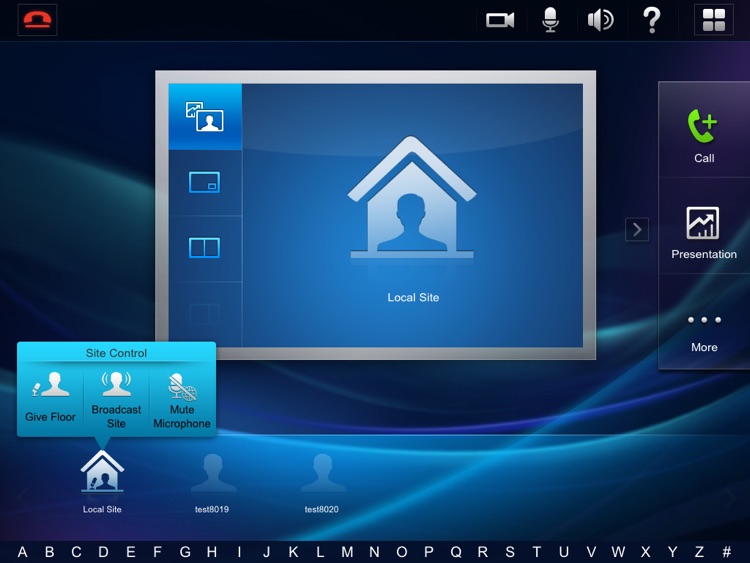
Allows you to hold and manage conferences using the touch panel and, with the user-friendly UI design of the touch panel, empowers you to focus on the meeting but not the technology.
With simple system configuration and conference management, transmits high-definition (HD) video and stereo audio, supports point-to-point and multipoint conferences, and displays video and a computer's graphical user interface at the same time, to provide the ultimate conference experience and link sites across the globe together.
Huawei Telepresence Application
==============
User Interface:
Widely-used menu structure
Self explanatory parameters
Multiple UI languages
Ease of use
Call Functions:
Calling from the favorite conference list, contacts, conference history, or keypad
Conference schedules displayed in list; one tap to join the conference from the list
Multipoint conferencing
Two-stage dialing
Conference Control:
Sites displayed in list
Chair and non-chair conference control
Presentation sharing and sharing status display
Local Device Control:
System power-on and power-off
Microphone muting and unmuting
Speaker volume adjustment
Camera control
Disclaimer:
AppAdvice does not own this application and only provides images and links contained in the iTunes Search API, to help our users find the best apps to download. If you are the developer of this app and would like your information removed, please send a request to takedown@appadvice.com and your information will be removed.
AppAdvice does not own this application and only provides images and links contained in the iTunes Search API, to help our users find the best apps to download. If you are the developer of this app and would like your information removed, please send a request to takedown@appadvice.com and your information will be removed.
