You are using an outdated browser. Please
upgrade your browser to improve your experience.

VDO Fleet App

VDO Fleet
by AUMOVIO SE


What is it about?
VDO Fleet App
App Screenshots


App Store Description
VDO Fleet App
The latest app comes from VDO, which has a number of useful features that make working with the tachograph easier and increase general efficiency in day-to-day business.
Download
Seamlessly download and upload all legally mandated files from your DTCO or from your DLK Smart to your VDO Fleet Account. You can now seamlessly connect a DLK Smart device or DTCO via Bluetooth to your smartphone/tablet, then select the data packages you want to download (mass storage, mass storage including speed data and/or the driver card currently inserted in the tachograph). After the successful download, you can conveniently upload the downloaded data directly from your smartphone to the VDO Fleet archiving solution and archive it. This ensures that your fleet always remains legally compliant.
Requirements for using the function:
Digital tachograph (DTCO®) by VDO (DTCO® 4.1a or higher for direct Bluetooth connection between DTCO and smartphone)
DownloadKey Smart device by VDO (for Bluetooth connection between DownloadKey Smart and smartphone
Valid company card to authorize the download (this must be inserted in the DTCO card slot)
Valid driver card if this is to be downloaded
VDO Fleet Account for archiving the data and for general access to VDO Fleet features
VDO Driver Features
For the first time, the driver will be able to use several services via the VDO Fleet App, such as:
• Manual Entry: Manage your manual entries remotely and send them to your DTCO
• Remote Control: Take the control of your DTCO and operate remotely
• VDO Counter: Ensure legal compliance and stay informed wherever, whenever
Requirements for using the function:
Digital tachograph (DTCO® 4.1a or higher) by VDO
Valid driver card inserted in the slot
VDO Fleet Mobile
It is also possible to log in to VDO Fleet from your smartphone/tablet via the VDO Fleet App and use various services. This includes:
• VDO Fleet Download Reminder mobile view
• VDO Fleet Maps mobile view
Download Reminder mobile view
In the future, VDO Fleet will increasingly be usable on mobile devices! Always stay informed when your last tachograph downloads took place and even more important: When the next download has to be done. With the Download Reminder mobile view, you can easily check on the go, if there are any open downloads or other tasks.
Requirements for using the function:
VDO Fleet Account for using the VDO Fleet Tachograph Management features
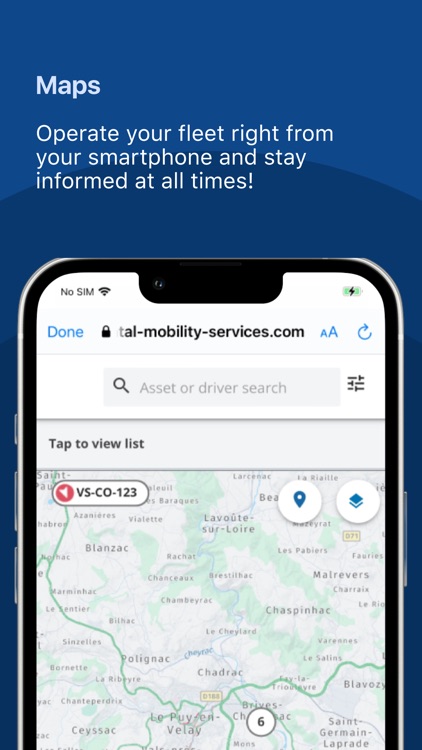
VDO Fleet Maps mobile view
Another VDO Fleet feature is Maps. With the VDO Fleet Maps feature, you always have an overview of where the vehicles in your fleet are, so that you can react optimally in the event of delays or events. You can access the feature at any time via the integrated mobile view - conveniently and on the go!
Requirements for using the function:
• VDO Fleet Account, incl. Maps package for using the VDO Fleet features
• Installed vehicle telematics (e.g. Remote DL 4G from VDO)
[:mav: 1.2.3]
Disclaimer:
AppAdvice does not own this application and only provides images and links contained in the iTunes Search API, to help our users find the best apps to download. If you are the developer of this app and would like your information removed, please send a request to takedown@appadvice.com and your information will be removed.
AppAdvice does not own this application and only provides images and links contained in the iTunes Search API, to help our users find the best apps to download. If you are the developer of this app and would like your information removed, please send a request to takedown@appadvice.com and your information will be removed.
