



You are using an outdated browser. Please upgrade your browser to improve your experience.

Apps That
Went Free on
2014-11-24

Our collection of apps today will help you take advantage of your iDevice’s powerful optics. We have an app for cloning subjects, for focusing in on subjects, and for taking panoramas.

Windy
iPhone
iPad
Windy

Windy

Kindred, Inc.

Play your iDevice like you would a real wind or brass instrument with Windy.

Windy is great for musical kids and adults.

FREE ($0.99) For a limited time FREE ($0.99) For a limited time
Why we picked this?

We really like Windy because it’s so easy to play. Tap the icon in the middle of the screen to select your instrument. You’re also able to select a song to play and toggle the key labels on and off. Then put your fingers on a key and blow into your iDevice’s microphone to create some music. Tilt your iDevice left and right to play sharp and flat notes, and tilt it up and down to play across three octaves. Windy includes four built-in songs to play, with additional songs available via in-app purchase.

If you want to make some noise, download Windy today. Its vibrant interface just begs to be fiddled with. The built-in songs will also help you actually produce something you can be proud of.

If you have an iPad, this probably isn’t the best app for you. It’s definitely compatible, but reaching all of the keys and blowing in to the top of your iPad isn’t exactly easy.

Suru : To Do List & Notes
iPhone
Suru : To Do List & Notes

Suru : To Do List & Notes

Esoteric Development

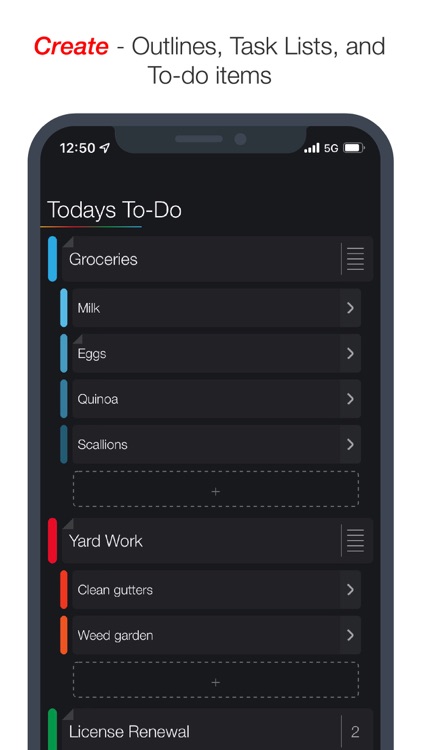
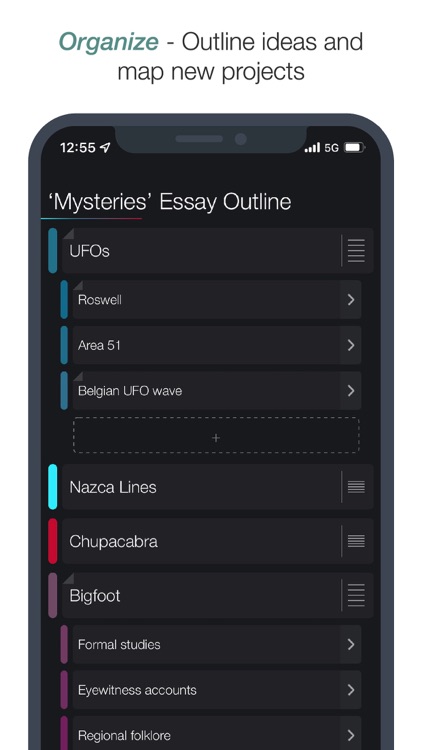
Record and share all of life’s tasks and projects with this colorful productivity app.

It’s for anyone in need of an easy way to stay organized.

FREE ($0.99) For a limited time FREE ($0.99) For a limited time
Why we picked this?

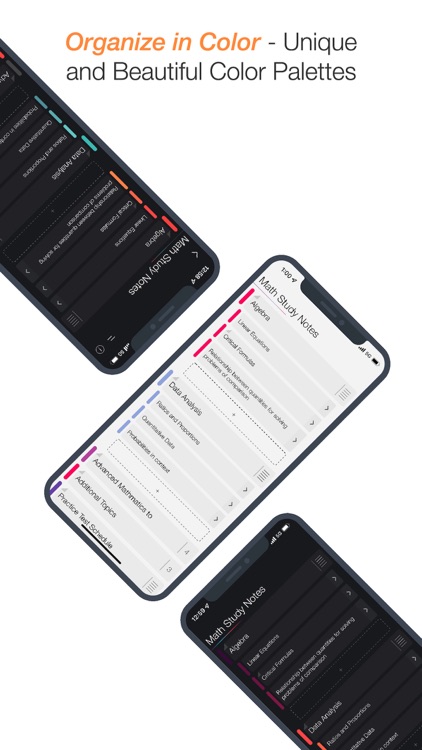
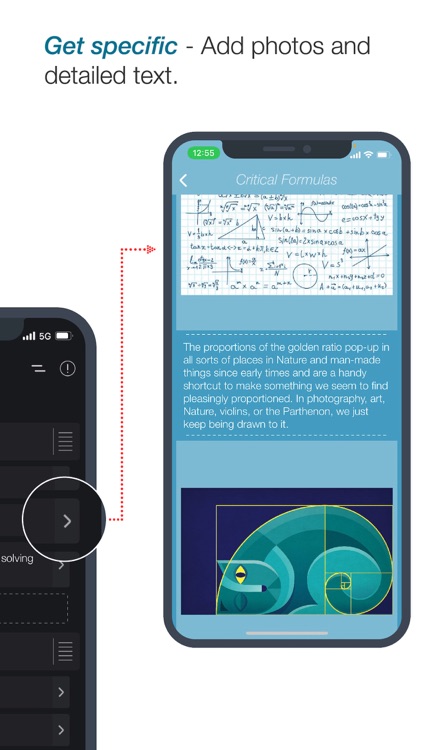
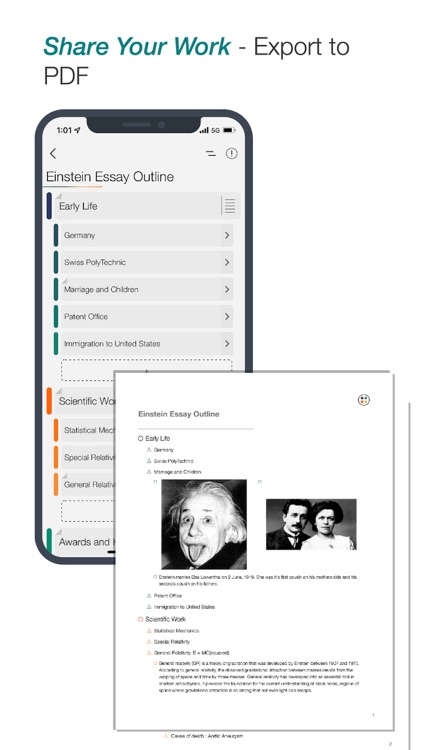
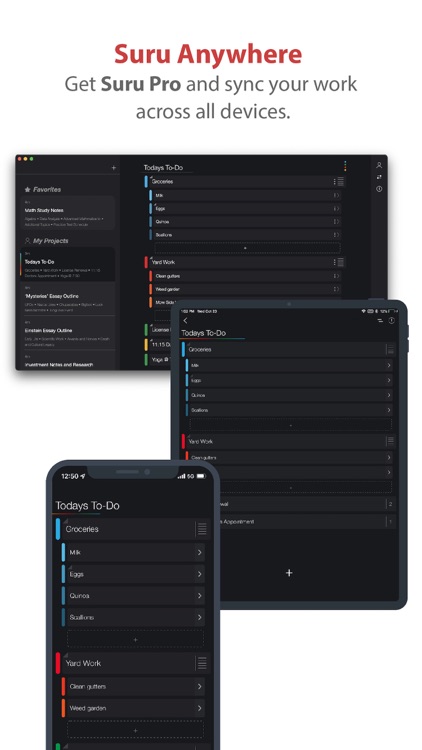
Suru can be used for just about any project thanks to its customization options and open-ended nature. Before getting to work on creating your tasks, you’ll want to choose from one of the seven color palettes. You’re then able to add task lists that can be broken down into sub-tasks. Each sub-task is able to include a detailed description accompanied by a photo. Tasks can take on one of four different colors, which you can choose with a left to right swipe. You’re also able to set reminders with the same swipe. Swipe the opposite way to mark a task as complete or delete it. The app also includes the ability to export your work as a beautifully formatted PDF, or send it to the cloud to be shared with other Suru users.

If you need to get your tasks tidied up, this is a great way to do it. Its intuitive interface allows you to get in, record, and get right back to what you were doing.

If you rely on other cloud services like Dropbox, you’re going to have to look elsewhere for your organization needs. Suru relies on its own cloud.

DMD Topic - Talking Pictures
iPhone
iPad
DMD Topic - Talking Pictures

DMD Topic - Talking Pictures

Dermandar

DMD Topic allows you to create a story from a single photo.

It’s ideal for anyone who wants to highlight subjects in their photos.

$0.99 $0.99
Why we picked this?

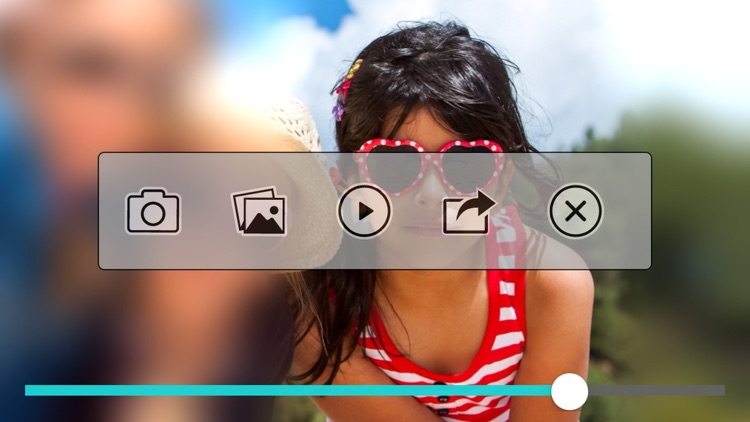
DMD Topic does one thing and it does it well. It allows you to focus in on subjects in your photo and add a voice recording to describe to your audience what they’re seeing. You’re able to tap on your subjects to have the camera focus in on them or you can use a pinch to zoom gesture to get even more accuracy. While zooming in, you’re able to record your voice to add some context. Then share your unique creation via Facebook, Twitter, email, or Messages.

If you have a photo with multiple subjects that you want to highlight, this is the perfect tool. There really isn’t anything like it in the App Store, so make sure to add it to your collection today.

DMD Topic is really a one trick pony. Plus, it doesn’t allow you to trim or edit what you’ve created. You only get one shot at it.

DMD Clone
iPhone
iPad
DMD Clone

DMD Clone

Dermandar

Clone yourself or something else with this photography app.

It’s a great addition to any iPhoneographers app collection.

$2.99 $2.99
Why we picked this?

There’s no need for manual adjustments with DMD Clone. It’s fully automated, allowing for the best possible cloning results. You’ll want to take at least three photos, but you’re able to use up to seven at once. Try to be as still as possible while taking your photos, and do your best to align their backgrounds and avoid overlapping subjects to get the best possible results. DMD Clone will automatically stitch your subjects together to create a single, perfect photo. You’re able to share your creations via Facebook, Twitter, or AirDrop, or you can import them into other apps.

If you like to get creative with your photos, check out DMD Clone. The automatic stitching takes some of the pain out of the creation process.

If you want to have overlapping backgrounds and subjects, you’re going to need to find a different cloning app. Due to the automated stitching process, the results are subpar when subjects and backgrounds are overlapped.

DMD Panorama
iPhone
iPad
DMD Panorama

DMD Panorama

Dermandar

A photography app that allows you to quickly capture, share, and view panoramic images.

DMD Panorama is for anyone who wants to share what they’ve created.

$9.99 $9.99
Why we picked this?

DMD Panorama is all about community and sharing. You’re able to quickly capture a panorama by holding your iDevice vertically, tapping the screen to start, and then rotating left or right. The two shapes at the top of the screen will continuously form circles when you’ve performed the action properly. DMD Panorama can automatically upload your work for the rest of the community to see, or you can keep all of it private. You’re also able to browse works of art from other members of the DMD Panorama community using the awesome 3-D viewer.

If you want to be a part of bustling iPhoneographer community, download DMD Panorama today. It allows you to take full 360 panoramas and show them off to the world.

If you want high definition panoramas, you’re either going to have to spend some money on DMD Panorama’s in-app purchase option or look somewhere else.